EasyManua.ls Logo

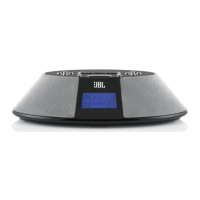
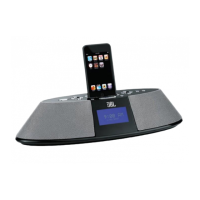
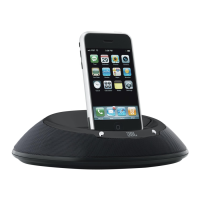
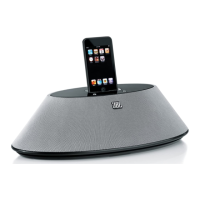
JBL On Time - User Manual

JBL On Time
8 pages
Print Icon
To Next Page IconTo Next Page
Loading...
'RFXPHQW1XPEHU 'HVFULSWLRQ0$18$/-%/2Q7LPH5HYLVLRQ 3DJHRI49
8VHU*XLGH 
*XLGHGHO¶XWLOLVDWHXU
*XtDSDUDHOXVXDULR 
%HQXW]HUKDQGEXFK 
0DQXDOHG¶LVWUX]LRQL 
࡙࡯ࠩ࡯ࠟࠗ

,$.1PVKOG
VKOGOCEJKPGHQT[QWTK2QF
6/
6KOG5QWPF5[PE%JCTIG

Other manuals for JBL On Time

Question and Answer IconNeed help?

Do you have a question about the JBL On Time and is the answer not in the manual?

Summary

Important Safety Instructions

Introduction to your JBL On Time

Unpacking and General Setup

System Components and Initial Setup

Guides unpacking, identifying components, and connecting power, iPod, and antenna.

Audio and Clock Configuration

Covers music playback controls, source selection, clock setting, and TimeCrawler functionality.

Radio Operation

Instructions for tuning into radio stations and setting presets for easy access.

Advanced Features and Settings

Alarm and Snooze Functions

Configures alarms, including wake-up sources, times, and snooze settings.

Display and Language Options

Adjusts display contrast/brightness and selects the user interface language.

Sleep Timer

Manages the sleep timer for automatic shutdown of the unit.

Troubleshooting Sound Issues

No Sound or Weak Signal

Addresses issues with no sound from the unit or weak radio reception from AM/FM.

Audio Distortion and Interference

Solves problems related to static, crackling, hissing, or picking up radio stations.

Volume, Bass, and Treble

Helps resolve issues with excessive bass/treble or incorrect volume levels.

Hum, Buzzing, and Input Cable

Deals with loud hums, buzzing noises, and input cable connectivity problems.

Troubleshooting Connectivity and Memory

iPod Charging and Recognition

Solutions for iPod charging failures and recognition errors during data transfer.

Clock Settings and Memory Retention

Resolves issues with clock accuracy and retaining settings after power interruptions.

Specifications

Regulatory Compliance

Summary

Important Safety Instructions

Introduction to your JBL On Time

Unpacking and General Setup

System Components and Initial Setup

Guides unpacking, identifying components, and connecting power, iPod, and antenna.

Audio and Clock Configuration

Covers music playback controls, source selection, clock setting, and TimeCrawler functionality.

Radio Operation

Instructions for tuning into radio stations and setting presets for easy access.

Advanced Features and Settings

Alarm and Snooze Functions

Configures alarms, including wake-up sources, times, and snooze settings.

Display and Language Options

Adjusts display contrast/brightness and selects the user interface language.

Sleep Timer

Manages the sleep timer for automatic shutdown of the unit.

Troubleshooting Sound Issues

No Sound or Weak Signal

Addresses issues with no sound from the unit or weak radio reception from AM/FM.

Audio Distortion and Interference

Solves problems related to static, crackling, hissing, or picking up radio stations.

Volume, Bass, and Treble

Helps resolve issues with excessive bass/treble or incorrect volume levels.

Hum, Buzzing, and Input Cable

Deals with loud hums, buzzing noises, and input cable connectivity problems.

Troubleshooting Connectivity and Memory

iPod Charging and Recognition

Solutions for iPod charging failures and recognition errors during data transfer.

Clock Settings and Memory Retention

Resolves issues with clock accuracy and retaining settings after power interruptions.

Specifications

Regulatory Compliance

JBL On Time Specifications

General IconGeneral
BrandJBL
ModelOn Time
CategoryDocking Station
SpeakersYes
Frequency Response70Hz – 20kHz
Signal-to-Noise Ratio>80dB
ConnectivityWired
Alarm ClockYes
RadioFM
ColorBlack
CompatibilityiPod
Power Output6W per channel
Input Power12V DC
Input ConnectionsAuxiliary input
Weight1.7 pounds
Additional FeaturesBacklit LCD
Speaker TypeFull-range

Related product manuals