EasyManua.ls Logo

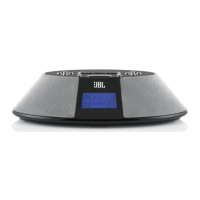
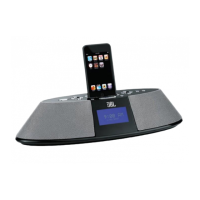
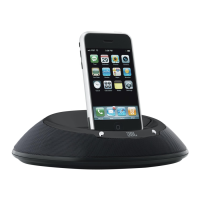
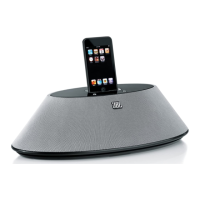
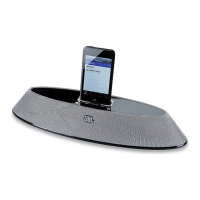
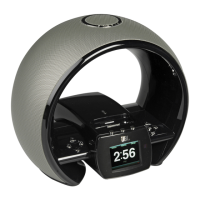
JBL ON TIME MICRO - User Manual

JBL ON TIME MICRO
15 pages
To Next Page IconTo Next Page
Loading...
English............................... 2
Français .......................... 16
Deutsch........................... 30
Italiano ............................ 44
Español ........................... 58
Nederlands..................... 72
한 글
............................... 86
Dansk ............................ 100
Japanese ...................... 114
中文............................... 128
Русский
......................... 142
Svenska ........................ 156
Suomi ............................ 170
Norsk ............................. 184
jbl On TIME
MIcrO
AM/FM RADIO AND SPEAKER DOCK FOR iPod/iPhone
UsEr GUIdE
iPod/iPhone not included / iPod/iPhone non inclus
Question and Answer IconNeed help?

Do you have a question about the JBL ON TIME MICRO and is the answer not in the manual?

JBL ON TIME MICRO Specifications

General IconGeneral
BrandJBL
ModelON TIME MICRO
CategoryDocking Station
Audio OutputStereo
Power SourceAC adapter
BluetoothNo
Alarm ClockYes
Remote ControlNo
CompatibilityiPod
Connectivity3.5mm auxiliary input
FeaturesBuilt-in Alarm Clock
Power Output2 x 3W
Speaker ConfigurationTwo Odyssey transducers

Summary

User Guide and Language Selection

Important Safety Instructions

FCC Statement and Warning

IC Statement and Warning

Unpacking and Initial Setup

Quick Setup Instructions

Step-by-step guide for initial setup and component connection.

Battery Disposal

Guidelines for environmentally sound disposal of batteries.

Device Controls

Setting the Clock

Instructions for setting the time and date on the JBL On Time Micro.

Music Playback and Source Selection

Guide to selecting music sources and controlling playback functions.

Radio Operation

Instructions for tuning AM/FM radio and managing presets.

Alarm Configuration

Setting, enabling, disabling, and configuring alarms, including wake-up sources.

Display and Timer Settings

Adjusting screen brightness, contrast, sleep timer, and snooze timer.

Remote Navigation

Menu Tree Overview

Technical Specifications

Troubleshooting Common Issues

Sound Quality Issues

Solutions for problems related to audio output and reception quality.

Charging and Syncing Problems

Troubleshooting steps for issues with device charging and data synchronization.

Clock Set and Memory Issues

Resolving problems with setting the clock and retaining memory settings.

Related product manuals