30
The individual menu items
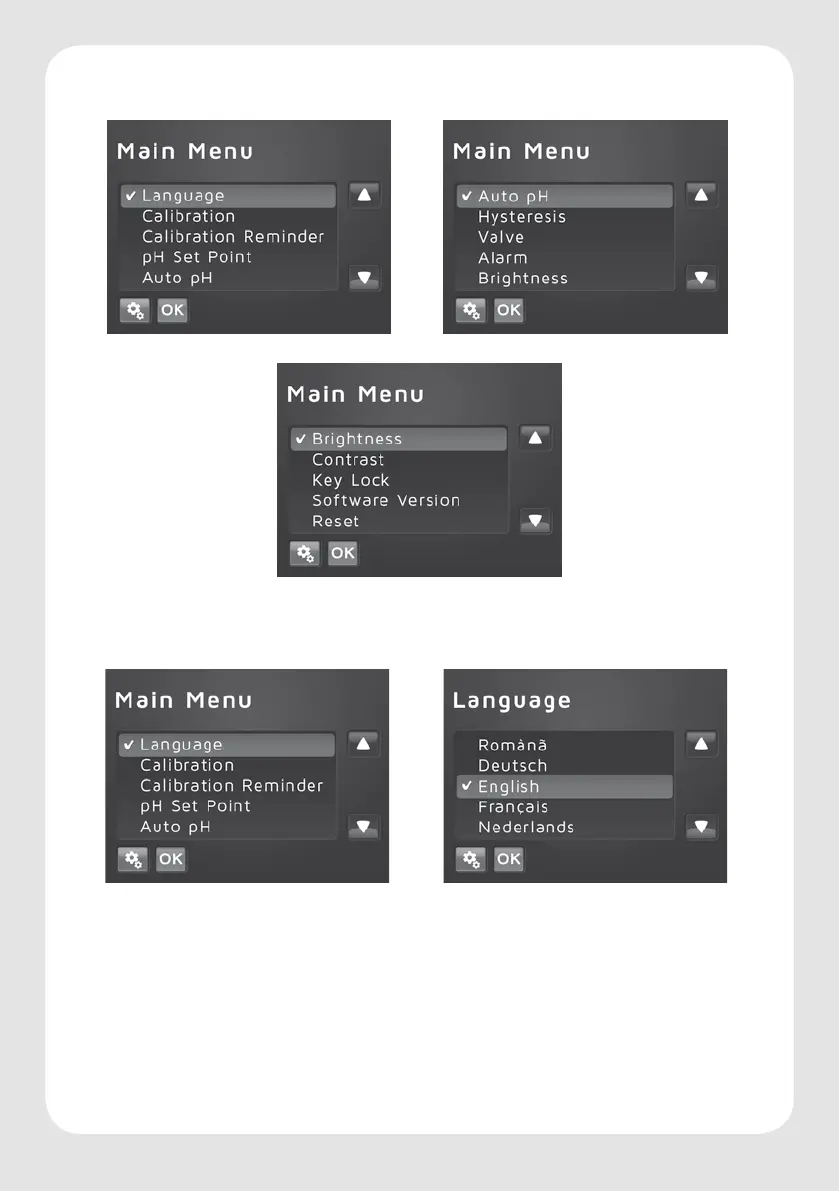
Description of the path from value overview (chapter 4).
Language selection
Open with the following steps:
Settings key > select language > press OK > select the required language > press OK. To exit
touch icon for “Settings”.
There is a choice between 9 languages for menu navigation:
DE/GB/F/NL/IT/DK/ES/PT/RO






 To Next Page