37
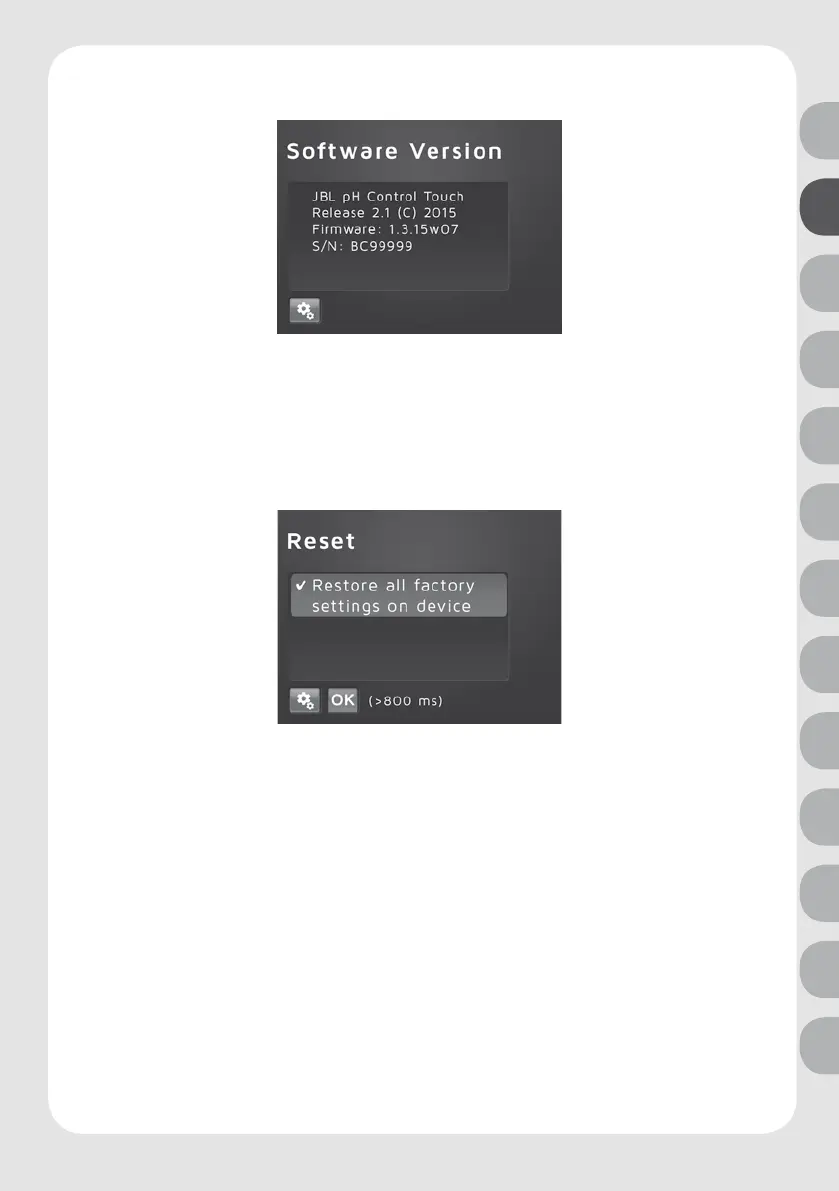
Software version
Open with the following steps:
Settings key > select software version > press OK
The current stored software version and the serial number of the device are displayed.
Details only required for service.
Reset function
Open with the following steps:
Settings key > select Restore all factory > press O.K.
If you press longer than 1 sec on OK, all individual settings will be deleted and reset to the
factory setting.
Factory setting after reset:
Language: German
Calibration reminder: 30 days
Auto pH: on, KH 8 / pH 7.03
Hysteresis: 0.10
Valve: auto
Alarm: pH +/- 1,00; 20 °C < t < 30 °C
Brightness: medium value
Contrast: medium value
Key lock: unlocked
Master password: 7422
DE
UK
FR
NL
IT
ES
PT
SE
CZ
PL
RU
RO
TR



 To Next Page