5
www.jbl.com
English
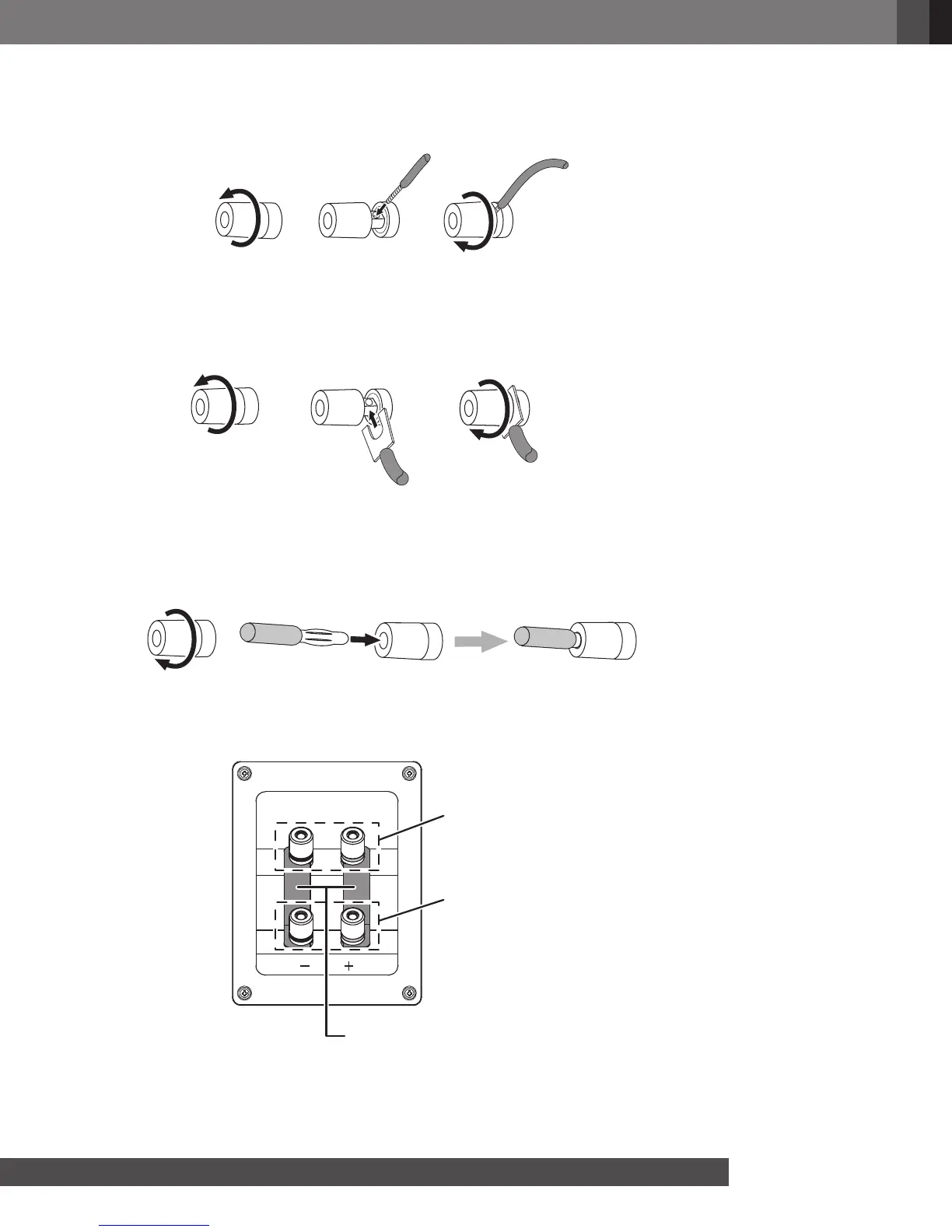
Using Bare Wire or Pin Connectors:
A. Unscrew Cap B. Insert Bare Wire or
Pin Connector through
Hole in Post
C. Tighten Cap
to Secure Wire
IMPORTANT: Make sure the “+” and “–” wires or pins do not touch each other or the other connector. Touching wires
can cause a short circuit that can damage your receiver or amplifier.
Using Spade Connectors:
A. Unscrew Cap C. Tighten Cap to Secure
Spade Connector
B. Insert Spade Connector
Blades around Post
IMPORTANT: Make sure the “+” and “–” spade connector blades do not touch each other or the other connector.
Touching blades can cause a short circuit that can damage your receiver or amplifier.
Using Banana Connectors:
A. Tighten Cap B. Insert Banana Connector
into Hole in Cap
BI-WIRE CONNECTION:
The S4700 connection assembly has two sets of input connectors that are connected by jumper bars. The upper set
of connectors is for high-frequency/ultrahigh-frequency drivers, and the lower set of connectors is for the woofer.
High-Frequency/
Ultrahigh-Frequency
Connectors
Low-Frequency
Connectors
Jumper
Bars
This arrangement allows you to bi-wire the speakers using a single stereo power amplifier or two stereo power
amplifiers. Bi-wiring can offer performance advantages and more flexibility in power-amplifier selection over a
conventional single-wire connection.



 To Next Page