EasyManua.ls Logo

JBL SCS 178 - User Manual

JBL SCS 178
10 pages
Print Icon
To Next Page IconTo Next Page
Loading...
X + 0 + Y
2
0M
HZ
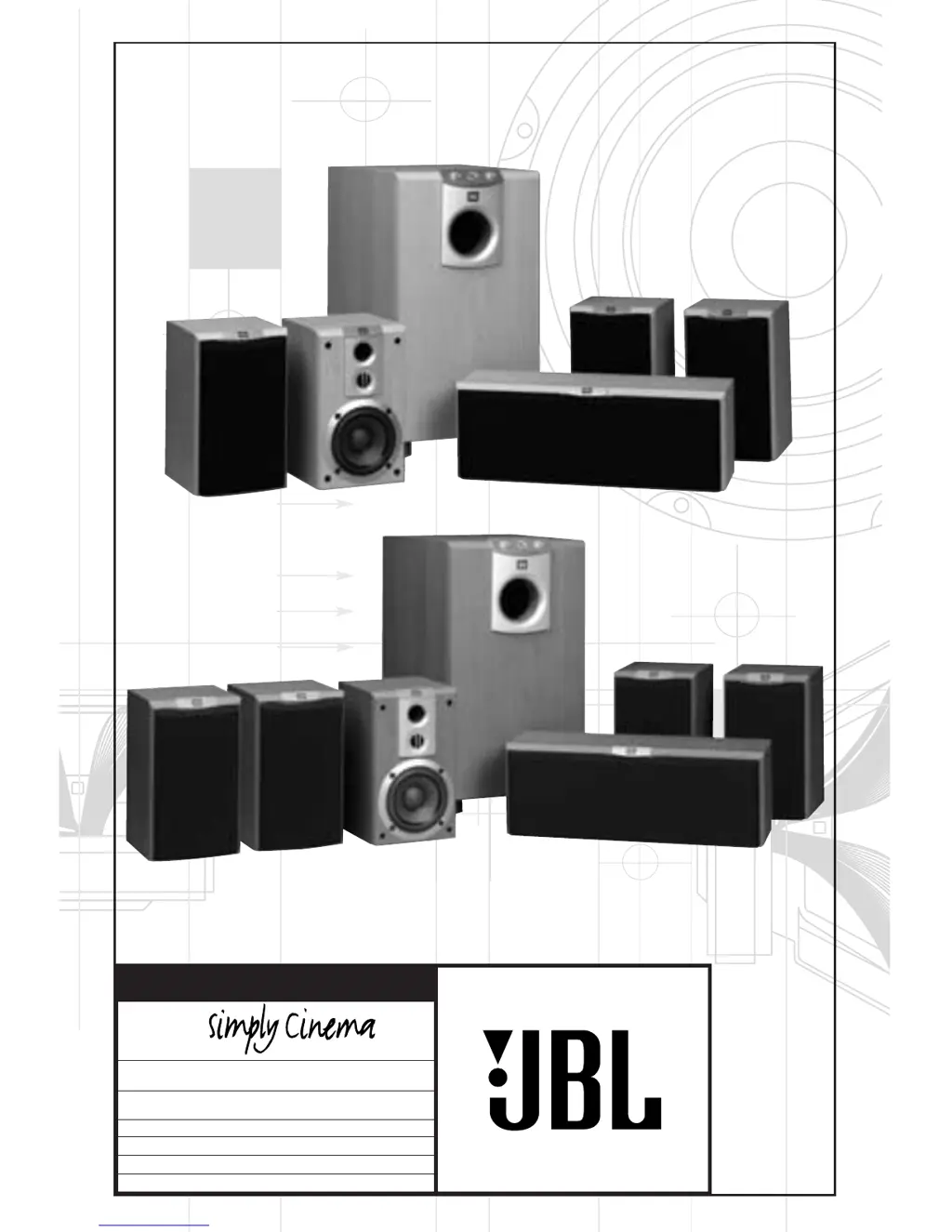
OWNER’S GUIDE
PRODUCT LINE:
SCS 178 and SCS 188 (230V)
DESIGN GOAL: Bring the thrill of live performance and movie sound to the
home environment by calling on JBLs professional engineering leadership.
SATELLITE TYPE:Titanium-laminate-dome tweeter, reflex-loaded enclosure
SUBWOOFER TYPE: Bass-reflex enclosure
PORT DESIGN: FreeFlow™ flared
PROFESSIONAL REFERENCE: Cinema Loudspeaker Series
®
MODEL
NUMBER:

Questions and Answers

  • J
    Javier RobinsonJul 30, 2025
    How to fix no sound from one JBL SCS 178 speaker?
    • L
      Lonnie ThomasJul 31, 2025
      If you're not getting sound from one of your JBL Speaker System speakers, there are a few things you can check. First, make sure to check the “Balance” control on your receiver/amplifier. Second, ensure all the speaker connections are correct. Finally, confirm that the movie or TV show you are watching is recorded in a surround-sound mode, and that your receiver/processor is configured so that the main surround speakers are enabled in Dolby Digital or DTS modes.
  • L
    lisa88Aug 6, 2025
    What to do if there is no sound from center JBL SCS 178 speaker?
    • S
      Sharon HuberAug 7, 2025
      If you're experiencing a lack of sound from the center speaker of your JBL Speaker System, begin by inspecting all wires and connections between the receiver/amplifier and the center speaker. Also, ensure that your receiver/processor is configured to enable the center speaker.
  • J
    Jamie ChanAug 14, 2025
    How to enable subwoofer output in Dolby Digital/DTS modes on JBL SCS 178?
    • K
      Kathleen CalhounAug 14, 2025
      To ensure proper subwoofer and LFE output in Dolby Digital or DTS modes on your JBL Speaker System, make sure your receiver/processor is configured so that the subwoofer and LFE output are enabled.
  • K
    Katelyn PowellAug 22, 2025
    Why is there low output from my JBL Speaker System subwoofer?
    • D
      Darrell KingAug 22, 2025
      If your JBL Speaker System's subwoofer has low or no output, first, ensure that the subwoofer is plugged into an active electrical outlet. Second, make sure the subwoofer's power is switched on.

Summary

Included Components

Electrical Safety Warnings

Provides critical warnings regarding electric shock hazards and proper grounding.

Speaker Placement Guide

Dolby Pro Logic Speaker Level Connection

Connection Diagram and Explanation

Illustrates and describes the speaker-level connection for Dolby Pro Logic systems.

Dolby Pro Logic Line Level Connection

Line Level Connection Procedure

Details the process for connecting the subwoofer using line-level outputs for Dolby Pro Logic.

Digital Surround Mode Connection

LFE Connection for Digital Audio

Explains connecting the subwoofer via the LFE input for Dolby Digital or DTS modes.

System Operation

Troubleshooting Guide

No Sound from Any Speaker

Lists common checks for system-wide audio absence.

No Sound from Individual Speakers

Provides steps for diagnosing sound issues with specific speakers.

No Sound from Center Speaker

Offers solutions for issues related to the center channel speaker.

System Shuts Off at Higher Volumes

Addresses problems where the system powers down when volume increases.

JBL SCS 178 Specifications

General IconGeneral
Frequency Response40Hz - 20kHz
Impedance8 ohms
Speaker System Type5.1 Channel Home Theater Speaker System
Subwoofer Dimensions12.2 x 14.2 x 16.5 inches
Weight (Subwoofer)28.7 lbs

Related product manuals