EN
EN-25
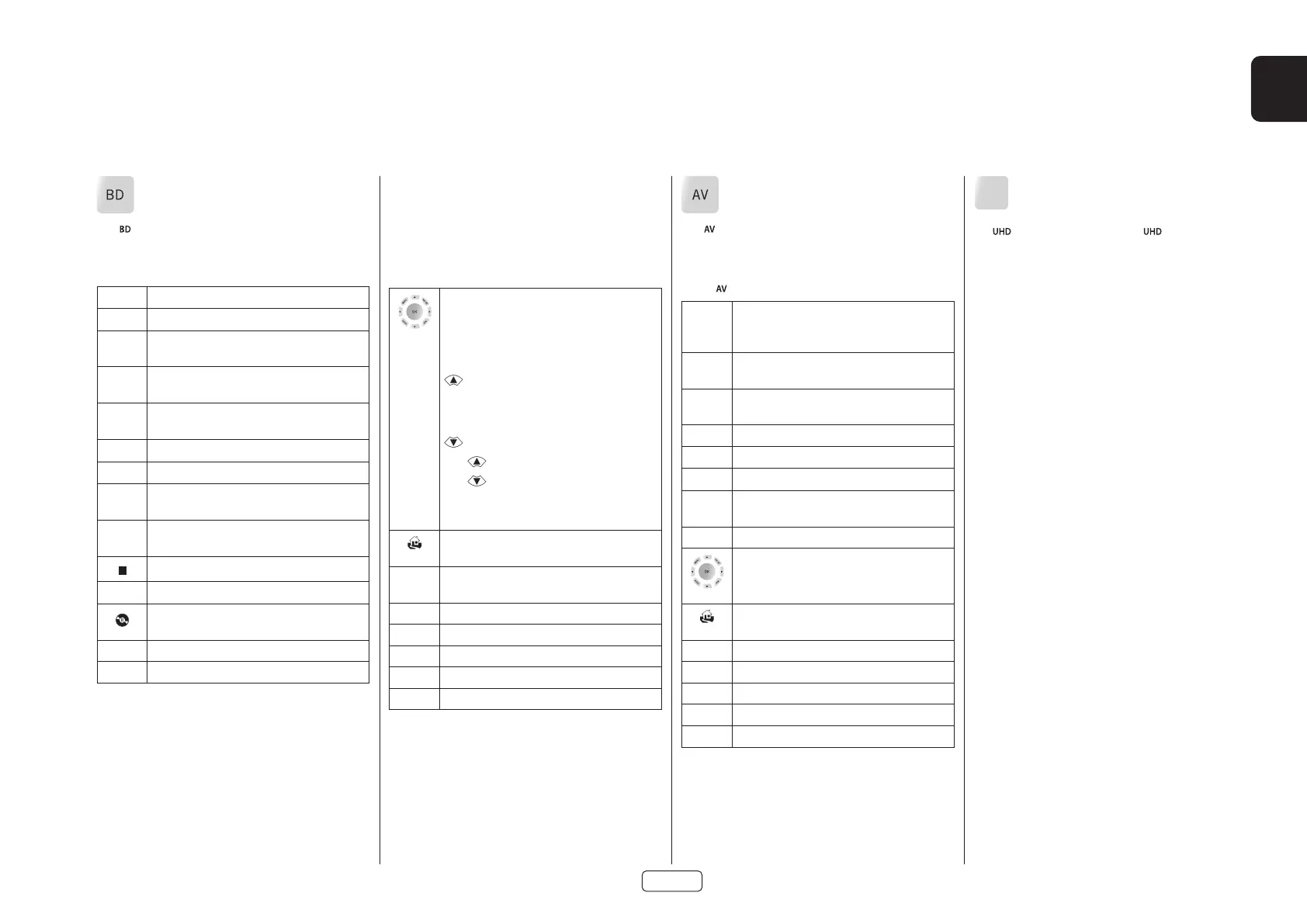
BD/DVD Device Mode
The Device Mode button configures the remote to
control the functions of Harman Blu-ray Disc and DVD
players, although this can be changed. Pressing this button
also selects BD as the source.
2
Toggles power between standby and on.
1
Open/close disc tray.
0...9
Searches for and plays the track corresponding
to the key pressed when playing a CD.
DISP
Cycles through the front panel display’s
brightness options.
MODE
Cycles through the repeat options (track, disc,
etc.).
7
Fast rewind.
8
Fast forward.
9
Press and release to skip back to the beginning
of the current/previous track.
:
Press and release to skip forwards to the
beginning of the next track.
Stop playback of a BD or DVD.
4;
Pause and playback of the current track.
Start recording (on products that have this
feature).
MENU
Disc menu.
POP UP
Activates BD/DVD player menu, if available.
AV Device Mode
The Device Mode button configures the remote to
control the functions of a television or other display
device. You will need to configure this Device Mode to
work with your equipment. Pressing this button also
selects as the source.
2
Toggles power between standby and on.
(Some TVs require you to use a number key to
turn them on).
0...9
Functions as original remote number key –
usually for channel selection.
DISP
Display INFO or OSD (On Screen Display) function,
if available.
MODE
AV; this function is TV specific.
9
Channel down.
:
Channel up.
INFO
Displays picture information; this function is TV
specific.
POP UP
Guide.
Navigate setup and program selection menus.
OK confirms a selection (equivalent to ‘Enter’ or
‘Select’ on some remotes).
Returns navigation to the top level of the menu
(‘Home’).
AMP
Resets remote to AMP mode.
RED
RED key for Text TV
GREEN
GREEN key for Text TV
YELLOW
YELLOW key for Text TV
BLUE
BLUE key for Text TV.
UHD
UHD Device Mode
The Device Mode button selects as the source.
The UHD page allows code learning from a dedicated UHD
remote – see “Customising the Remote” on page EN-22
Navigate setup and BD/DVD program selection
menus.
OK selects the highlighted file or enters the
highlighted menu on the screen – equivalent
to ‘Enter’ or ‘Select’ on some remote controls.
Up
Left
Right
Down
BD +
Power on from Standby
BD +
Standby from Power on
BD +
changes the picture resolution (for BD,
only on the Home screen).
Returns navigation to the top level of the menu
(‘Home’).
AUDIO
Changes audio decode format (Dolby Digital,
DTS, etc.).
AMP
Resets remote to AMP mode.
RED
RED button for BD
GREEN
GREEN button for BD
YELLOW
YELLOW button for BD
BLUE
BLUE button for BD.



 To Next Page