EasyManua.ls Logo

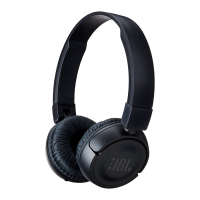
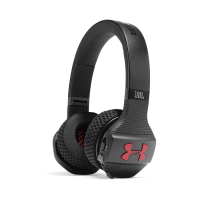
JBL Under Armor Sport Wireless Train - User Manual

JBL Under Armor Sport Wireless Train
40 pages
Print Icon
To Next Page IconTo Next Page
Loading...
SPORT WIRELESS TRA I N
ON-EAR SPORT HEADPHONES
I
CASQUE POUR LE SPORT
Question and Answer IconNeed help?

Do you have a question about the JBL Under Armor Sport Wireless Train and is the answer not in the manual?

Summary

1. WHATS IN THE BOX

Charging Cable

Cable for powering the device.

2. OVERVIEW

Buttons and Indicator LEDs

Identifies physical controls and indicator lights on the headphones.

3. BLUETOOTH CONNECTION

Powering On Headphone

Step to power on the device for Bluetooth pairing.

Connecting to Bluetooth Device

Guide to selecting and connecting to a Bluetooth-enabled device.

4. CONTROLLING MUSIC

5. MANAGING PHONE CALLS

English Technical Specifications

Summary

1. WHATS IN THE BOX

Charging Cable

Cable for powering the device.

2. OVERVIEW

Buttons and Indicator LEDs

Identifies physical controls and indicator lights on the headphones.

3. BLUETOOTH CONNECTION

Powering On Headphone

Step to power on the device for Bluetooth pairing.

Connecting to Bluetooth Device

Guide to selecting and connecting to a Bluetooth-enabled device.

4. CONTROLLING MUSIC

5. MANAGING PHONE CALLS

English Technical Specifications

JBL Under Armor Sport Wireless Train Specifications

General IconGeneral
BrandJBL
ModelUnder Armor Sport Wireless Train
TypeIn-ear
ConnectivityWireless
BluetoothYes
Bluetooth Version4.1
Battery Life16 hours
Charging Time2 hours
Driver Size5.8 mm
Frequency Response20 Hz - 20 kHz
Impedance16 ohms
MicrophoneYes
Remote ControlYes
Voice AssistantYes

Related product manuals