EasyManua.ls Logo

JCM GLOBAL VEGA 102 - User Manual

JCM GLOBAL VEGA 102
24 pages
Print Icon
To Next Page IconTo Next Page
Loading...
1
Part No. 960-000165R_Rev. 1
July, 2013
© 2013, JCM American, Corporation
Phone # (800) 683-7248
(702) 651-0000
Technical Support # (702) 651-3444
Fax # (702) 651-0214
E-mail techsupport@jcmglobal.com
Web Address http://www.jcmglobal.com
JCM TRAINING
OVERVIEW
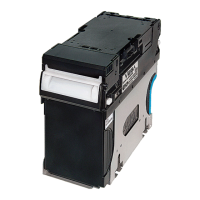
VEGA Banknote Acceptor
Question and Answer IconNeed help?

Do you have a question about the JCM GLOBAL VEGA 102 and is the answer not in the manual?

Summary

Overview of VEGA Banknote Acceptor

User Safety Precautions

Essential safety guidelines for operating and servicing the VEGA Unit.

Installation Procedures

VEGA SH Unit Installation Guide

Step-by-step instructions for installing the VEGA SH Unit into a host machine.

VEGA SU;SD Unit Installation Guide

Step-by-step instructions for installing the VEGA SU/SD Unit into a host machine.

DIP Switch Configuration

Functional Testing

Software Download

VEGA Software Download Process

Detailed steps for downloading the VEGA operating software.

Calibration

Non-PC Sensor Calibration Steps

Steps for calibrating Entrance, Validation, and Edge Sensors without a PC.

Banknote Acceptance Testing

JCM GLOBAL VEGA 102 Specifications

General IconGeneral
BrandJCM GLOBAL
ModelVEGA 102
CategoryBanknote Counter
LanguageEnglish

Related product manuals