the same parameter.
3, Operation Function:
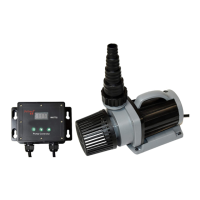
1, Controller LCD Display
After connecting with pump, the control is set per last operation,
LCD shows normal locking panel. PXXX is shown in LCD, P is
short for power, there are 70 (F30-F100) state for flow rate. When
touch “ ▲ /▼” button, LCD will show the instant working
condition, you can set different power per your need. SP is Speed
shortening. More than 1 second no touch the button, the LCD auto
change its display on Power “P****” state. Push the “ ▲ /
▼”button for several seconds to adjust the flow after the controller
in lock mode. When touch the “FEED” icon, LCD shows “ FdXX”
(XX for time),the pump stop work for feeding mode, press the
“FEED” icon again, stop feeding, adjust the feeding time in the
APP.
Remarks: When the pump enters to the timer mode set by APP,
the LCD will display as P***, then keep pressing "▲ ▼" to exit
the time.



 To Next Page