Need help?
Do you have a question about the Jebao MDP-8000 and is the answer not in the manual?
Details pump usage as submersible and dry-use.
Guidance on pump installation, initial operation, and air venting.
Lists key features: Wi-Fi control, quiet operation, power display.
Explains display screen, power settings, and flow rate adjustment.
Describes button lock function and display screen protection mode.
Covers data memory and Wi-Fi icon state interpretation.
Instructions for downloading and installing the 'Jebao Aqua' app.
Guide to registering new accounts and resetting passwords.
Explains Smart and AP configuration modes for pump connection.
Specific connection steps for iOS and Android mobile devices.
How to operate pump manually, adjusting speed and power.
Details on manual feeding mode and setting pause times.
Setting automated schedules for pump operation, stops, and feeding.
Instructions for renaming/deleting pumps and understanding failures.
Explanation of error codes displayed by controller and app.
Troubleshooting, routine maintenance, and proper product disposal.
This document describes the Jebao Smart DC Pump, a product designed for various water applications, including marine and fresh water environments. The pump is available in several models, ranging from MDP-2500 to MDP-20000.
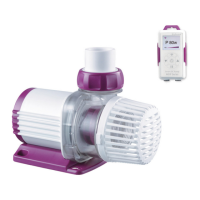
The Jebao Smart DC Pump is equipped with a Wi-Fi + Manual dual-function controller, enabling smart life integration. It features Sine Wave Technology for ultra-quiet operation and includes a power display and flow control. The pump is designed with automatic power-off protection in the event of no water, ensuring its longevity. A key feature is the absence of electronic devices inside the pump itself, which contributes to a longer lifespan. The controller also has a memory function, allowing the pump to resume operation with the last saved parameters after a power cycle.
The pump's controller offers several functions:
The display screen on the controller shows the instant working condition, including the Wi-Fi icon, operating power (e.g., "P***W"), and working step (flow rate from F30-100). Users can adjust the flow rate using the up and down buttons.
When the "FEED" button is pressed, "FEED 10 min" is displayed, initiating a feeding mode where the pump stops for a set duration. This feeding time can be customized via the APP. The ON/OFF button allows users to shut down or restart the pump.
The controller also includes a Button Lock Function to prevent accidental changes. Long-pressing the "FEED" button for 3 seconds activates the lock, displaying a lock icon. Repeating this action unlocks the buttons.
For power saving, a Display Screen Protection Mode is implemented. If there's no touch interaction for more than 17 seconds, the screen's brightness dims. Pressing any key restores normal brightness. Additionally, long-pressing the up or down buttons allows adjustment of screen brightness and screen saver brightness.
The Data Memory Function ensures that the controller retains the last default parameters even after a power-off, allowing the pump to resume operation with the same settings.
The Jebao DC pump can be used in two primary ways:
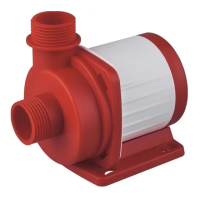
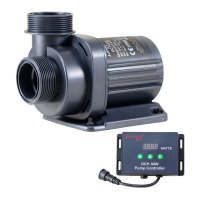
Submersible Pump: When used as a submersible pump, the water level must exceed the pump's inlet to prevent air intake. A filter sponge can be added to the mesh/front cover to prevent the suction of debris, which could affect pump performance. The pump's connector is designed with a standard thread, compatible with common fountain heads and water pipes.
Dry-Use Pump: For dry-use applications, the pump should be positioned lower than the horizontal water level to ensure continuous water flow into the pump. The front filter cover should be removed, and water pipes connected to both the inlet and outlet. It's crucial to ensure water is present in the pump and pipes before plugging it in.
Operating Instructions: When installing, ensure the pump's position is correct. Connect the power supply after installation. If the pump fails to pump water initially, it might be due to air in the pump body; unplugging and re-plugging can vent the air. For outdoor use, a leakage switch with a leakage current of less than 30mA should be installed for safety (user-provided).
Wi-Fi Connectivity and APP Control: The pump supports Wi-Fi for remote control. The Wi-Fi icon on the controller flashes during smart configuration mode. If both Wi-Fi and AP icons flash synchronously, it indicates AP configuration mode. A continuously displayed Wi-Fi icon means the pump is connected to the cloud server. If the Wi-Fi icon disappears, the pump is disconnected.
To connect to Wi-Fi, users need to download the "Jebao Aqua" APP from the App Store (Apple) or Google Play (Android). After registration and login, users can add the pump device. The APP supports both Smart Configuration Mode and AP Configuration Mode. In Smart Configuration Mode, the Wi-Fi icon flashes on the controller. In AP Configuration Mode, long-pressing the Wi-Fi button for 5 seconds switches the device to this mode, indicated by flashing Wi-Fi and AP icons.
Once connected, the APP allows for comprehensive pump control:
The APP also allows users to rename and delete the pump device for easier management.
Regular maintenance is crucial for prolonging the pump's life. If the pump is not working, the following checks are recommended:
Error Codes: The controller displays LED error codes and the APP provides detailed error descriptions to help diagnose issues:
Disposal: The product should not be disposed of as unsorted municipal waste. It requires separate collection for special treatment. It should be taken to an authorized recycling facility for electrical and electronic appliances. Consult with your local seller for environmentally sound disposal methods.
 General
| Brand | Jebao |
|---|---|
| Model | MDP-8000 |
| Category | Water Pump |
| Language | English |

 To Next Page