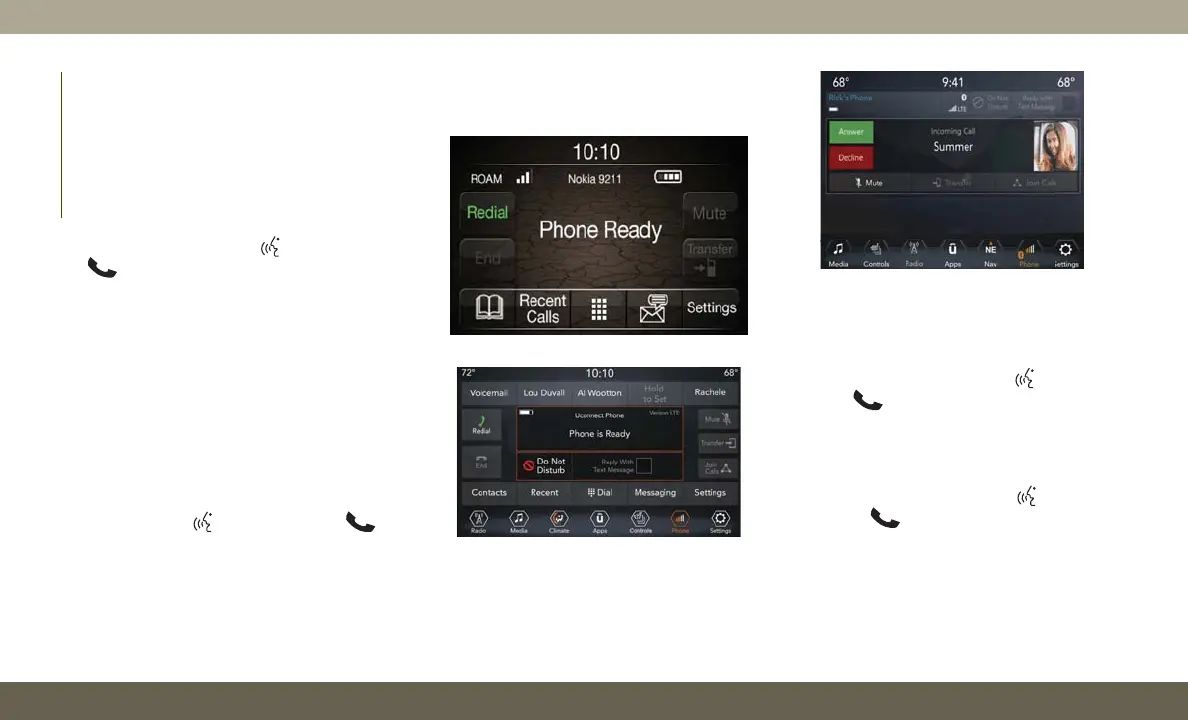
Phone
Making and answering hands-free phone
calls is easy with Uconnect. When the Phone-
book button is illuminated on your touch-
screen, your system is ready. Check
UconnectPhone.com for mobile phone com-
patibility and pairing instructions.
Push the VR button
or Phone button
. After the beep, say one of the following
commands:
•“Call John Smith”
•“Dial 123-456-7890 and follow the system
prompts”
•“Redial (call previous outgoing phone num-
ber)”
•“Call back (call previous incoming phone
number)”
TIP: When providing a Voice Command, push
the VR button
or Phone button and
say “Call,” then pronounce the name exactly
as it appears in your phone book. When a
contact has multiple phone numbers, you
can say “Call John Smith work.”
Voice Text Reply
Uconnect announces incoming text mes-
sages. Push the VR button
or Phone
button
(if enabled) and say “Listen.”
(Must have compatible mobile phone paired
to Uconnect system.)
1. Once an incoming text message is read to
you, push the VR button
or Phone
button
(if enabled). After the beep,
say: “Reply.”
2. Listen to the Uconnect prompts. After the
beep, repeat one of the pre-defined mes-
sages and follow the system prompts.
Uconnect 3 Phone
Uconnect 4 Phone
Uconnect 4C/4C NAV Phone
MULTIMEDIA
256














 To Next Page