EasyManua.ls Logo

JEFF ROWLAND 7 - User Manual

JEFF ROWLAND 7
6 pages
Print Icon
To Next Page IconTo Next Page
Loading...
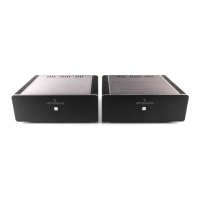
MODEL 7 MONO AMPLIFIER
OWNER’S MANUAL
TABLE OF CONTENTS
Introduction
Features
Unpacking Instructions
Installation
* Space requirements
* A.C. connections
Input Impedance Selection
Adjustable Gain
Signal Connections
* Single-ended input configuration
* Differential mode input configuration
Basic Troubleshooting
Technical Specifications

Questions and Answers

  • S
    Steven RobinsonJul 30, 2025
    What to do if my JEFF ROWLAND 7 Amplifier does not turn on?
    • B
      Benjamin MasseyJul 30, 2025
      First, ensure the power cord is securely connected to both the inlet on the amplifier's back and a functioning AC power source. Next, inspect the power supply fuses, located near the AC inlet; there are two fuses, with one serving as a spare.
  • W
    Wendy HillAug 15, 2025
    Why does my JEFF ROWLAND 7 shut down after being turned on?
    • C
      Christopher GonzalezAug 15, 2025
      Your amplifier typically shuts down to protect your speakers if it detects DC. First, check the rail fuses; on the Model 7, they are located inside the amp next to the transformer. Even if a fuse looks fine, it could be faulty, so test it with a meter if possible. If the fuses are good, disconnect the inputs to see if it powers up again, as connected equipment may be passing DC.

Summary

Introduction

Features

Unpacking Instructions

Installation

Input Impedance Selection

Adjustable Gain

Signal Connections

Operation with a single-ended output preamplifier

Connect preamp to non-inverting RCA inputs and insert shorting plugs into inverting RCA inputs for standard operation.

Operation with a balanced output preamplifier

Insert preamp output into differential XLR input or both single-ended RCA inputs for connection.

Basic Troubleshooting

Technical Specifications

JEFF ROWLAND 7 Specifications

General IconGeneral
BrandJEFF ROWLAND
Model7
CategoryAmplifier
LanguageEnglish

Related product manuals