6
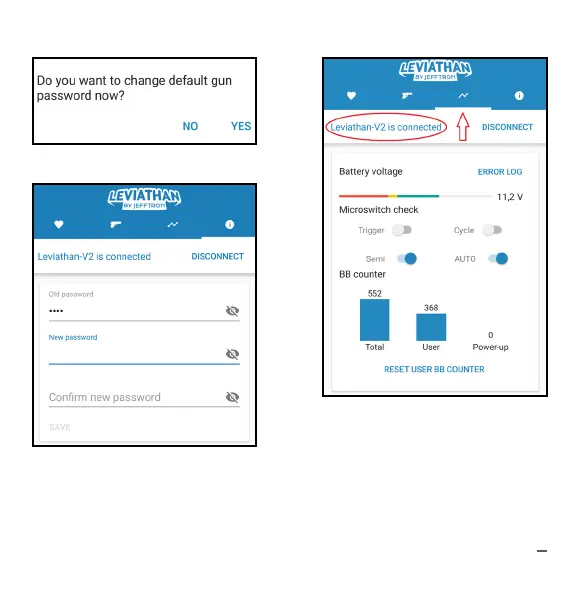
4. Set 2x new password and push SAVE.
Don‘t tell new password to anybody!
If you forgot your password, restore it
by holding RESET button - see pic. 7.
Battery has to be connected.
3. Change password to your 4 digit.
5. Check if every micro switch respon-
ding. Grey color is OFF, blue is ON.
There is slight delay in change micro
switch status because of BT commu-
nication. Micro switches are displayed
on picture 6 and 7 at page 7. With se-
lector on auto are semi and auto de-
tection ON (as on this picture).



 To Next Page