Operation 17
R e m o t e c o n t r o l o p e r a t i o n
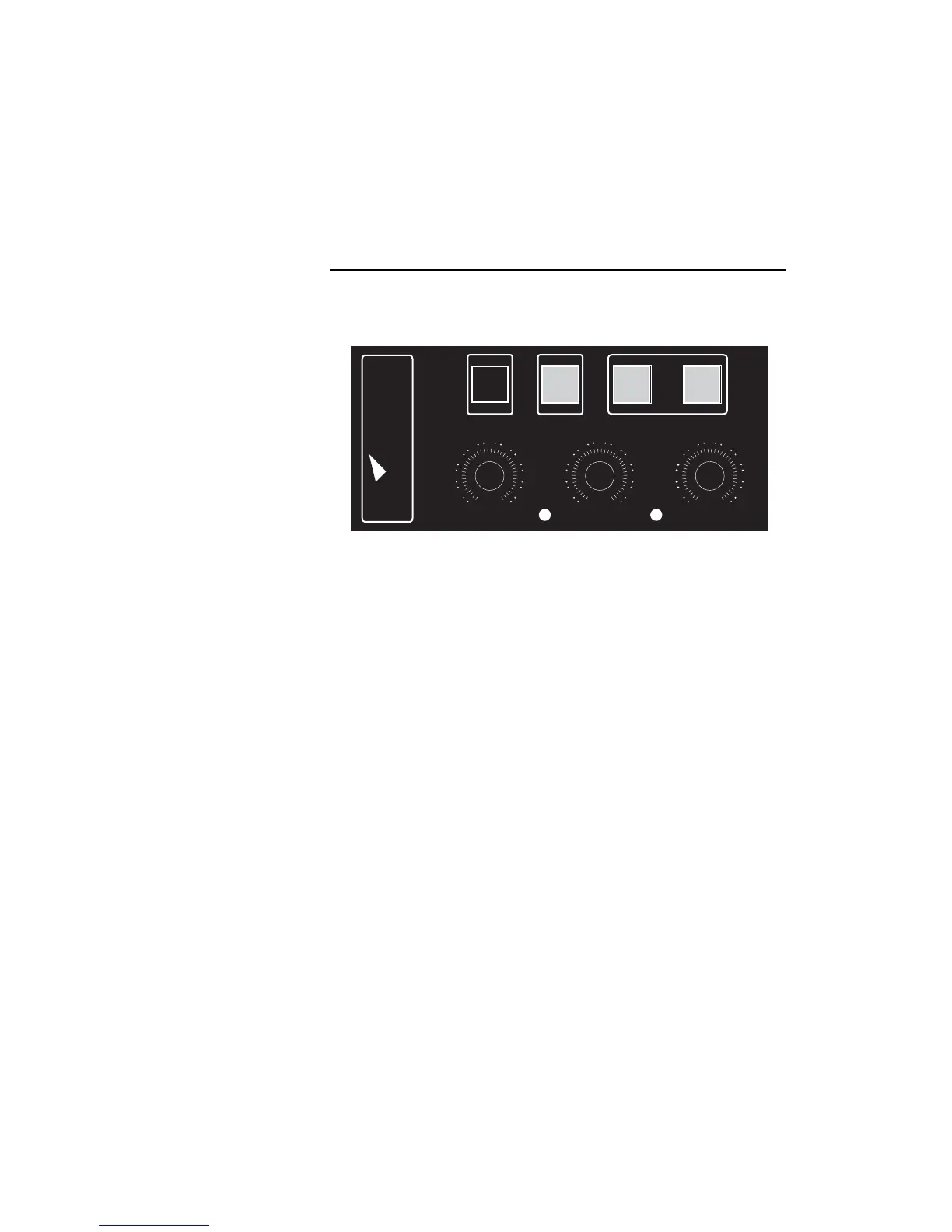
The multifunction remote control unit supplied with the AF-1 and AF-2
fans allows instant or timer-controlled fan operation and airflow control.
The unit also gives feedback on the status of the machine.
A INSTANT FAN OPERATION BUTTON – Press to run the fan
at the speed set on the fan speed control.
B STANDBY – Puts the fan into standby mode. Must be set
to ON to operate in any mode.
C TIMER VALUE BUTTON – When timer is active, adjusts
timer values by a factor of 8 (i.e. a 5 second run time
becomes 40 seconds and a 10 second delay time
becomes 1 minute 20 seconds).
D TIMER ENGAGE – Engages the timer to run the fan
according to the timer settings.
E SPEED – Sets fan speed from minimum to maximum.
F POWER LED – Lights when power is on.
G DELAY TIME CONTROL – Sets intervals between
operating periods during timer-controlled operation.
H CYCLE LED – Lights during timer-controlled operation.
I RUN TIME CONTROL – Sets duration of operating periods
during timer-controlled operation.
Multifunction controller overview


 To Next Page