20 AF-1 and AF-2 fans user manual
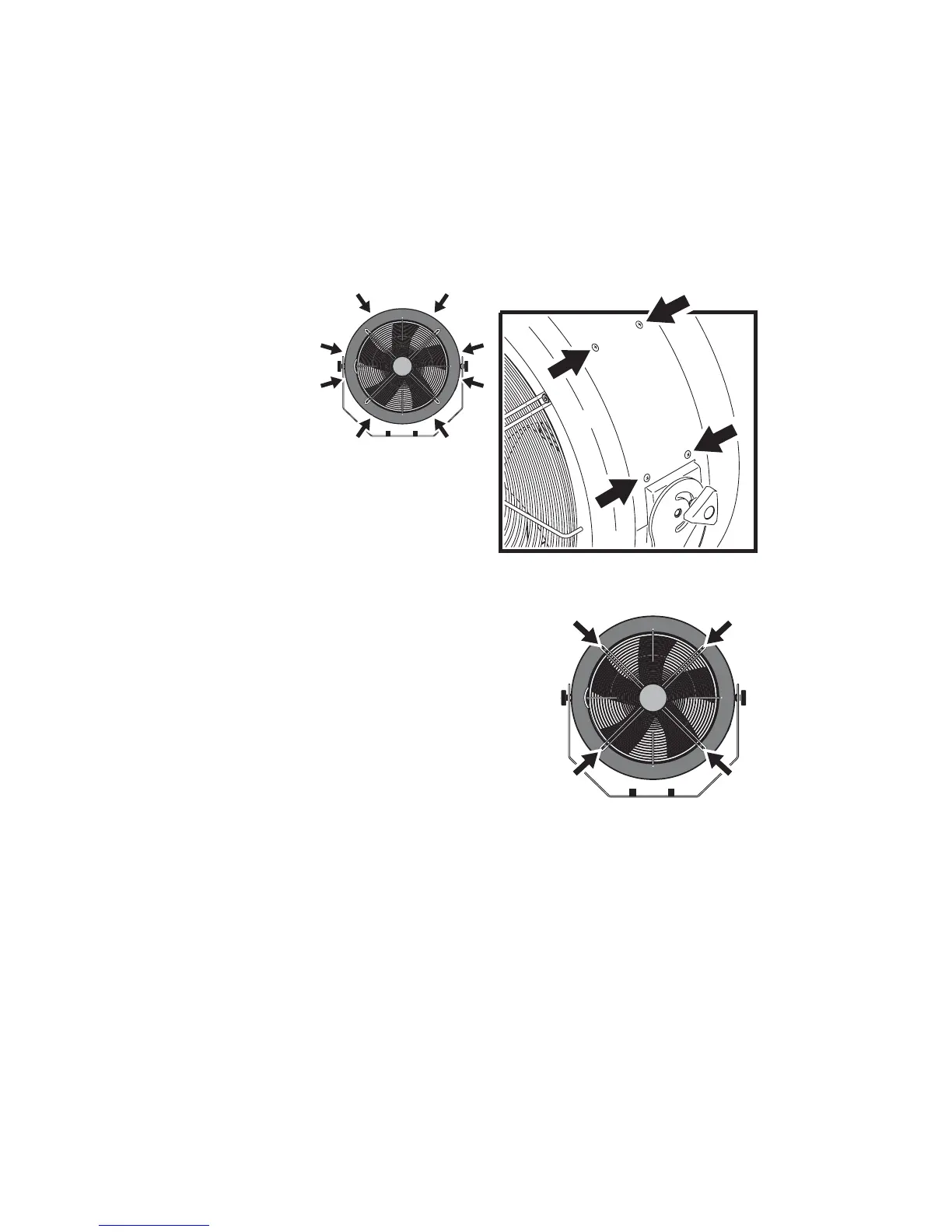
AF-2 cleaning access
1. Disconnect the fan from power.
2. Remove the 16 cross-head screws from the covers (see illustration
above), and remove the covers.
3. Reaching into the fan housing for
access to the locking nuts,
remove the four 6mm Allen
screws holding the front grill (see
illustration on right), collecting all
washers and grommets for re-
use.
Note: the front grill is on the
opposite side from the fan motor.
It should be possible to clean the
machine without removing the
rear grill that holds the fan motor.
4. After cleaning, replace the screws and front grill. Reassemble exactly
as shown in the next illustration, making sure that the rubber


 To Next Page