5
III. USING THE JENCO MODEL 6308 PT
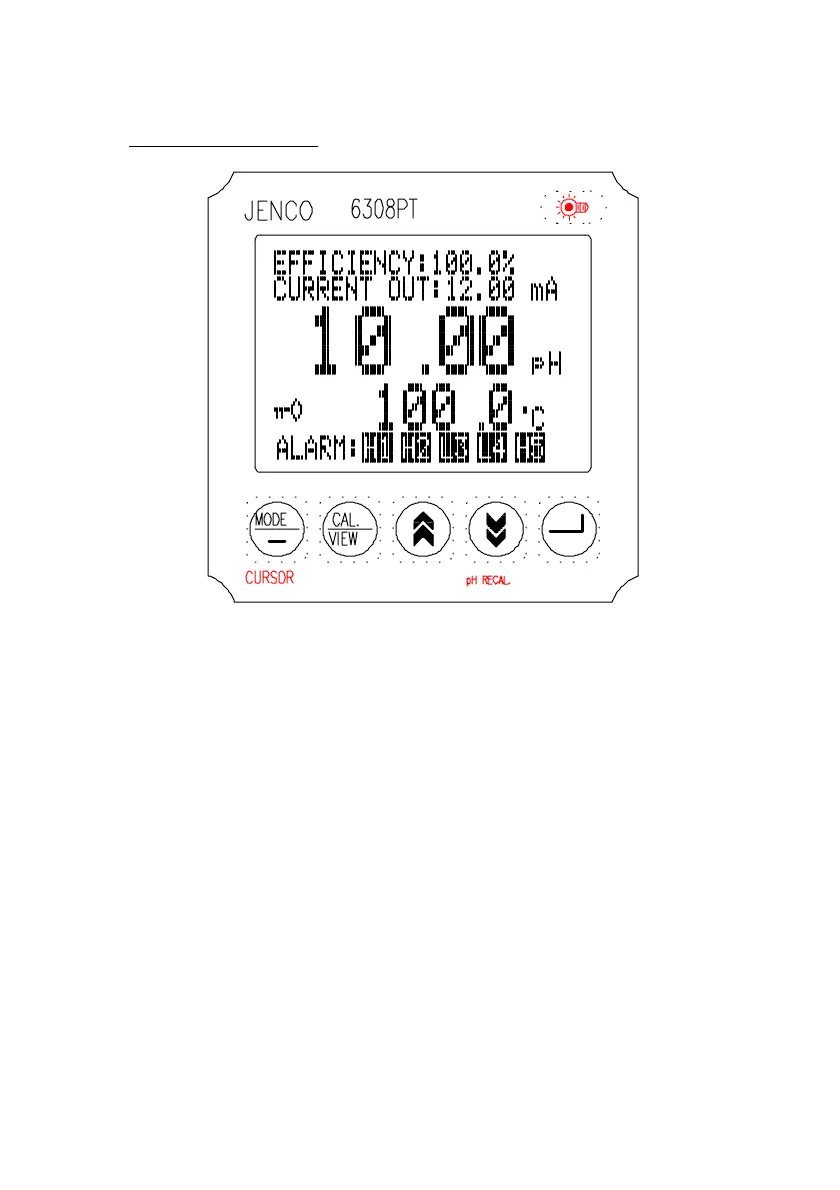
A. FRONT PANEL
1. The [MODE / -- ] key.
1a. In Main Display mode this key has no function.
1b. In Calibration/Setting mode this key will move to the
next digit of the current active parameter.
1c. In Calibration/Setting mode, pressing this key for 2
seconds will move you back to the previous parameter.
2. The [CAL / VIEW] key.
2a. Pressing this key for about 2 seconds, during main
display mode will switch to Calibration/Setting mode.
2b. During Calibration/Setting mode this key will switch to
the next available Calibration/Setting page. Pressing this
key at the last User/Calibration page will return the user
to the main display mode.
3. The [
!
] UP key.


 To Next Page