EasyManua.ls Logo

Jensen JCR-231 - User Manual

Jensen JCR-231
15 pages
Print Icon
To Next Page IconTo Next Page
Loading...
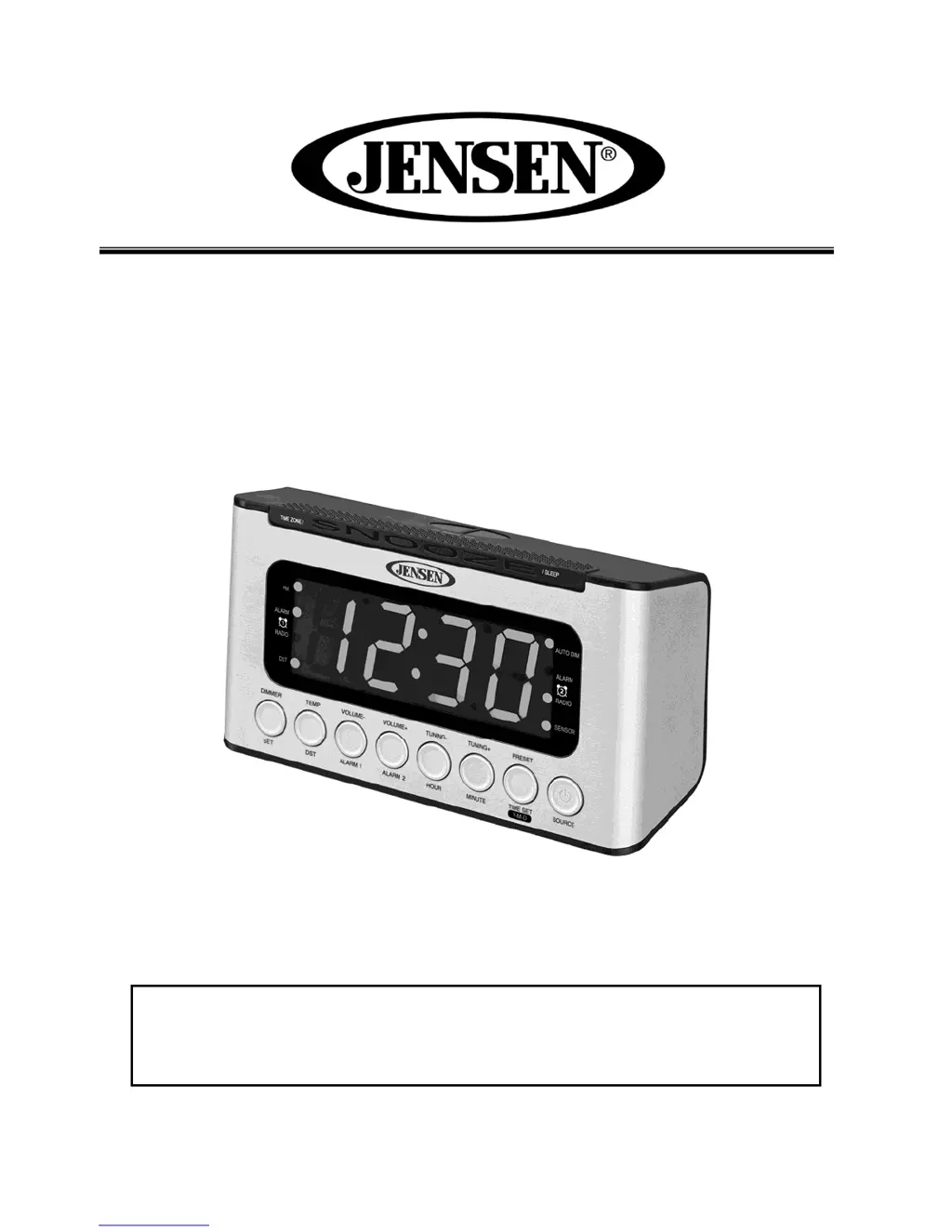
DIGITAL AM/FM DUAL ALARM CLOCK RADIO
WITH WAVE SENSOR
JCR-231
USER MANUAL
PLEASE READ THIS USER MANUAL COMPLETELY BEFORE
OPERATING THIS UNIT AND RETAIN THIS BOOKLET FOR
FUTURE REFERENCE.

Questions and Answers

Summary

IMPORTANT SAFETY INSTRUCTIONS

General Safety Warnings

Essential safety guidelines for preventing fire, electric shock, and ensuring proper use of the appliance.

COMPLIANCE WITH FCC REGULATIONS

PROTECT YOUR FURNITURE!

LOCATION OF CONTROLS

Power Requirements and Battery

Specifies the unit's power source (120V AC) and the CR2032 backup battery requirements.

Replacing Backup Battery

Step-by-step guide for safely removing and replacing the CR2032 lithium battery for clock backup.

GETTING STARTED

Battery Warning

Critical warning about the dangers of ingesting coin/button cell batteries, including chemical burn hazards.

SETTING THE CALENDAR AND CLOCK

Setting Up the Time Zone

Instructions for selecting the correct time zone from the unit's programmed options (UTC-4 to UTC-10).

DST - Daylight Saving Time

How to enable or disable the Daylight Saving Time function to adjust the clock forward or backward by one hour.

SETTING UP THE ALARMS

Calendar and Temperature Display

How to view the current Year, Month/Day, and indoor temperature (Fahrenheit/Celsius) on the display.

Snooze Function

Explanation of how to activate the snooze feature for a 9-minute delay when the alarm sounds.

LISTENING TO RADIO

Preset Radio Stations

Guide on how to store up to 20 AM and 20 FM radio stations for quick access.

Recalling Preset Radio Stations

Instructions on how to access and play previously stored AM or FM radio stations.

SLEEP TIMER OPERATIONS

Using the Aux In to Listen to External Audio Player

Steps for connecting and playing audio from external devices like iPods or MP3 players via the Aux In jack.

Wave Sensor Function

Overview of the wave sensor feature, its activation, and basic functions.

Wave Sensor Operations

DIMMER CONTROL

Auto Dim

How to enable the automatic dimming function for the LED display to conserve energy.

CARE AND MAINTENANCE

Resetting the Unit

Procedure for resetting the unit to factory defaults in case of abnormal behavior or power issues.

Specifications

Technical details including frequency range, power source, backup battery type, and accuracy.

TROUBLESHOOTING GUIDE

90 DAY LIMITED WARRANTY AND SERVICE

Summary

IMPORTANT SAFETY INSTRUCTIONS

General Safety Warnings

Essential safety guidelines for preventing fire, electric shock, and ensuring proper use of the appliance.

COMPLIANCE WITH FCC REGULATIONS

PROTECT YOUR FURNITURE!

LOCATION OF CONTROLS

Power Requirements and Battery

Specifies the unit's power source (120V AC) and the CR2032 backup battery requirements.

Replacing Backup Battery

Step-by-step guide for safely removing and replacing the CR2032 lithium battery for clock backup.

GETTING STARTED

Battery Warning

Critical warning about the dangers of ingesting coin/button cell batteries, including chemical burn hazards.

SETTING THE CALENDAR AND CLOCK

Setting Up the Time Zone

Instructions for selecting the correct time zone from the unit's programmed options (UTC-4 to UTC-10).

DST - Daylight Saving Time

How to enable or disable the Daylight Saving Time function to adjust the clock forward or backward by one hour.

SETTING UP THE ALARMS

Calendar and Temperature Display

How to view the current Year, Month/Day, and indoor temperature (Fahrenheit/Celsius) on the display.

Snooze Function

Explanation of how to activate the snooze feature for a 9-minute delay when the alarm sounds.

LISTENING TO RADIO

Preset Radio Stations

Guide on how to store up to 20 AM and 20 FM radio stations for quick access.

Recalling Preset Radio Stations

Instructions on how to access and play previously stored AM or FM radio stations.

SLEEP TIMER OPERATIONS

Using the Aux In to Listen to External Audio Player

Steps for connecting and playing audio from external devices like iPods or MP3 players via the Aux In jack.

Wave Sensor Function

Overview of the wave sensor feature, its activation, and basic functions.

Wave Sensor Operations

DIMMER CONTROL

Auto Dim

How to enable the automatic dimming function for the LED display to conserve energy.

CARE AND MAINTENANCE

Resetting the Unit

Procedure for resetting the unit to factory defaults in case of abnormal behavior or power issues.

Specifications

Technical details including frequency range, power source, backup battery type, and accuracy.

TROUBLESHOOTING GUIDE

90 DAY LIMITED WARRANTY AND SERVICE

Jensen JCR-231 Specifications

General IconGeneral
BrandJensen
ModelJCR-231
CategoryClock
Alarm FunctionYes
Snooze FunctionYes
Radio BandAM/FM
Battery BackupYes
Preset Stations10
Power SourceAC

Related product manuals