EasyManua.ls Logo

Jensen JCR-370 - User Manual

Jensen JCR-370
18 pages
Print Icon
To Next Page IconTo Next Page
Loading...
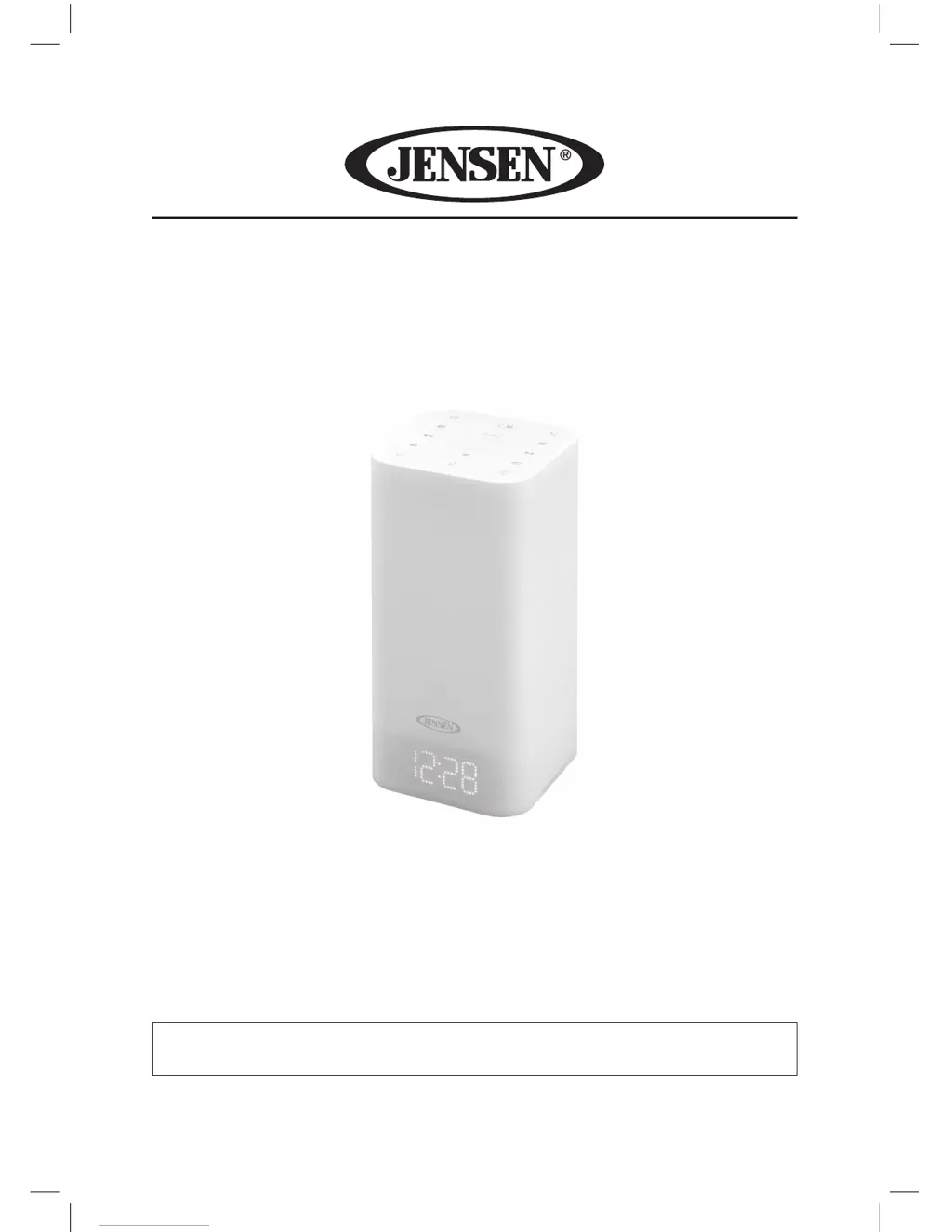
Mood Lamp Digital Dual Alarm
Clock Radio
MODEL: JCR-370
USER MANUAL
PLEASE READ THIS USER MANUAL COMPLETELY BEFORE OPERATING
THIS UNIT AND RETAIN THIS BOOKLET FOR FUTURE REFERENCE.

Questions and Answers

Summary

WARNING

Electrical Safety and Moisture Prevention

Critical warnings about electrical shock hazards and protecting the appliance from rain or moisture.

IMPORTANT SAFETY INSTRUCTIONS

Appliance Usage and Care

Instructions for safe operation, cleaning, ventilation, and placement of the apparatus.

COMPLIANCE WITH FCC REGULATIONS

FCC Compliance Statement

Details the compliance with FCC rules and measures to correct interference.

PROTECT YOUR FURNITURE

Furniture Protection Guidelines

Advice on using felt pads to protect furniture from the device's rubber feet.

ACCESSORIES INCLUDED

Included Accessories List

Lists the items provided with the unit, such as the User Manual and AC Adaptor.

POWER SOURCE

AC-DC Adaptor Connection

Instructions for connecting the AC adaptor to power the main unit.

Battery Backup System

Details on installing and using a battery for clock backup during power outages.

Battery Precautions

Battery Handling and Safety

Important warnings and precautions regarding battery replacement, handling, and ingestion.

NOTE ON NON-MAGNETICALLY SHIELDED SPEAKERS

Speaker Interference Warning

Information about potential color distortion on TVs/monitors due to unshielded speakers.

LOCATION OF CONTROLS

Top View Controls

Identification of controls located on the top surface of the unit.

Back View Controls and Ports

Identification of controls and connection ports on the back of the unit.

GETTING STARTED

Turning Unit Power On;Off

Instructions for powering the unit on and off using the power button.

Setting the Clock

Step-by-step guide for setting the current time and date on the clock.

Daylight Saving Time (DST)

How to activate or deactivate daylight saving time for accurate timekeeping.

ALARM OPERATION

Setting the Alarm Clock

Detailed steps for configuring alarm times, sound sources, and volume.

Activating;Deactivating Alarms

Procedures for enabling or disabling Alarm 1 and Alarm 2 indicators.

SNOOZE FUNCTION

Using the Snooze Feature

Instructions on how to temporarily silence the alarm and its duration.

RADIO OPERATION

Tuning and Reception Tips

Guidance on manual and automatic tuning, and maximizing FM reception.

PRESET RADIO STATIONS

Saving and Recalling Stations

Steps for programming and accessing favorite radio stations.

SLEEP OPERATION

Using the Sleep Timer

How to set a timer for the unit to automatically turn off after a set period.

AUXILIARY INPUT OPERATION

Connecting External Audio Devices

Instructions for connecting and playing audio from external devices via the AUX IN jack.

LISTENING TO NATURE SOUNDS

Selecting Nature Sounds

How to choose and play different nature sound options.

DISPLAY BRIGHTNESS

Adjusting Display Brightness

How to change the brightness level of the LED display.

READING LAMP OPERATION

Controlling the Reading Lamp

Instructions for turning the reading lamp on/off and adjusting its brightness.

MOOD LIGHT OPERATION

Operating the Mood Light

How to turn the mood light on/off and stop color alternation.

CHARGING YOUR SMART PHONE OR PORTABLE DEVICE

Using the USB Charging Port

Guidelines for charging mobile devices via the unit's USB port.

CARE AND MAINTENANCE

Cleaning and Upkeep Instructions

How to clean the unit safely and maintain its appearance.

TROUBLESHOOTING GUIDE

Common Issues and Solutions

A guide to diagnose and resolve common problems encountered with the unit.

SPECIFICATIONS

Technical Specifications

Lists the technical details such as power requirements, frequency range, and charging output.

90 DAY LIMITED WARRANTY AND SERVICE

Warranty Terms and Conditions

Details the warranty period, coverage, limitations, and procedures for obtaining service.

Summary

WARNING

Electrical Safety and Moisture Prevention

Critical warnings about electrical shock hazards and protecting the appliance from rain or moisture.

IMPORTANT SAFETY INSTRUCTIONS

Appliance Usage and Care

Instructions for safe operation, cleaning, ventilation, and placement of the apparatus.

COMPLIANCE WITH FCC REGULATIONS

FCC Compliance Statement

Details the compliance with FCC rules and measures to correct interference.

PROTECT YOUR FURNITURE

Furniture Protection Guidelines

Advice on using felt pads to protect furniture from the device's rubber feet.

ACCESSORIES INCLUDED

Included Accessories List

Lists the items provided with the unit, such as the User Manual and AC Adaptor.

POWER SOURCE

AC-DC Adaptor Connection

Instructions for connecting the AC adaptor to power the main unit.

Battery Backup System

Details on installing and using a battery for clock backup during power outages.

Battery Precautions

Battery Handling and Safety

Important warnings and precautions regarding battery replacement, handling, and ingestion.

NOTE ON NON-MAGNETICALLY SHIELDED SPEAKERS

Speaker Interference Warning

Information about potential color distortion on TVs/monitors due to unshielded speakers.

LOCATION OF CONTROLS

Top View Controls

Identification of controls located on the top surface of the unit.

Back View Controls and Ports

Identification of controls and connection ports on the back of the unit.

GETTING STARTED

Turning Unit Power On;Off

Instructions for powering the unit on and off using the power button.

Setting the Clock

Step-by-step guide for setting the current time and date on the clock.

Daylight Saving Time (DST)

How to activate or deactivate daylight saving time for accurate timekeeping.

ALARM OPERATION

Setting the Alarm Clock

Detailed steps for configuring alarm times, sound sources, and volume.

Activating;Deactivating Alarms

Procedures for enabling or disabling Alarm 1 and Alarm 2 indicators.

SNOOZE FUNCTION

Using the Snooze Feature

Instructions on how to temporarily silence the alarm and its duration.

RADIO OPERATION

Tuning and Reception Tips

Guidance on manual and automatic tuning, and maximizing FM reception.

PRESET RADIO STATIONS

Saving and Recalling Stations

Steps for programming and accessing favorite radio stations.

SLEEP OPERATION

Using the Sleep Timer

How to set a timer for the unit to automatically turn off after a set period.

AUXILIARY INPUT OPERATION

Connecting External Audio Devices

Instructions for connecting and playing audio from external devices via the AUX IN jack.

LISTENING TO NATURE SOUNDS

Selecting Nature Sounds

How to choose and play different nature sound options.

DISPLAY BRIGHTNESS

Adjusting Display Brightness

How to change the brightness level of the LED display.

READING LAMP OPERATION

Controlling the Reading Lamp

Instructions for turning the reading lamp on/off and adjusting its brightness.

MOOD LIGHT OPERATION

Operating the Mood Light

How to turn the mood light on/off and stop color alternation.

CHARGING YOUR SMART PHONE OR PORTABLE DEVICE

Using the USB Charging Port

Guidelines for charging mobile devices via the unit's USB port.

CARE AND MAINTENANCE

Cleaning and Upkeep Instructions

How to clean the unit safely and maintain its appearance.

TROUBLESHOOTING GUIDE

Common Issues and Solutions

A guide to diagnose and resolve common problems encountered with the unit.

SPECIFICATIONS

Technical Specifications

Lists the technical details such as power requirements, frequency range, and charging output.

90 DAY LIMITED WARRANTY AND SERVICE

Warranty Terms and Conditions

Details the warranty period, coverage, limitations, and procedures for obtaining service.

Jensen JCR-370 Specifications

General IconGeneral
BrandJensen
ModelJCR-370
CategoryAlarm Clock
LanguageEnglish

Related product manuals