20
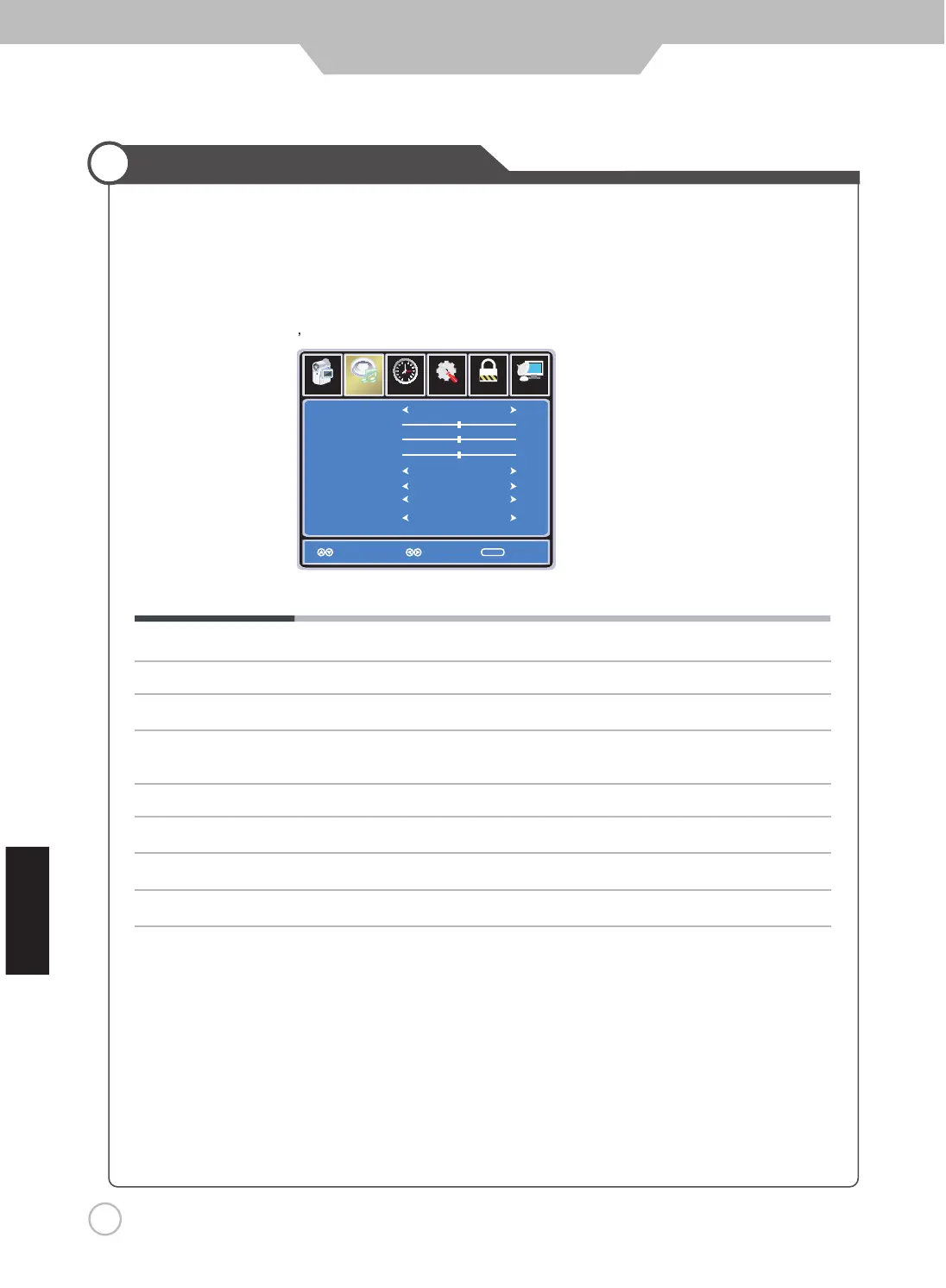
Sound Mode Cycles through sound modes: Standard, Music, Movie and Personal.
Bass Controls the relative intensity
of lower pitched sounds.
Treble Controls the relative intensity of higher pitched sounds
Balance To adjust the balance of the left and right sound track, or turn off the volume of the
left and right sound track.
TV Speaker Allows you to select between ON and OFF.
AVC On or off (Automatic Volume Control) to keep volume level steady.
SPDIF Type Allows you to select beteen PCM and RAW (Digital connection to Home Theater system)
Audio Language Allows you to select preferred audio languages: English, French and Spanish.
Se tup
Lo ck
12
6
Time Ch annel
Sound Mode
Bass
Treble
Balance
AVC
Audio Language
Standard
English
Select Move Exit
MENU
50
50
50
Off
Off
Pi cture
Customizing the Audio Settings
Audio
hsilgnE
TV Speaker
SPDIF TypeSPDIF Type PCM
Select TV source for example. (Press SOURCE button to select TV mode)
1. Press the POWER button to turn the LED TV on.
2. Press the MENU button on the remote control to display the Main menu, and use the LEFT and RIGHT
buttons to select the AUDIO.
3. Use the UP and DOWN buttons to highlight an individual Audio options, use the LEFT and RIGHT
buttons to change the setting, and press the MENU or EXIT button to exit.
The SOUND menu includes the following options :
Application


 To Next Page