Customizing the CHANNEL Settings
If you select “Cable” as input signal in Antenna then you can select
Cable Systems: Auto, STD, IRC and HRC.
Use DOWN button to highlight “Start to Scan”, then press the RIGHT or
ENTER button to search the channels automatically.
The receivable channels will be stored automatically.
When searching channels, press MENU to stop.
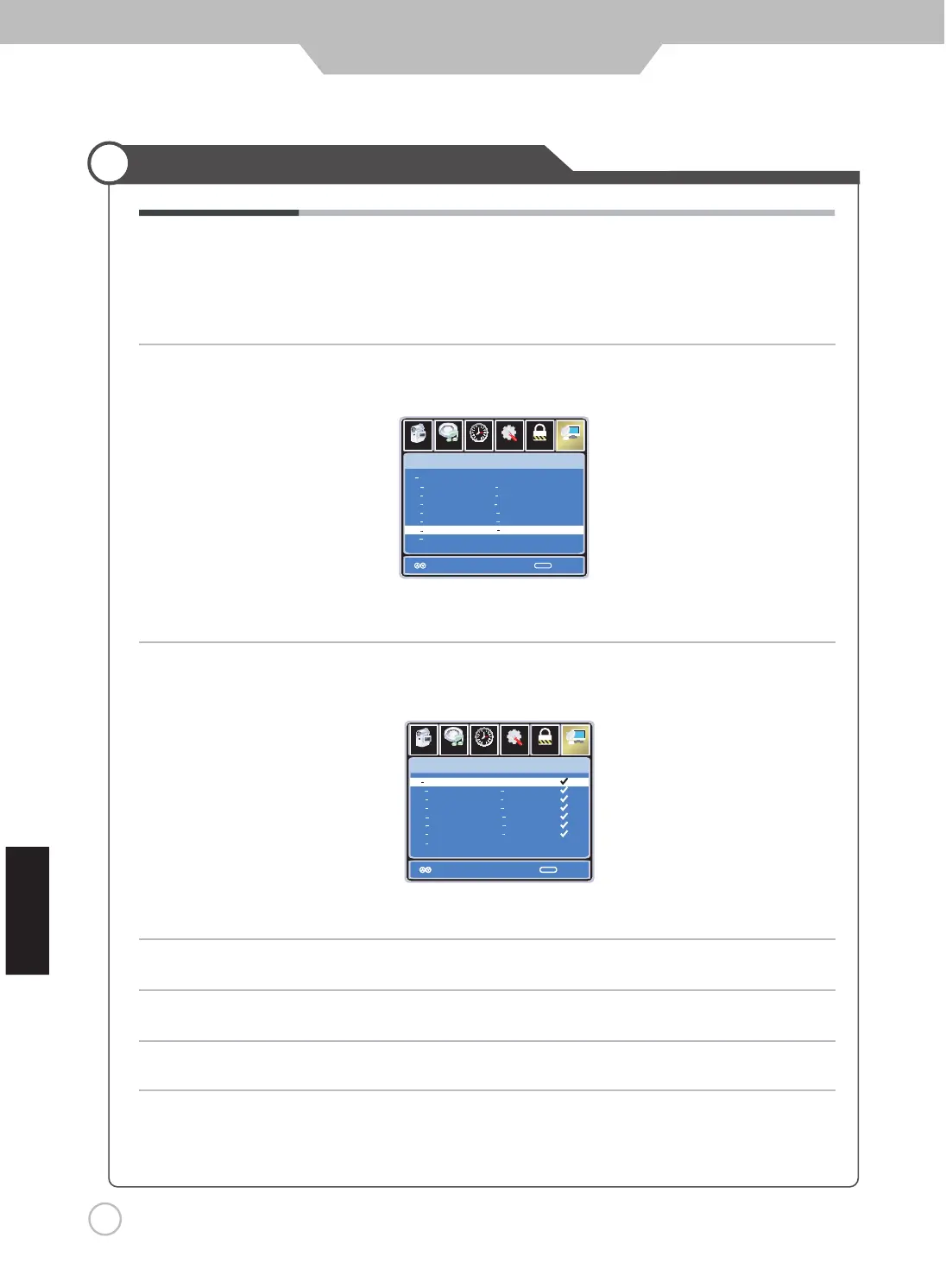
Use UP and DOWN button to highlight the desired channel, then press the ENTER
button to add or remove the highlighted channel as favorite.
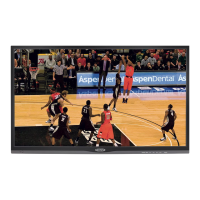
Use the UP and DOWN button to highlight the desired channel, then press ENTER
button to show or hide the highlighted channel.
Favorite Allows you to add these channels as the favorite channels.
Use UP or DOWN button to highlight “Favorite”, then press the RIGHT
or ENTER button to enter into the following menu.
Show / Hide Allows you to show or hide the channels.
Channel No. Displays the number of the current channel.
Channel Label Displays the label of the current channel.
DTV Signal Displays the quality of the current DTV signal.
Setu p
Lock
12
6
Time
Pi ct ure
Ch an nel
Se lect
MENU
No Pr ogram Name Favo r ite
No Pr ogram Name Favo r ite
ATSC 1
ATSC 2
ATSC 3
KO CE HD
KO CE SD
KO CE LB
2 0
14 1
14 2
14 3
50 1
50 2
66 0
50 3
Use the UP or DOWN button to highlight “Show / Hide”, then press the RIGHT
or ENTER button to enter into the following menu.
Setu p
Lo ck
12
6
Time
Pi ct ure
Ch an nel
Se lect
MENU
No Pr ogram Name Show
No Pr ogram Name Show
ATSC 1
ATSC 2
ATSC 3
KO CE HD
KO CE SD
KO CE LB
2 0
14 1
14 2
14 3
50 1
50 2
50 3
66 0
Audio
Audio
hsilgnE
ReturnReturn
ReturnReturn


 To Next Page