7
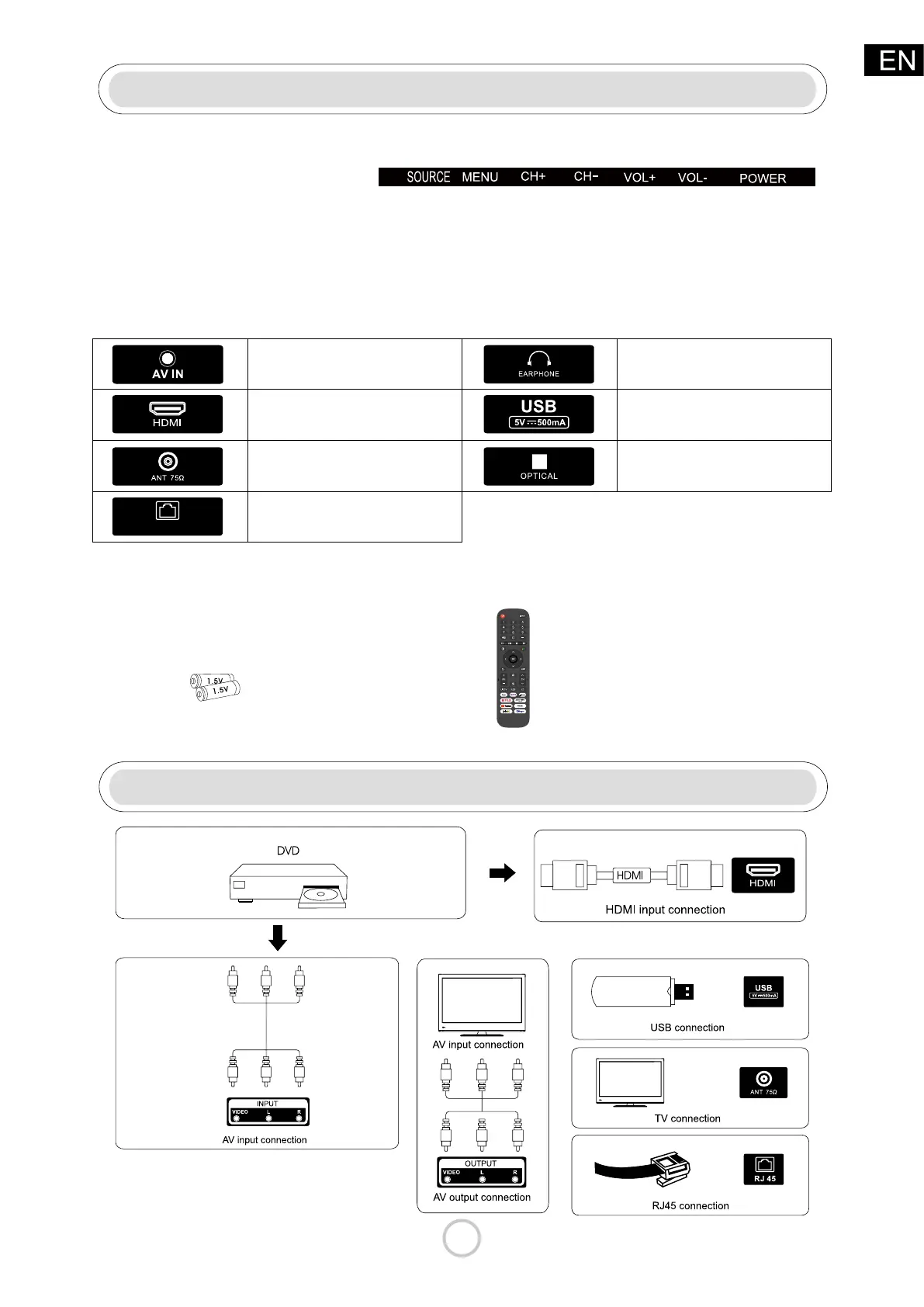
TV Buttons And Terminal Interface
External device connection
TV Buttons
Terminal Interface
Accessories
POWER:Turn ON/OFF Power.
CH+/-:Selecting Channel. SOURCE: External Signal lnput Selection.
VOL+/-:Adjusting Volume.MENU:Display Main MENU And Conrm MENU Item Selection.
Note: The following are the various terminal interface, the actual position and
arrangement, the number of dierent models may be dierent.
Note:The conguration of the components may look dierent from the following illustration.
LAN
AV input
External AV Signal Input
HDMI input
Digital signal input from HDMI video
connector.
USB input
Connect a USB device here to play
its media les or to recordprograms
via the PVR function.
EARPHONE output
When earphones are plugged in,
speakers are disabled
OPTICAL output
Connect the SPDIF receiver.
ANT 75
Connect the antennal/cadle tv input
(75/VHF/UHF)
RJ 45
Connect the Internet.
Battery 1.5V(AAA X2)
Remote Control



 To Next Page