EasyManua.ls Logo

Jensen MCR-60 - User Manual

Jensen MCR-60
11 pages
Print Icon
To Next Page IconTo Next Page
Loading...
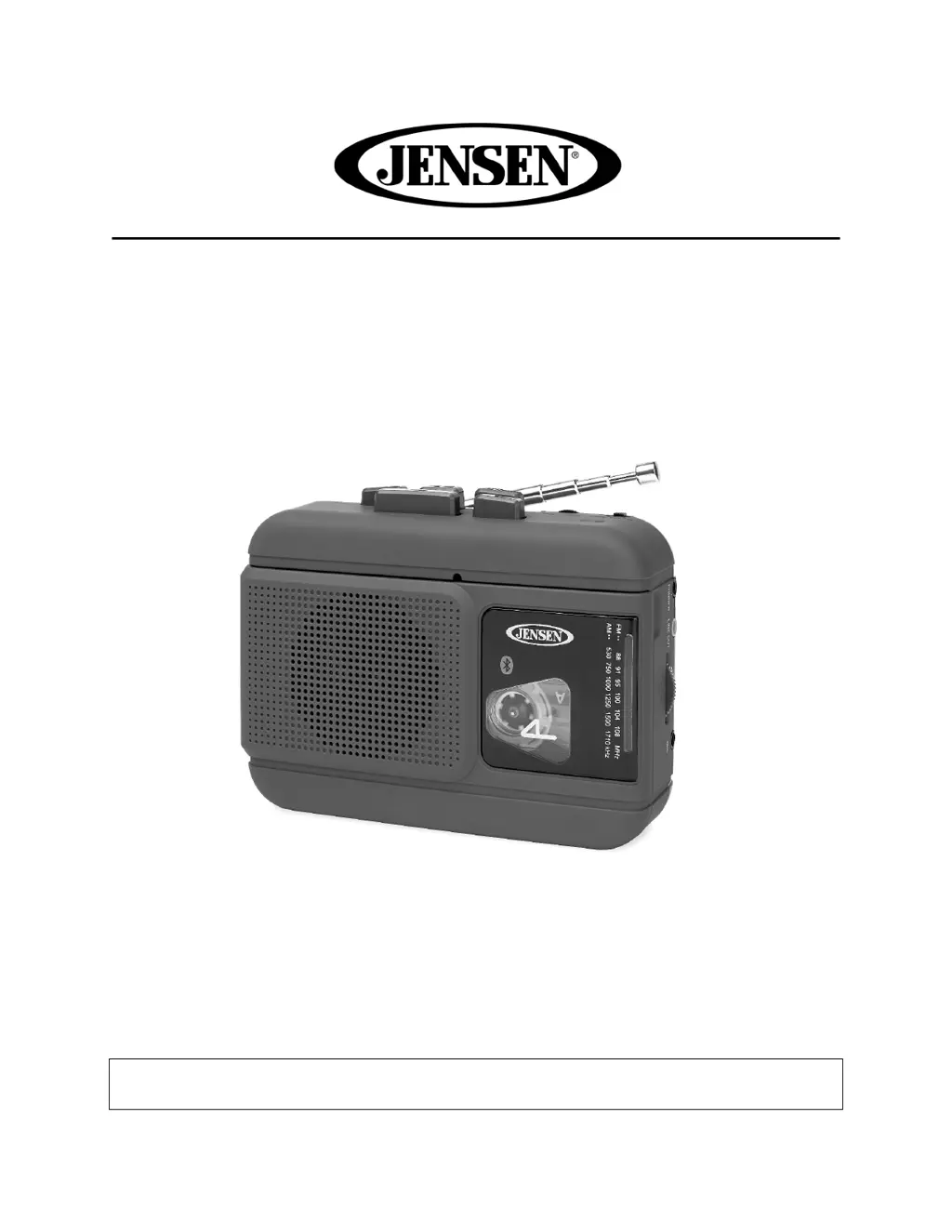
AM/FM RADIO CASSETTE PLAYER/RECORDER
WITH BLUETOOTH
MODEL: MCR-60
USER MANUAL
PLEASE READ THIS USER MANUAL COMPLETELY BEFORE OPERATING
THIS UNIT AND RETAIN THIS BOOKLET FOR FUTURE REFERENCE

Questions and Answers

  • A
    awagnerJul 27, 2025
    Why is there no sound coming from my Jensen Radio?
    • L
      Lynn SimmonsJul 27, 2025
      If there is no sound coming from your Jensen Radio, the possible causes are: low or no power - in this case, replace all batteries with new ones; or the volume is set at minimum - increase the volume.
  • D
    Don GonzalezJul 31, 2025
    What to do if my Jensen Radio has no sound?
    • M
      mcguirechristopherJul 31, 2025
      If your Jensen Radio has no sound, it might be because the unit is not in Radio mode. To solve this, slide the function selector to AM or FM mode. Also, the station might be weak, so retune the station again.
  • J
    Justin RoweAug 4, 2025
    Why does my Jensen Radio sound distorted at high volume?
    • T
      toddwolfAug 5, 2025
      If the sound from your Jensen Radio is distorted at a high volume setting, it is likely that the volume control is set to maximum. Adjust the volume control to a lower, more comfortable level.
  • W
    whitejenniferAug 9, 2025
    How to fix noise or distorted sound on FM broadcasts with Jensen Radio?
    • K
      Kristy HolmesAug 9, 2025
      To improve FM broadcast quality on your Jensen Radio, fully extend the telescopic antenna for better radio reception if you are experiencing noise or distorted sound.
  • S
    Samuel NewmanAug 13, 2025
    What to do if my Jensen MCR-60 Cassette Player has no sound?
    • T
      Teresa LeeAug 13, 2025
      If your Jensen Cassette Player has no sound, ensure the unit is in TAPE mode by sliding the function selector to TAPE. Also, increase the volume, as it might be at minimum.
  • S
    suttonmeredithAug 17, 2025
    Why is the tape sound distorted on my Jensen?
    • D
      David JohnsonAug 17, 2025
      If the tape sound is distorted on your Jensen, the cause may be a defective tape or a dirty tape head. Replace the tape or clean the tape head.
  • R
    rreyesAug 22, 2025
    How to resolve speed variation on Jensen?
    • S
      Stuart WhiteAug 22, 2025
      If the tape speed varies on your Jensen, it may be due to an old or worn tape. Replacing the tape may resolve this. Also, the roller and capstan may be dirty; clean them.

Summary

FCC Compliance and Safety Warnings

FCC Compliance Statement

Explains compliance with FCC rules and potential interference.

Unauthorized Modifications Warning

Warns that unauthorized changes void warranty and user authority.

Safe Listening Guidelines

Establishing Safe Volume Levels

Provides guidance on setting safe listening volume levels to protect hearing.

Customer Record

Serial Number Recording

Section for recording the unit's serial number for ownership and warranty purposes.

Location of Controls

Power Source Options

Battery Operation and Warnings

Details battery insertion, usage, and critical warnings for safety and unit care.

Alternative Power Sources

USB Power Operation

Explains how to power the unit using a USB power source, including requirements.

AC Adaptor Operation

Details powering the unit via an AC adapter, specifying input and output requirements.

Radio Operation and Reception Tips

Radio Operation Steps

Instructions for tuning and operating the AM/FM radio functions.

Optimizing FM Reception

Offers advice on optimizing FM reception, including antenna extension and earbud use.

Optimizing AM Reception

Provides guidance on positioning the unit for optimal AM radio reception.

Cassette Player and Recording Functions

Cassette Player Operation

Step-by-step guide for playing audio cassettes.

Automatic Stop Feature

Explains the automatic stop feature that protects cassettes and the unit during playback.

Recording from Built-in Microphone

Details the process of recording audio using the unit's built-in microphone.

Recording from External Microphone

Guides on connecting and using an external microphone for recording purposes.

Recording from Radio

Explains how to record audio directly from the AM or FM radio stations.

Cassette Protection and Tape Tips

Protection Against Accidental Erasure

Explains how to protect cassettes from accidental erasure using tabs and how to override it.

Record Button Warning

Warns against damaging the recorder by forcing the record button when erase protection is removed.

Cassette Tape Operating Tips

Provides advice on tape quality, usage, cleaning, and slack removal for optimal performance.

Bluetooth and Earbud Usage

Bluetooth Operation

Instructions for pairing and using Bluetooth wireless output for cassette playback.

Using Earbuds

Instructions for connecting and using headphones for private listening.

Earbud Compatibility Note

Warns that the headphone jack might not work with all earbud types or plug configurations.

Earphone Usage Caution

Advises users to avoid excessive volume and maintain a reasonable level for hearing safety.

Audio Connections and Maintenance

Line-Out Connection

Explains connecting the unit to external audio systems or speakers.

External Device Volume Control

Explains that volume control is managed by the external device when using the line-out connection.

Care and Maintenance

Provides instructions on cleaning and proper storage of the unit.

Specifications

Troubleshooting Guide

Warranty and Service Information

90-Day Limited Warranty

Details the terms and conditions of the 90-day limited warranty for US customers.

Warranty Conditions

Outlines the conditions and limitations under which the 90-day limited warranty is valid.

Obtaining Warranty Service

Provides instructions on how to obtain warranty service, including packing and shipping the unit.

Out-of-Warranty Service

Details the procedure and cost for out-of-warranty repair or replacement.

Contacting Customer Support

Recommends contacting customer support for updated service information or alternative options.

Jensen MCR-60 Specifications

General IconGeneral
BrandJensen
ModelMCR-60
CategoryCassette Player
LanguageEnglish

Related product manuals