EasyManua.ls Logo

Jensen SCR-90 - User Manual

Jensen SCR-90
8 pages
Print Icon
To Next Page IconTo Next Page
Loading...
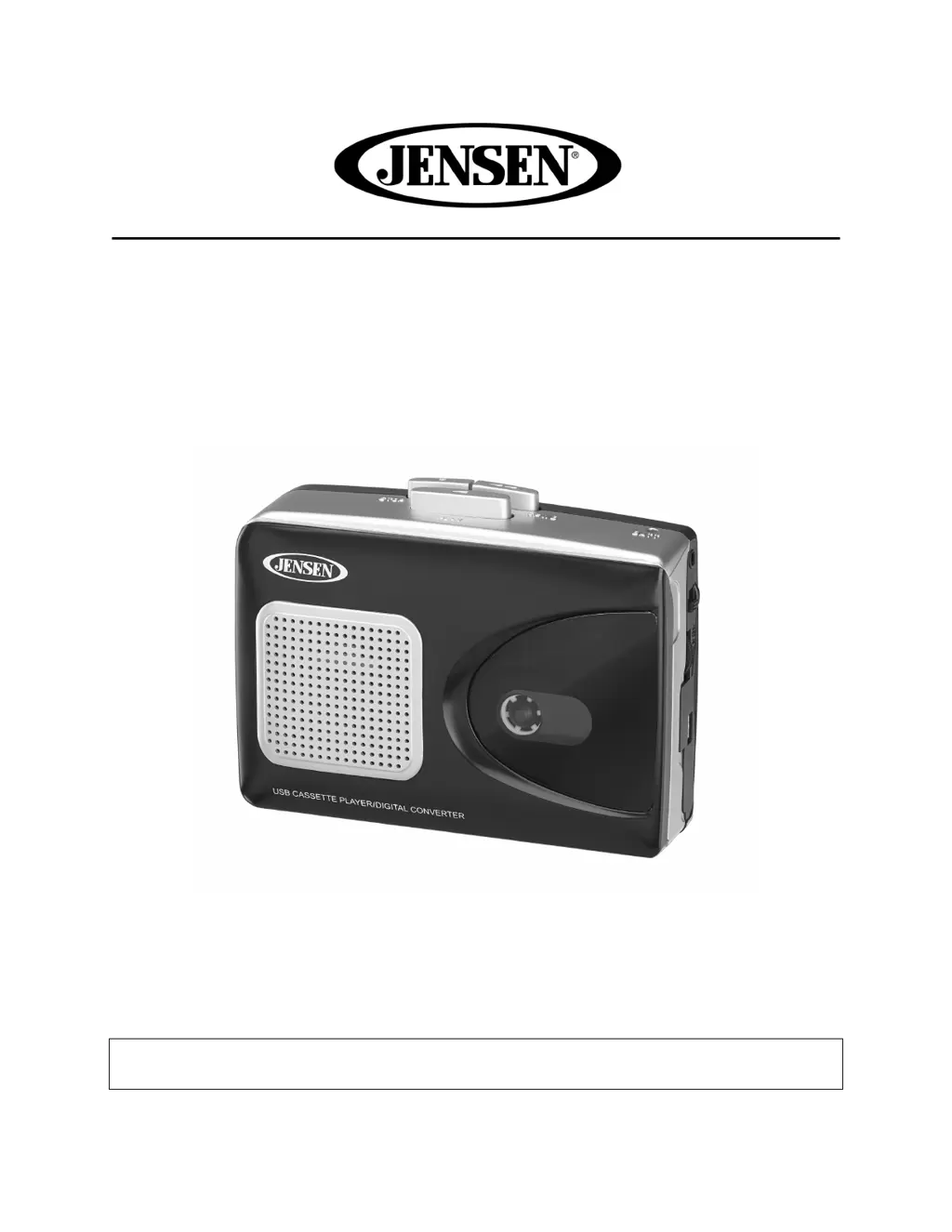
Stereo USB Cassette Player with Encoding to Computer
MODEL: SCR-90
USER MANUAL
PLEASE READ THIS USER MANUAL COMPLETELY BEFORE OPERATING
THIS UNIT AND RETAIN THIS BOOKLET FOR FUTURE REFERENCE

Questions and Answers

  • K
    kelsey69Jul 28, 2025
    How to fix a Jensen SCR-90 with no sound?
    • N
      Nancy PadillaJul 28, 2025
      If your Jensen Cassette Player has no sound, there could be a couple of reasons. First, check the power: try replacing all the batteries with new ones. Also, make sure the volume isn't set too low; increase the volume to see if that resolves the issue.
  • M
    Meghan MarquezAug 2, 2025
    Why does my Jensen Cassette Player sound distorted at high volume?
    • K
      Kenneth SerranoAug 2, 2025
      If the sound from your Jensen Cassette Player is distorted when the volume is high, it's likely that the volume control is set too high. Try adjusting the volume to a lower, more comfortable level to reduce the distortion.
  • C
    cynthiamayAug 9, 2025
    What to do if my Jensen SCR-90 Cassette Player's speed varies?
    • N
      nthomasAug 9, 2025
      If the speed of your Jensen Cassette Player varies, it could be due to a couple of reasons: * The tape might be old or worn, in which case you should replace it. * The roller and capstan might be dirty, so try cleaning them.
  • E
    Elizabeth AyalaAug 15, 2025
    How to resolve distorted tape sound on Jensen Cassette Player?
    • J
      Joseph VargasAug 15, 2025
      Distorted tape sound on your Jensen Cassette Player can often be fixed by addressing the tape itself or the tape head. Try replacing the tape, as it may be defective. Alternatively, the tape head might be dirty, so cleaning it could solve the problem.
  • L
    Laurie DelgadoAug 20, 2025
    What to do if the speaker has no sound on my Jensen SCR-90 Cassette Player?
    • M
      Mr. Christopher LewisAug 20, 2025
      If the speaker on your Jensen Cassette Player has no sound, ensure that the speaker is turned ON and that the volume isn't set to the minimum. Slide the Speaker On/Off switch to the ON position and increase the volume.

Summary

FCC Compliance and Hearing Safety

FCC Compliance and Interference

Details FCC rules, device operation conditions, and measures to correct interference.

Hearing Safety Guidelines

Advice from the manufacturer and EIA on setting safe listening levels to prevent hearing damage.

Customer Information and Controls

Customer Record Keeping

Section for recording product model and serial number for identification.

Location and Identification of Controls

Identifies all physical buttons, jacks, speakers, and the belt clip on the unit.

Power Source Options

Battery Operation

Instructions for installing and warnings regarding AA batteries.

AC Adapter Operation

Guidelines for powering the unit via an AC adapter (adapter not included).

USB Power Connection

Instructions for powering the unit using a USB power source.

Cassette Player Operation and Maintenance

Cassette Player Operation Steps

Step-by-step guide on how to insert tapes, select output, play, fast forward, and stop.

Cassette Tape Handling Tips

Recommendations for tape quality, handling slack, and cleaning heads for optimal performance.

Important Earbud Usage Precautions

Safety warnings regarding high volume, ear ringing, and use while driving.

Recording to Computer with Audacity

Instructions on how to record audio from tape to a computer using Audacity software.

Unit Care and Maintenance

Guidelines for cleaning, avoiding environmental hazards, and protecting from electrical noise.

Troubleshooting and Specifications

Troubleshooting Guide

Lists common symptoms, possible causes, and solutions for operational issues.

Technical Specifications

Details power requirements, AC adapter, and USB power specifications.

Spectra Green Environmental Notice

Information about the company's commitment to environmental and social responsibility.

Warranty and Service Information

90-Day Limited Warranty (U.S.A. Only)

Outlines warranty coverage, limitations, conditions, and claim procedures.

Service and Contact Information

Provides contact details for warranty service, product registration, and support.

Jensen SCR-90 Specifications

General IconGeneral
BrandJensen
ModelSCR-90
SpeakersYes
Headphone JackYes
RadioAM/FM
TypePortable Cassette Player

Related product manuals