EasyManua.ls Logo

Jensen MR-750 - User Manual

Jensen MR-750
18 pages
Print Icon
To Next Page IconTo Next Page
Loading...
R
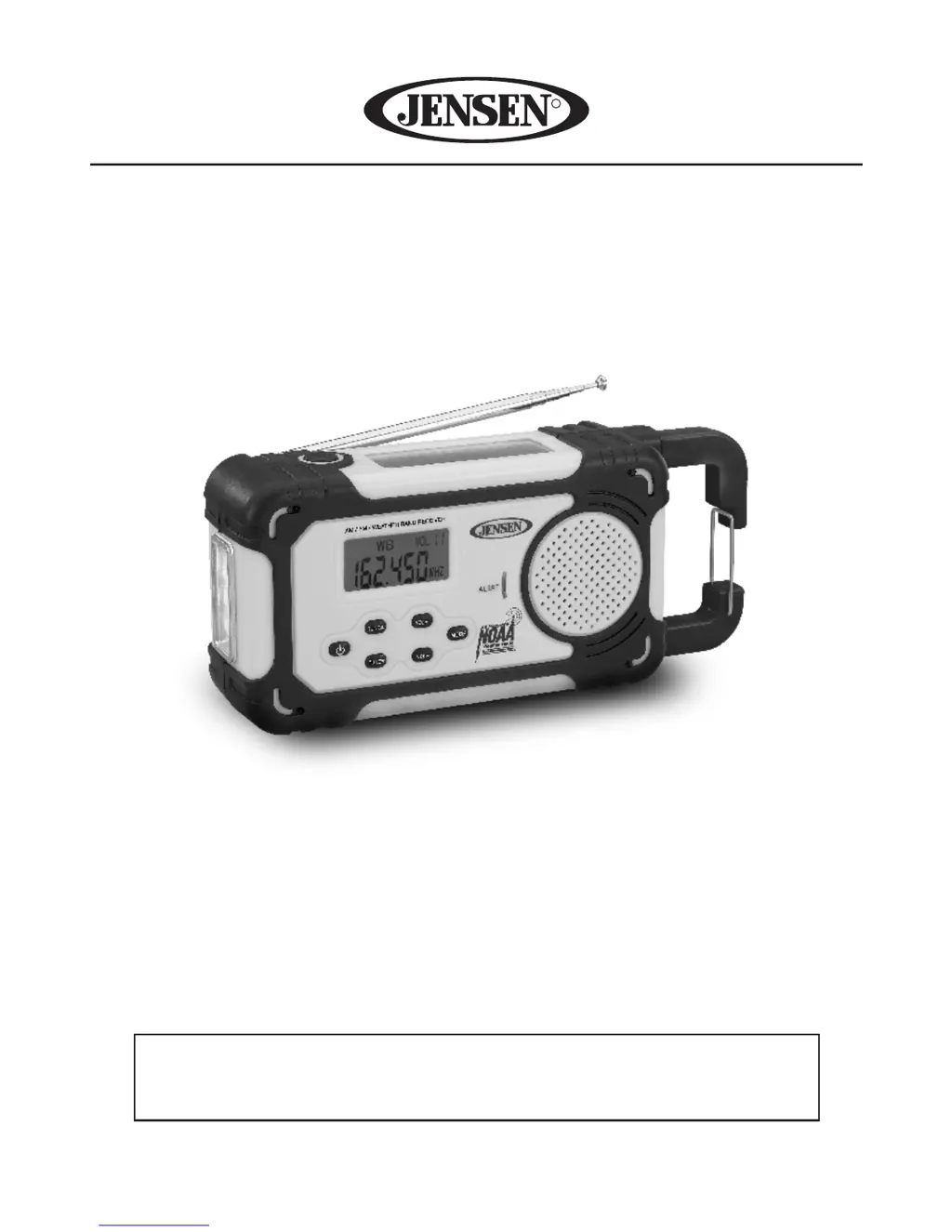
AM/FM/NOAA WEATHER BAND RADIO
USER MANUAL
MR-750
PLEASE READ THIS USER MANUAL COMPLETELY BEFORE
OPERATING THIS UNIT AND RETAIN IT FOR FUTURE REFERENCE

Questions and Answers

Summary

IMPORTANT SAFETY INSTRUCTIONS

COMPLIANCE WITH FCC REGULATIONS

LOCATION OF CONTROLS

Front Panel Buttons

Controls for power, tuning, volume, and mode selection on the front panel.

Display and Indicators

The LCD screen for information display and visual alert indicators.

Audio and Light Features

The speaker for audio output and the integrated LED flashlight.

External Components

The solar panel for charging and other external features.

EXTERNAL COMPONENTS AND PORTS

Antenna and Hook

Telescopic antenna for radio reception and a metal hook for portability.

Input;Output Ports

USB ports, headphone jack, and power source selector.

Power and Reset Controls

Crank handle for power generation and a reset button.

Protective Cover

Rubber dust cover protecting various unit ports.

POWER SOURCE OPTIONS

Dynamo Power Operation

Using the hand crank to generate power and charge the internal battery.

Lithium Battery Safety Instructions

Guidelines for safe handling, charging, and disposal of lithium batteries.

BATTERY OPERATION MODES

Dry Cell Battery Operation

Inserting and using 3 'AAA' batteries as an alternative power source.

CLOCK SETTING

Setting Time Format

Selecting between 12-hour and 24-hour clock display formats.

Setting Clock Time

Adjusting the hour and minute values for the current time.

LISTENING TO THE RADIO

Reception Tips

Advice for optimizing AM and FM radio signal reception.

WEATHER BAND RECEPTION

Local Weather Band Tuning

Selecting specific weather channels for local broadcasts.

Emergency Weather Alerts

Activating standby mode to receive severe weather warnings automatically.

INTERNAL BATTERY CHARGING

Dynamo Charging Method

Charging the battery via the hand crank, indicated by a red LED.

USB Charging Method

Charging the battery using a USB cable connected to a power source.

SOLAR CHARGING

CHARGING EXTERNAL DEVICES

LED INDICATOR GUIDE

USING THE FLASHLIGHT

USING EARBUDS

CARE AND MAINTENANCE

Resetting the Unit

Procedure to restart the unit using a reset button to clear memory.

TROUBLESHOOTING

SPECIFICATIONS

WARRANTY INFORMATION

Summary

IMPORTANT SAFETY INSTRUCTIONS

COMPLIANCE WITH FCC REGULATIONS

LOCATION OF CONTROLS

Front Panel Buttons

Controls for power, tuning, volume, and mode selection on the front panel.

Display and Indicators

The LCD screen for information display and visual alert indicators.

Audio and Light Features

The speaker for audio output and the integrated LED flashlight.

External Components

The solar panel for charging and other external features.

EXTERNAL COMPONENTS AND PORTS

Antenna and Hook

Telescopic antenna for radio reception and a metal hook for portability.

Input;Output Ports

USB ports, headphone jack, and power source selector.

Power and Reset Controls

Crank handle for power generation and a reset button.

Protective Cover

Rubber dust cover protecting various unit ports.

POWER SOURCE OPTIONS

Dynamo Power Operation

Using the hand crank to generate power and charge the internal battery.

Lithium Battery Safety Instructions

Guidelines for safe handling, charging, and disposal of lithium batteries.

BATTERY OPERATION MODES

Dry Cell Battery Operation

Inserting and using 3 'AAA' batteries as an alternative power source.

CLOCK SETTING

Setting Time Format

Selecting between 12-hour and 24-hour clock display formats.

Setting Clock Time

Adjusting the hour and minute values for the current time.

LISTENING TO THE RADIO

Reception Tips

Advice for optimizing AM and FM radio signal reception.

WEATHER BAND RECEPTION

Local Weather Band Tuning

Selecting specific weather channels for local broadcasts.

Emergency Weather Alerts

Activating standby mode to receive severe weather warnings automatically.

INTERNAL BATTERY CHARGING

Dynamo Charging Method

Charging the battery via the hand crank, indicated by a red LED.

USB Charging Method

Charging the battery using a USB cable connected to a power source.

SOLAR CHARGING

CHARGING EXTERNAL DEVICES

LED INDICATOR GUIDE

USING THE FLASHLIGHT

USING EARBUDS

CARE AND MAINTENANCE

Resetting the Unit

Procedure to restart the unit using a reset button to clear memory.

TROUBLESHOOTING

SPECIFICATIONS

WARRANTY INFORMATION

Jensen MR-750 Specifications

General IconGeneral
BrandJensen
ModelMR-750
CategoryWeather Radio
LanguageEnglish

Related product manuals