EasyManua.ls Logo

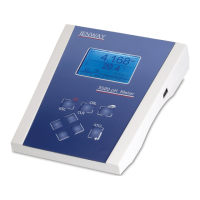
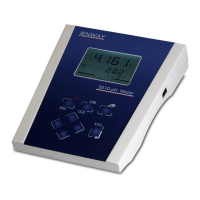
jenway 3510 - User Manual

jenway 3510
36 pages
Print Icon
To Next Page IconTo Next Page
Loading...
Instruction Manual
351 050/REV C/02-17
pH/mV Temperature Meter
Model 3510

Questions and Answers

  • L
    Lauren WuAug 17, 2025
    Why is my Jenway Multimeter 3510 display erratic?
    • D
      devansAug 17, 2025
      If you're getting an erratic display on your Jenway Multimeter 3510, make sure you are using the supplied 9V AC power supply. Using other power supplies can cause the unit to malfunction.
  • B
    Brad McdonaldAug 19, 2025
    How to fix a Jenway Multimeter 3510 with no display?
    • C
      Christie BarrettAug 19, 2025
      If your Jenway Multimeter 3510 shows no display, check that the correct 9V AC power supply is properly connected and switched on.
  • D
    Deborah JohnstonAug 22, 2025
    What does ERROR SLOPE mean on my Jenway Multimeter 3510?
    • E
      Erin RosalesAug 22, 2025
      If you see 'ERROR SLOPE' on your Jenway Multimeter, it indicates an electrode problem. Test the 3510 using a BNC cap and consider replacing the electrode.
  • G
    Geoffrey BennettAug 25, 2025
    What to do if my Jenway Multimeter 3510 cannot calibrate?
    • G
      Gary GrantAug 26, 2025
      If your Jenway Multimeter 3510 is unable to calibrate, it might be due to an electrode fault. You should test the 3510 using a BNC cap and replace the electrode if necessary.
  • K
    Kevin WiseAug 27, 2025
    What does ERROR EO mean on my Jenway Multimeter 3510?
    • A
      Aimee BensonAug 27, 2025
      If you see 'ERROR EO' on your Jenway Multimeter 3510, it indicates a buffer problem. Try using freshly prepared buffers.
  • M
    Melissa JohnsonAug 30, 2025
    Why are temperature readings incorrect on my Jenway Multimeter 3510?
    • I
      Ian HuffAug 30, 2025
      If your Jenway Multimeter 3510 temperature readings are incorrect, the temperature probe may be faulty. Check the 3510 and replace the temperature probe.
  • K
    Katherine PettySep 2, 2025
    Why are temperature readings fluctuating on my Jenway Multimeter 3510?
    • J
      Julia ReynoldsSep 2, 2025
      If your Jenway Multimeter 3510 temperature readings are fluctuating, the temperature probe may be faulty. Check the 3510 and replace the temperature probe.
  • D
    Dawn GutierrezSep 5, 2025
    Why is my Jenway Multimeter 3510 giving drifting erratic readings?
    • N
      Natalie BeasleySep 5, 2025
      If your Jenway Multimeter 3510 is showing drifting erratic readings, it could be due to an electrode fault. Test the 3510 using a BNC cap and replace the electrode.
  • M
    Michelle SolomonSep 7, 2025
    Why is my Jenway Multimeter 3510 unable to recognise the buffer?
    • C
      Christian BryantSep 7, 2025
      If your Jenway Multimeter 3510 shows 'Unable to recognise', ensure the correct buffer type is selected. Use 'AUTO' for Jenway supplied buffers. Replace the buffers and test the 3510 using a BNC cap; replace the electrode if needed.
  • J
    John GardnerSep 10, 2025
    What does it mean when the feed light is flashing on my Jenway Multimeter 3510 printer?
    • J
      Justin SantanaSep 12, 2025
      If the feed light on the printer connected to your Jenway Multimeter 3510 is flashing, it means the printer needs more paper.

Summary

Safety

Introduction

1.1 Instrument Description

General purpose pH/mV/Temperature bench meter for routine laboratory analysis.

1.2 Instrument Specification

Technical specifications including pH, mV, temperature ranges, resolution, accuracy, and outputs.

Installation

2.1 Unpacking

Lists items included in the packaging and reporting shortages or damage.

2.2 Installation

Instructions for connecting electrodes, ATC probe, and power supply.

2.3 Display

Explains the various elements and indicators shown on the instrument's display.

2.4 Keypad

Details the function of each key on the instrument's keypad.

2.5 Inputs;Outputs

Describes the rear panel layout and function of various sockets and connectors.

Operation

3.1 Theory of pH Measurement

Explains the concept of pH, its measurement scale, and the relationship with hydrogen ion activity.

3.2 pH Measurement

Details the components of a pH measurement system: pH meter, pH electrode, and reference electrode.

3.3 Preparation of Buffer Solutions

Guidance on preparing buffer solutions accurately for calibration.

3.4 Solution Temperature Values

Explains the importance of buffer solution temperature for accurate calibration.

3.5 Good Practice Guidelines

General guidelines for the care and maintenance of pH electrodes during use.

3.6 Instrument Set-Up

Details the various user-configurable set-up modes for the instrument.

3.6.2 Buffer type entry

Describes how to select the buffer type for calibration, including manual entry.

3.6.3 pH resolution

Explains how to set the pH resolution on the instrument's main display.

3.6.4 Temperature units

Details how to select the temperature units (°C or °F) for display and measurement.

3.6.5 Manual temperature

Instructions for manually entering temperature when the ATC probe is not connected.

3.6.6 Baud Rate

Configuration of serial port baud rate for data communication.

3.7.1 Calibration with Manual Temperature Compensation

Step-by-step guide for performing pH calibration using manual temperature compensation.

3.7.2 Calibration with Automatic Temperature Compensation

Step-by-step guide for performing pH calibration using automatic temperature compensation.

3.8 Error Codes

Lists and explains common error messages displayed by the instrument.

3.9 Millivolt Mode

Explains the Absolute and Relative millivolt modes for measurement.

3.10 Performing Measurements

Instructions for performing pH, mV, and temperature measurements.

3.11 Results storage and display

Details how to store, view, and manage measurement results.

Maintenance

4.1 General

Basic maintenance guidelines for keeping the instrument clean and protected.

4.2 Cleaning;Re-conditioning of Combination Electrodes

Procedures and agents for cleaning and re-conditioning pH electrodes.

Optional Accessories

5.1 Optional Accessories

Lists available optional accessories, including printers, cables, and pH electrodes.

5.2 Spares

Lists common spare parts for the instrument and electrodes.

Interfacing

6.1 Analogue

Details the analogue output specifications and voltage per digit.

6.2 RS232

Explains the RS232 interface connections and pin assignments for data communication.

6.3 Keypad Emulation

Describes how to control the instrument remotely via RS232 using keypad commands.

6.4 Printing

Instructions for connecting and using a serial printer with the instrument.

Example Printout

Illustrates typical header and data printouts from the instrument.

Troubleshooting and Functional Checks

7.1 Troubleshooting

Lists common faults, their possible causes, and recommended actions for resolution.

7.2 Functional check

Describes how to perform checks on the meter's measurement functions.

7.3 Reset Procedure

Instructions for resetting the instrument to its default factory settings.

EU Declaration of Conformity

jenway 3510 Specifications

General IconGeneral
DC Voltage Ranges200mV, 2V, 20V, 200V, 1000V
Resistance Ranges200Ω, 2kΩ, 20kΩ, 200kΩ, 2MΩ, 20MΩ
Continuity TestYes
Diode TestYes
Overload ProtectionYes
Temperature Range-20°C to 1000°C
AC Voltage Ranges200V, 750V
DC Current Ranges200μA, 2mA, 20mA, 200mA, 10A
Display3.5 digit LCD
Current Range AC200mA, 10A
Capacitance Range20nF, 200nF, 2µF, 20µF
Frequency Range20kHz
Battery9V

Related product manuals