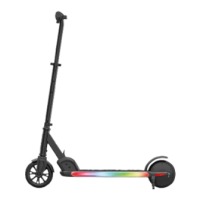
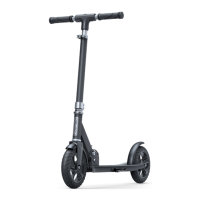
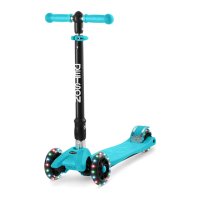
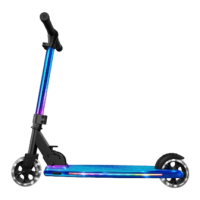
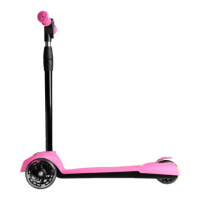
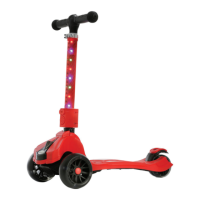
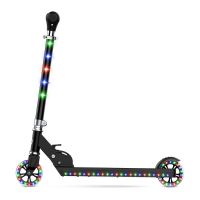
The Jetson Orbit Light-Up Folding Scooter is a recreational device designed for children aged 5 and up, offering a fun and illuminated riding experience. It features a lightweight and foldable design, making it convenient for storage and transport.
Function Description:
The Orbit scooter provides a dynamic riding experience with its LED light-up features on the wheels, deck, and stem, enhancing visibility and adding a playful element. It is designed for easy assembly and intuitive operation, including a quick-release lever for folding and unfolding, and a rear foot brake for stopping. The handlebar is adjustable to accommodate different rider heights. The scooter is propelled by the rider's foot, making it a classic kick scooter with modern enhancements.
Important Technical Specifications:
- Model: JORBIT-BKB | JORBIT-BKP
- Weight Limit: 132 lb (60 kg)
- Product Weight: 6 lb (2.7 kg)
- Recommended Age: 5+
- Wheel Size: 4 inches
- Unfolded Dimensions: 24" (L) x 10.5" (W) x 29" (H)
- Folded Dimensions: 24" (L) x 10.5" (W) x 8.5" (H)
- Deck Size: 17.5" (L) x 3.5" (W)
- Height Adjustable Handlebar: 29"-34"
- Brake System: Rear Foot Brake
- Lighting: LED Light-Up Wheels, Deck & Stem
- Folding Technology: Easy Folding Technology
- Battery: 3 AA batteries (for LED lights)
Usage Features:
- Assembly: The scooter requires minimal assembly. The handlebar needs to be attached to the stem using a bolt and nut, ensuring the nut is on the right side when facing the front. Adults must assist children with initial assembly and adjustments.
- Unfolding/Folding: To unfold, open the locking lever and loosen the knob, then pull up on the quick release lever until the stem is fully extended and clicks into place. Close the locking lever and tighten the knob. To fold, reverse these steps.
- Adjusting the Handlebar: Open the stem clamp, then lift or lower the handlebar to the desired height. Press in the pin to adjust. Once the desired height is set and you hear a click, close the stem clamp to secure the handlebar.
- Using the Brake: The scooter is equipped with a rear foot brake. To stop, press down on the rear foot brake with your foot.
- LED Lights: The LED lights are powered by 3 AA batteries. To turn on the lights, press the power button. There are 7 different light functions that can be cycled through by pressing the power button. The 8th press will turn off the lights. To skip the cycle and turn off the lights immediately, hold the power button for 3 seconds. Remember to turn off the lights after riding to conserve battery life.
- Riding: To ride, place one foot in front and the other foot in back at a 70-90° angle. To make turns, turn the handlebar to the left or right.
- Safety Precautions: Always wear a helmet and appropriate safety gear. Ride on smooth, flat surfaces, away from fire, excessive heat, and intense physical shock. Avoid riding in wet conditions. Do not attempt to jump on or off the product, or jump while using it. Always keep feet firmly planted on the mat sensors (if applicable) during operation. Never operate the product off the ground while the wheels are in motion.
Maintenance Features:
- Cleaning: To clean the Orbit, wipe it carefully with a damp cloth, then dry with a dry cloth. Do not use water directly on the scooter, as this may damage the frame.
- Storage: Store the scooter indoors in a dry place. Cover it to protect against dust.
- Battery Replacement: To change the batteries for the LED lights, open the battery door with a screwdriver, place 3 AA batteries inside, and then close the battery door with the same screwdriver.
- Modifications: Do not attempt to disassemble, modify, repair, or replace any components of the unit without instruction from Jetson Customer Support. Unauthorized modifications will void the warranty and may cause malfunctions or injury.
- Disposal of Used Battery: Batteries contain hazardous substances and should not be treated as municipal waste. Dispose of used batteries at an appropriate collection point for recycling to prevent negative environmental and health consequences. Contact your local municipality for information on battery recycling services.
- General Safety Checks: Before each ride, check all parts for proper assembly and security. Ensure all clamps, bolts, and nuts are tightened. Check the brake function. Do not ride if any parts are loose, damaged, or missing.
- Environmental Conditions: Avoid prolonged exposure to UV rays, rain, and elements that may damage the enclosure materials.

 Need help?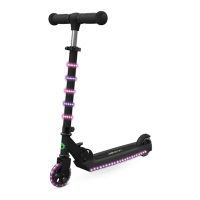

 To Next Page
 General