Function Generator
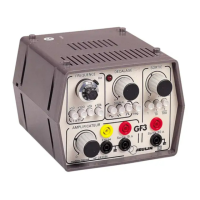
GF3 and GF4 function generator
Ref :
293
036
293 037
ENGLISH 8
• Rotate the adjustment button (1) until the desired frequency is
displayed: the units are displayed in the window and the decimals on
the vernier.
Example: 55 Hz
1). Press the push-button (x10)
2). 5 appears in the window and 50 on the vernier. 5.50 x 10 = 55 Hz
3.2 Display of the signal shape:
• Selection with the push-button (9): sine, triangular or rectangular.
3.3 Output level adjustment:
• Press the push-button (5) to obtain the corresponding attenuation: 1
- 1/10 - 1/100.
• Adjust the output level by operating the potentiometer button (4)
Note:
If a continuous component is not required, make sure that the offset button
(3) is in the "0" position
3.4 Use of the GF3 amplifier
• From the generator:
Connect the output of the generator (6) to the input (10) of the amplifier using
2 wires.
Connect the output of the amplifier (8) to the receiver.
Change the input level (4) as well as the output level (11) of the amplifier to
obtain the desired amplitude.
• From an external source
Connect the source to the amplifier input (10).
Adjust the level by operating the button (11)
3.5 Use of the FM and AM (GF4) inputs
• Connect the external source to the FM or AM sockets of the
generator using wires.
4 Warning symbol
This symbol means “CAUTION” and asks the User to refer these
instructions.
5 Safety
The Jeulin Company warns the user that the protection of this device may be
compromised if it is used in a manner that is not specified in these
instructions.


 To Next Page