18
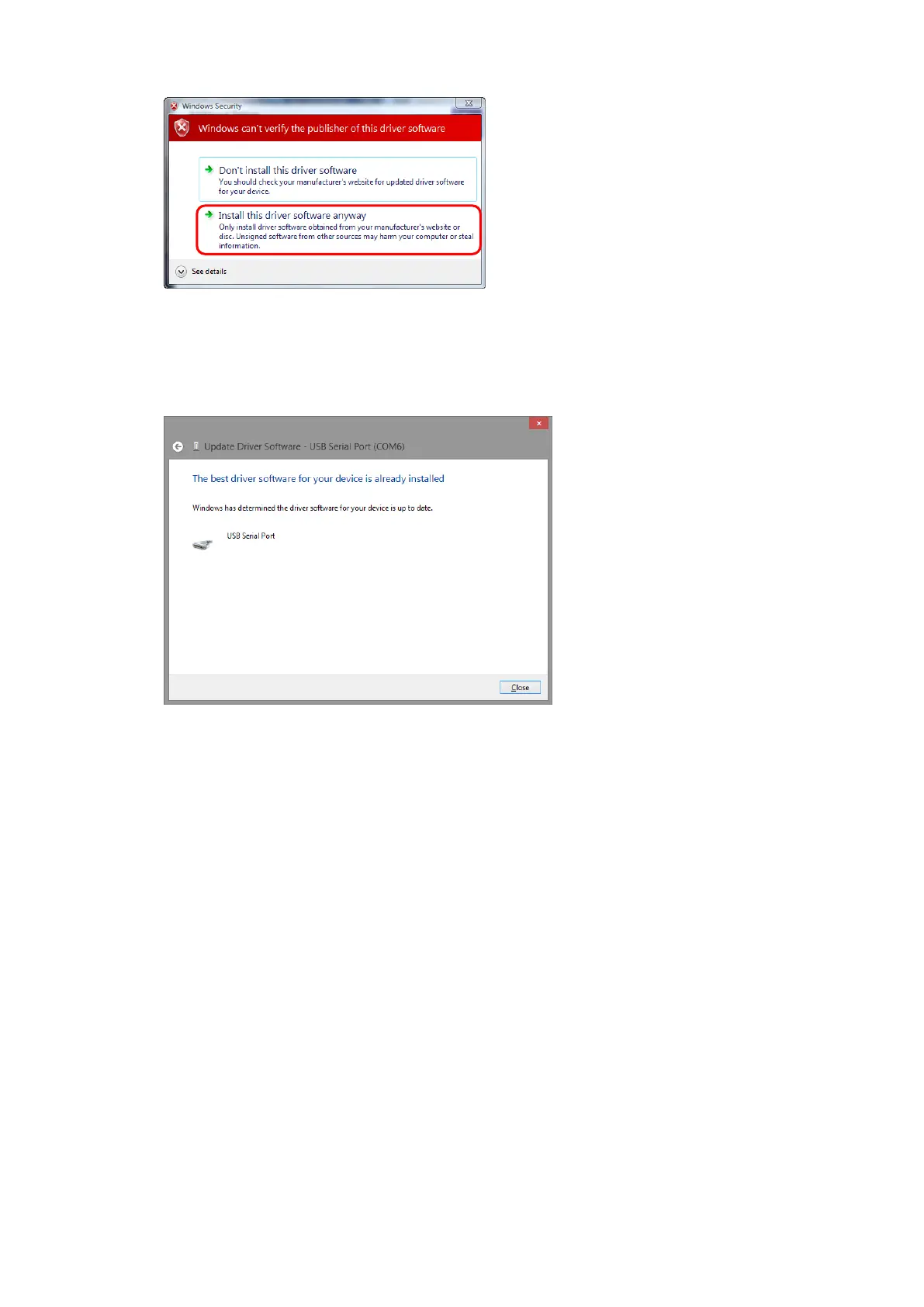
(9) If it displays the screen below, click [Install this driver software anyway].
(10) If it displays the screen below, you have succeeded with the driver installation.
Check the Device Manager to make sure that the marks such as [!] and [?] have disappeared. If the
marks are still present, try the same procedure again.



 To Next Page