17
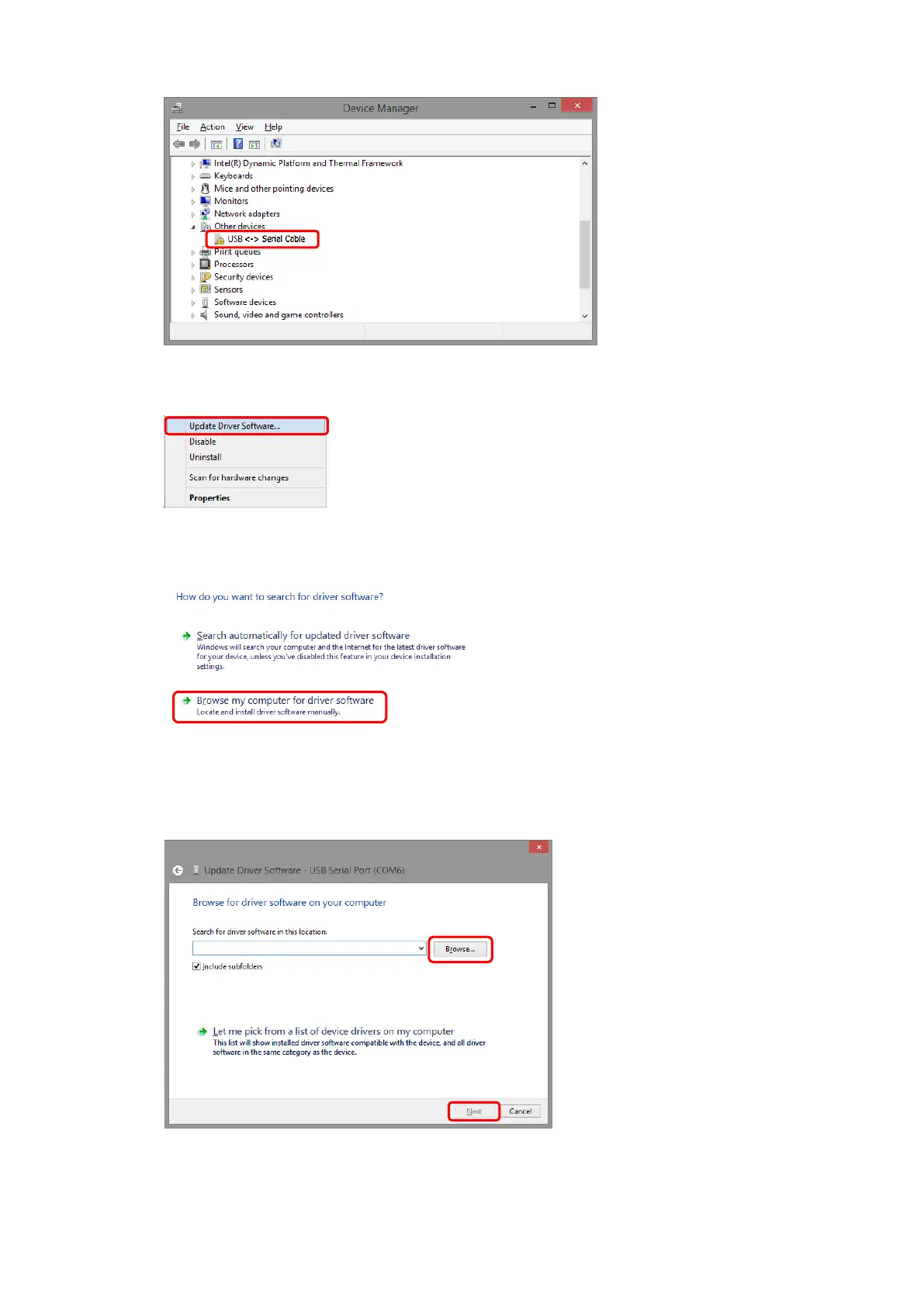
(5) If the driver cannot be installed, there will be an item with [!] mark as shown below.
(6) Right-click the item with the [!] mark and click [Update Driver Software…]
(7) Click [Browse my computer for driver software].
(8) Click [Browse…] button and select the CD-ROM or the [ARO-FT Driver] folder inside where
“FT-Calib” folder was installed. After selecting, click the [Next] button.



 To Next Page