28
Uninstallation of the software 7.8
The software can be uninstalled in one of two ways below.
7.8.1 Uninstall using the Start Menu
① From the Start Menu, select [All Programs > JFE Advantech > FT-Calib] and click [Uninstall].
② Uninstall by following the guidance.
7.8.2 Uninstall using the Programs and Features
① From Start menu, click [Control Panel].
② From the [Control Panel] window, select [Programs and Features].
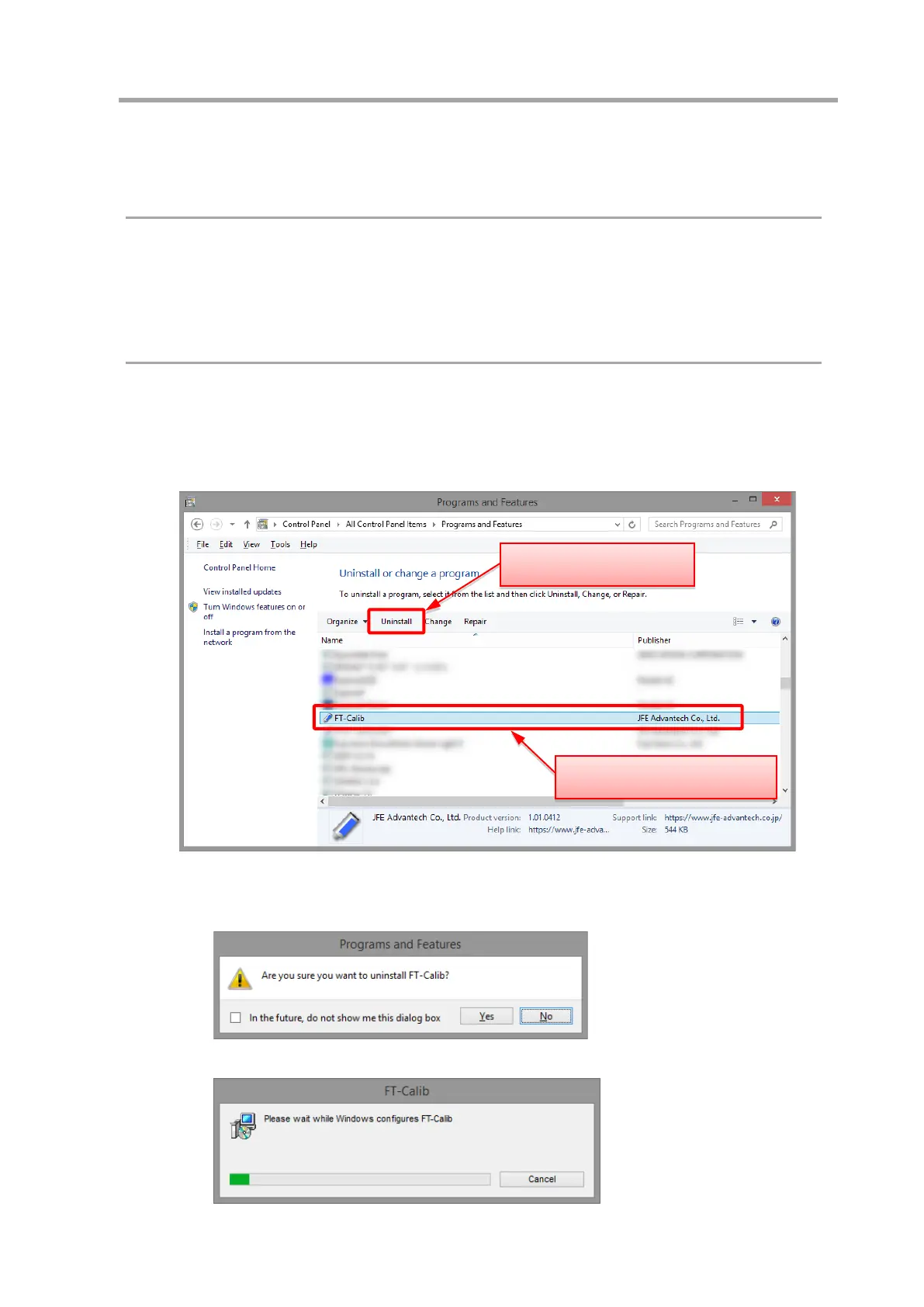
③ Select “FT-Calib” from the list by clicking it, and click [Uninstall] in the upper part of the window.
④ Screens are displayed in the following order. Uninstall according to the guidance.
(1) Click [Yes]
(2) The uninstall is complete when the progress window closes.
(2) Click Uninstall
(1) Click “FT-Calib”



 To Next Page