27
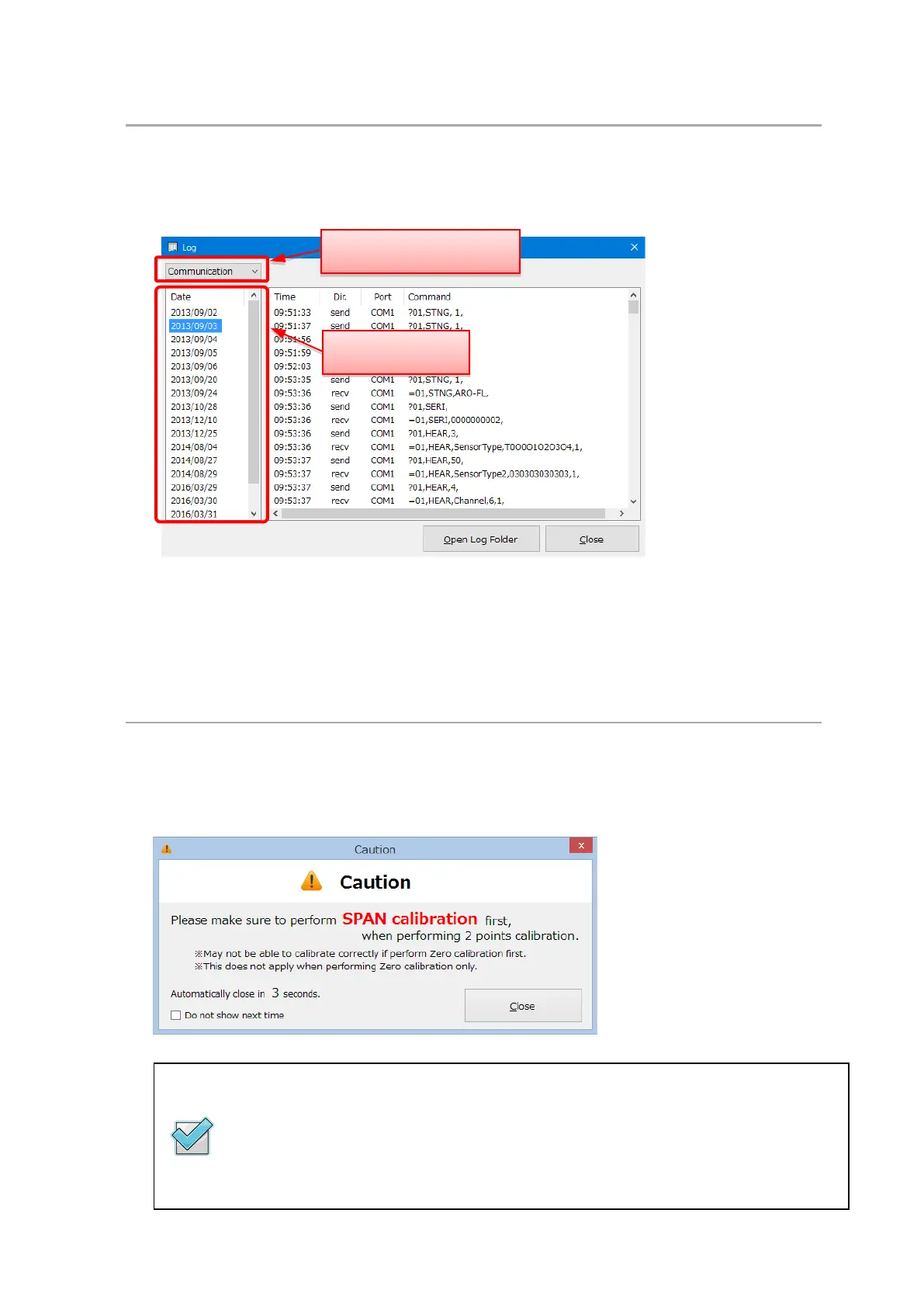
7.7.1 Browse the log
Logs of calibration and communication can be browsed. The log information is displayed by clicking
the [View Log] button.
(1) After selecting the log to browse, its date of creation is displayed.
(2) After selecting the date to browse, the logs are displayed.
7.7.2 Display of precautions for calibration
A caution for calibration is displayed when starting the software. The display of the caution can be
changed by Option (see 7.7).
The display closes automatically in 5 seconds.
If you check the [Do not show next time] box, the caution will not be displayed from
the next time the software is started.
The countdown stops when [Do not show next time] is changed.
(1) Select the type of log
(2) Select the date



 To Next Page