26
Change the software settings 7.7
The settings of software’s system and communication can be updated.
(1) Start the software “FT-Calib” (see 7.4.1).
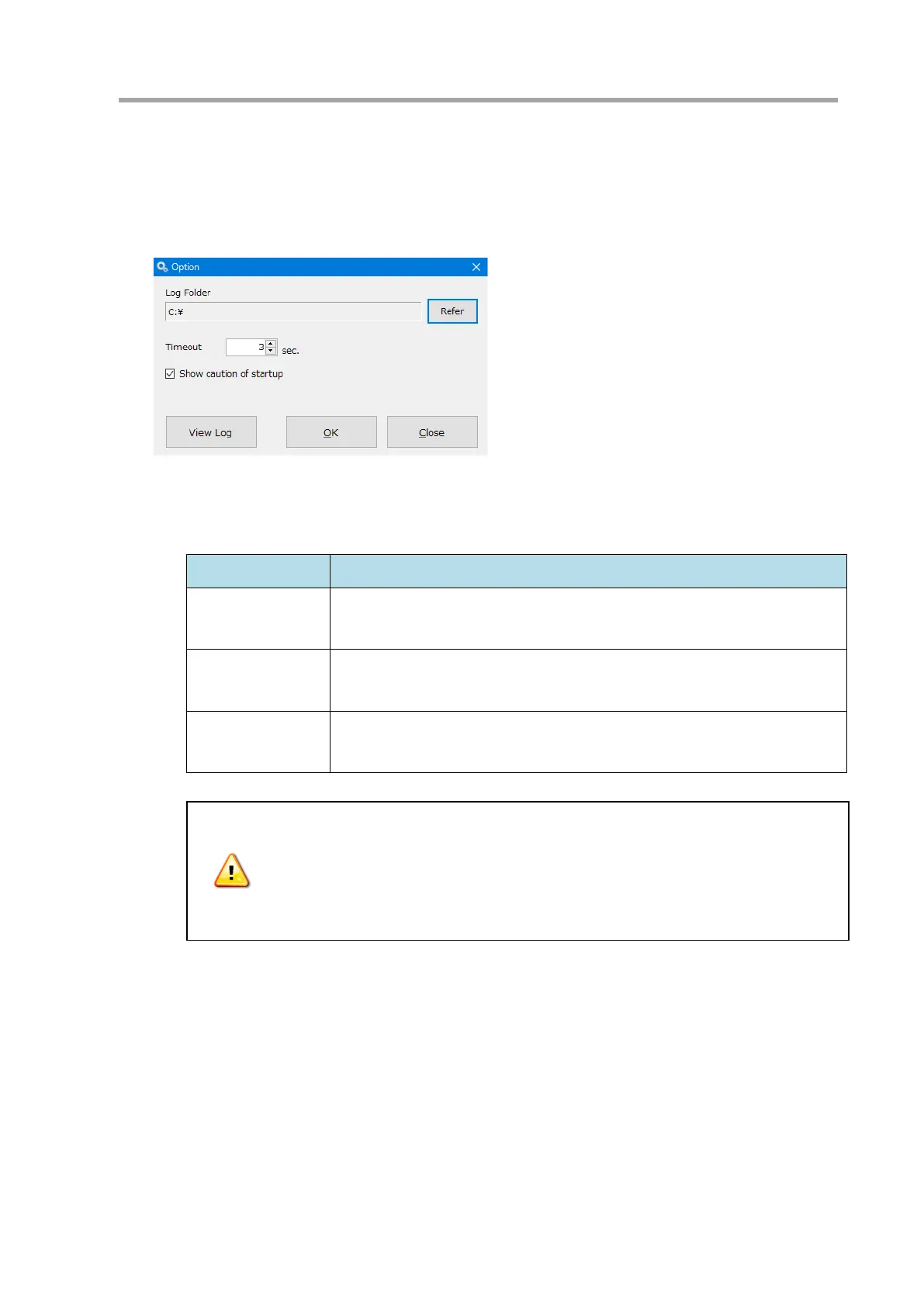
(2) Select [Tools > Option]. The [Option] window will be displayed.
(3) Change the settings as needed. Display the log information with the [View log] button (see 7.7.1)
(4) Click the [OK] button to save the setting. Click the [Close] button to close without saving.
Item Description
Log Folder The folder where the logs of calibration and communication are saved.
Timeout
Time length of response to communication commands. If time-out occurs
frequently, set this value longer (default: 3 seconds).
Show caution of
startup
Shows a caution of startup (see 7.7.2) when starting the software (default:
ON).
Depending on the change in the setting, the functionality of the instrument can
change significantly. Change the settings with great caution.
Carefully examine the functionality of the instrument after changing the
settings.



 To Next Page