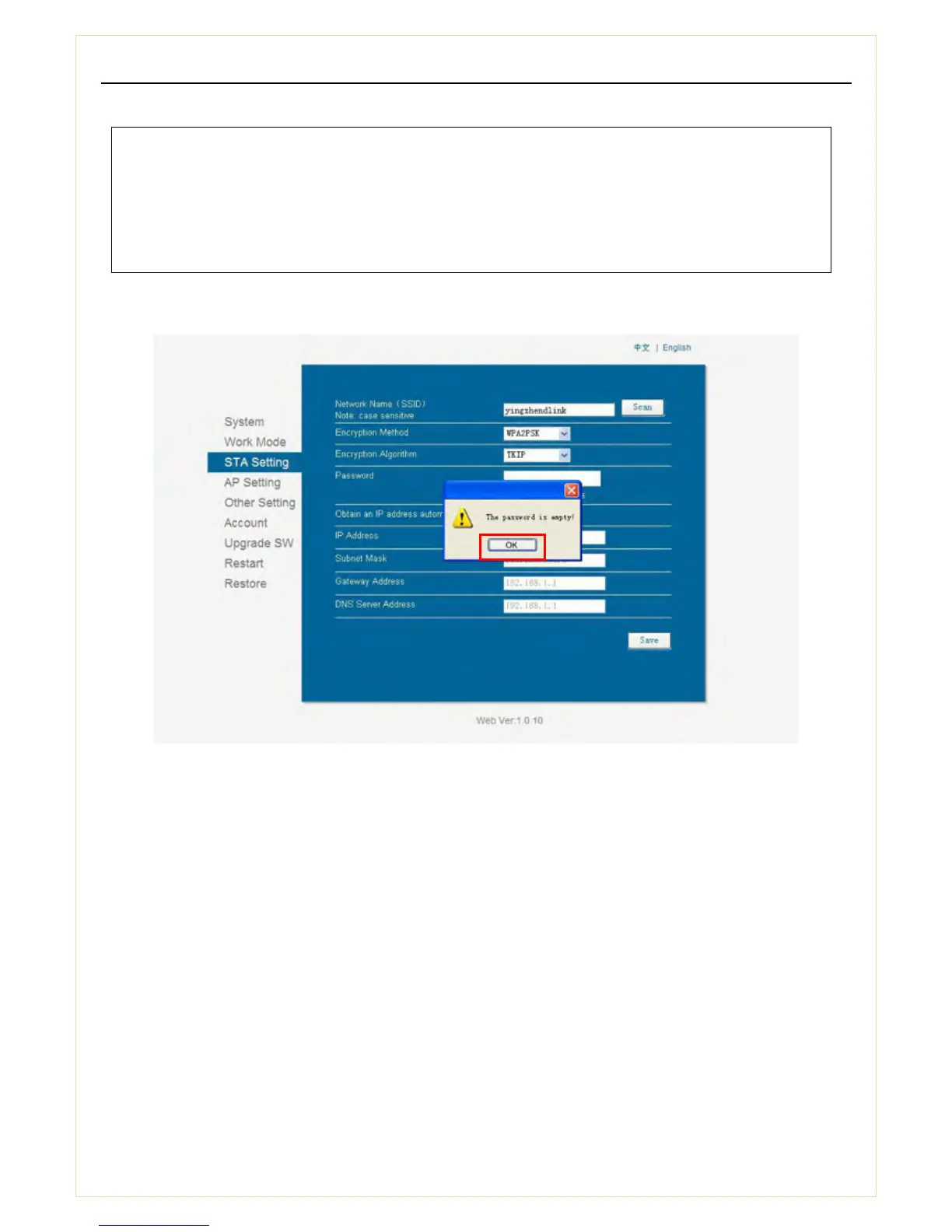
5.4.3 After clicking OK, the interface will return to the following page (see picture 14), please click OK
and enter the password for the selected network and then click Save.
Notice:
1. If the wireless network you need to connect is unavailable, please click Refresh to search it again.
2.If the signal strength (RSSI) of the selected network is lower than 15%, which means unstable
connection, please adjust the antenna of the router, or use a repeater to enhance the signal.
Picture 14


 To Next Page