EasyManua.ls Logo

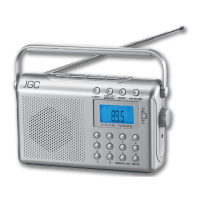
JGC JGC-URCD-20 - User Manual

JGC JGC-URCD-20
39 pages
Go to English
Print Icon
To Next Page IconTo Next Page
Loading...
CD Uhrenradio
CD Alarm Clock Radio
JGC-URCD-20
Bedienungsanleitung
User Manual
D
JGC-URCD-20-IM-DE-EN-V1.indb 1 29/01/2010 5:26 PM

Questions and Answers

  • L
    Laura ByrdAug 9, 2025
    How to fix no sound on my JGC JGC-URCD-20?
    • M
      Mark CochranAug 9, 2025
      If your JGC Clock Radio isn't producing any sound, ensure the volume isn't set too low and increase it. Also, verify that the plug (25) is correctly inserted into the power outlet.
  • M
    mary94Aug 13, 2025
    Why is my JGC JGC-URCD-20 having disturbances when playing FM radio?
    • E
      Eric GordonAug 14, 2025
      If you're experiencing disturbances while playing FM radio on your JGC Clock Radio, try tuning the station again to ensure it's properly set. Additionally, make sure the FM aerial (26) is fully extended and laid out correctly for optimal reception.
  • S
    Steven PrattAug 18, 2025
    What to do if the CD player on my JGC JGC-URCD-20 Clock Radio doesn't work?
    • C
      Charles ThomasAug 18, 2025
      If your JGC Clock Radio CD player isn't working, first, select the CD playback mode using the FUNCTION switch (22). Then, ensure a CD is properly inserted with the label facing upwards and placed correctly on the holder. Also, confirm that the CD's audio format is compatible with the device. If the issue persists, try cleaning the CD or using a different one. Finally, clean the laser lens and allow the device to dry for 1-2 hours in case of condensation.
  • T
    thomaschelseaAug 23, 2025
    Why is the display blank on my JGC JGC-URCD-20?
    • J
      jlongAug 23, 2025
      If your JGC Clock Radio display is blank and not responding to button presses, the issue might be due to electrostatic discharge. To resolve this, switch off the device, unplug it from the power outlet, wait a short time, and then plug it back in.
  • R
    riceryanAug 28, 2025
    How to stop my JGC Clock Radio from skipping CD tracks?
    • C
      Crystal GarciaAug 28, 2025
      If your JGC Clock Radio is skipping tracks, it might be due to a dirty or scratched CD. Try cleaning the CD or using another one. Also, if a program is being played, end program playback.
  • K
    kevinmoodySep 3, 2025
    Why is there no sound from my JGC JGC-URCD-20 Clock Radio with an external device?
    • T
      Terry CampbellSep 3, 2025
      If you are experiencing no sound from your JGC Clock Radio, and you have an external device connected, ensure the volume is properly adjusted on both the external device and the clock radio. If the external device uses a LINE-OUT jack, set the volume on the playback device.

Summary

Important Safety Instructions

General Safety Precautions

Covers reading the manual, intended use, and general operational safety.

Installation and Power Safety

Power Supply and Cord Safety

Covers mains voltage, plug usage, cord care, and disconnecting the device.

Environmental and Battery Safety

Battery Safety and Handling

Covers battery replacement, insertion, handling, and disposal, including leakage warnings.

Control Elements Overview

Front Panel Controls

Diagram of buttons, displays, and indicators on the front of the device.

Rear Panel Connections

Diagram of input/output sockets and antenna connections on the rear.

Basic Functions and Operation

Switching the Device On and Off

Covers connecting to power, turning the device on/off, and disconnecting from mains.

Clock and Alarm Functions

Setting the Time

Step-by-step guide for setting the 12-hour or 24-hour clock format.

Setting the Alarm

Instructions for setting up to two wake-up alarms with radio or CD playback.

Alarm and Sleep Timer Functions

CD Player Operation

Inserting and Removing a CD

Step-by-step guide on how to safely insert and remove CDs from the player.

CD Playback Features

Audio CD Playback Controls

How to play, pause, stop, skip tracks, and fast forward/rewind CDs.

Cleaning and Maintenance

Troubleshooting Common Issues

Manufacturers Warranty Information

Warranty Terms and Conditions

Details the 3-year warranty period, conditions, and limitations for domestic use.

Warranty Service and Exclusions

JGC JGC-URCD-20 Specifications

General IconGeneral
BrandJGC
ModelJGC-URCD-20
CategoryClock Radio
LanguageEnglish

Related product manuals