33
Function Description
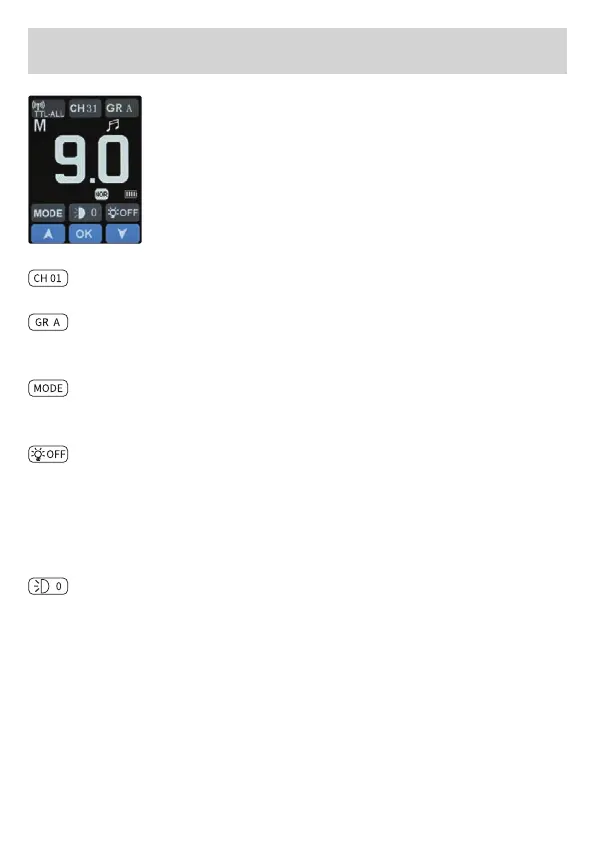
Wireless reception mode
Tap on the symbol to switch wireless reception
mode.
Tap the desired symbol, then tap the symbol again
or tap the up and down symbol to make the respec-
tive setting.
Channel can be chosen between 01 – 31.
Group can be chosen between A / B / C / D / E / F / G / H / I / J /
L / O / P / Q / S / U.
Group Flash mode: Tap on the symbol to switch shooting mode:
M / TTL.
Modeling lamp: Modeling lamp mode switching.
”OFF“: Modeling lamp off.
”PRO“: The brightness of model lamp can be adjusted automa-
tically according to the power.
Manual adjustment of 3 levels of brightness.
Zoom of ash head
”A0“ means auto zoom, manual zoom means ”0“ / ”1“ / ”2“ / ”3“ /
”4“ / ”5“.


 To Next Page