34
Function Description
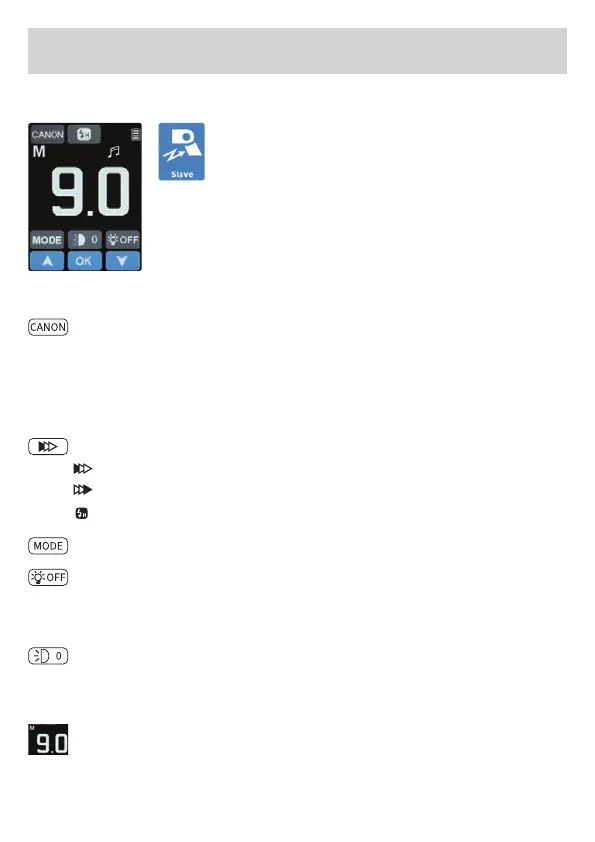
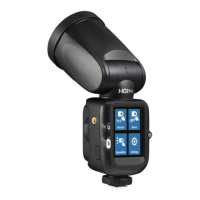
Speedlite mode
Tap the speedlite symbol on the screen to
enter the speedlite mode.
In Speedlite mode, the ash can only be red
from the camera connected to the hot shoe.
If you want to return to the main menu from Speedlite
mode, briey press the main menu button (9).
Compatible camera brands:
Canon / Nikon / Sony* / Fuji / Olympus / LUMIX
Tap on the camera manufacturer symbol at the top left to set the
brand of the connected camera. After setting the correct camera ma-
nufacturer, the ash will re when the shutter button is pressed.
*only with separately available adapter
Tap the symbol to switch the ash synchronization mode.
Front curtain synchronization
Rear curtain synchronization
High speed synchronization
Flash mode: Tap symbol to switch shooting mode: M / TTL
Modeling lamp mode: ”OFF“ / ”PRO“ / ”1“ / ”2“ / ”3“: Brightness
proportional to power / manual adjustment of 3 levels of bright-
ness.
Zoom of ash head: Tap the symbol, tap again or tap the up and
down symbol to set the zoom position of the ash head: ”AO“
means auto zoom, manual zoom means ”0“ / ”1‘ / ”2“ / ”3“ /“ 4“ / ”5“.
Touch the number symbol on the screen, the symbol will turn
white, to adjust the power in whole f-stops. Tap the up and down
arrows without having previously tapped the number symbol to
set the power in 0.1 f-stops.


 To Next Page