JLABAUDIO.COM
CHARGING
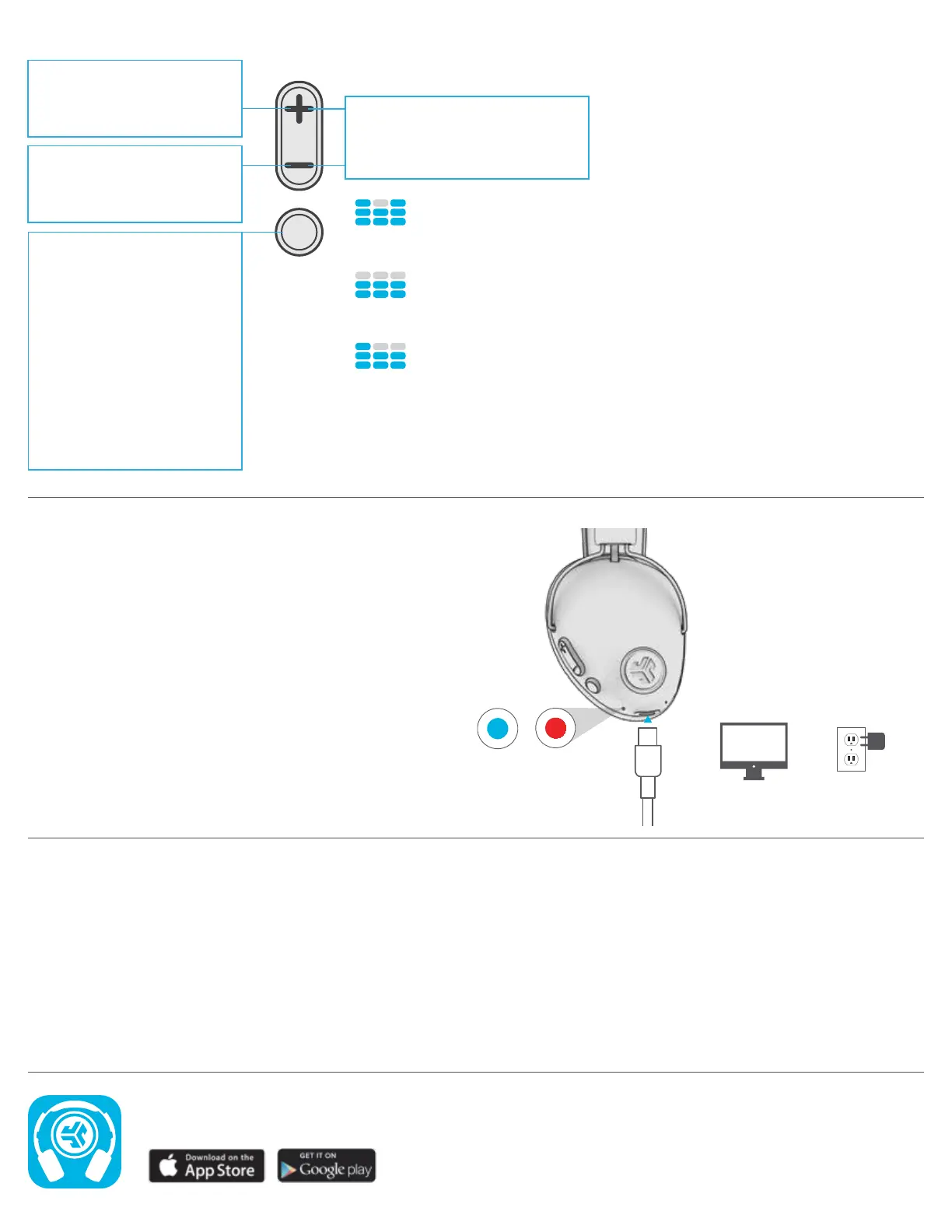
Connect the USB Type C charging cable (included) to the
headphone and connect to a computer or USB 5v/1amp
output device (not included). Make sure the USB connection
has a power output source.
Solid red light indicates the headphone is charging.
Solid blue light indicates charging is complete.
BUTTON FUNCTIONS
OR
FULLY
CHARGED
CHARGING
POWER ON / OFF:
Click & hold 2+ seconds
PLAY / PAUSE / ANSWER /
HANG UP CALLS: Click once
REJECT INCOMING CALL:
Click & hold 1 second
ACTIVATE SIRI (iOS) OR
“OK GOOGLE” (ANDROID):
Click twice
BLUETOOTH PAIRING:
See FIRST TIME SETUP
VOLUME UP: Click once
TRACK FORWARD:
Click & hold 2+ seconds
CHANGE EQ:
Press both buttons simultaneously
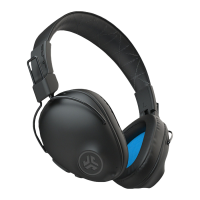
(Studio Pro will cycle 3 EQ settings)
VOLUME DOWN: Click once
TRACK BACKWARD:
Click & hold 2+ seconds
JLab SIGNATURE
(One Beep)
JLab C3™ signature sound
with amplified vocals and bass
BALANCED
(Two Beeps)
Even sound with no additional
sound enhancements
BASS BOOST
(Three Beeps)
Amplified bass and sub-bass
CAUTIONS
• Avoid getting moisture or liquids on the headphone cups.
• Avoid extreme heat, cold, and humidity.
• Avoid dropping or crushing headphones, stressing the cable by rapid pulling or extreme force, or bending the cable at a sharp angle.
• Wax may build up in headphone cups, lowering the sound quality. Carefully remove the wax with a cotton swab or other small tool to
improve the sound quality.
• If you experience discomfort or pain, try lowering the volume or discontinuing use temporarily.
• If you experience regular discomfort while using this product, discontinue use and consult your physician.
• We recommend you treat your headphones as you would a nice pair of sunglasses and keep them in safe location when not in use.
Shop products | Product alerts | Burn-in your headphones
JLab Audio + Burn-in Tool


 To Previous Page