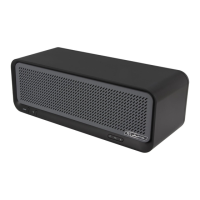
Need help?
Do you have a question about the JLab Crasher and is the answer not in the manual?
Connect speaker via Micro USB for charging until the LED turns green.
Slide the power toggle switch to the right to turn the speaker on.
Pair the speaker with a Bluetooth device by holding the Pair/Battery Check button.
Check charge, power, connection, and proximity for no audio output.
Adjust volume on device and speaker; ensure speaker is charged.
Lower volume on device/speaker; ensure speaker is charged.
Confirm compatibility, reset speaker, and re-pair.
 General
| Speaker type | 1-way |
|---|---|
| Number of drivers | 2 |
| Number of speakers | 1 |
| Audio output channels | 2.1 channels |
| FM radio | No |
| Recommended usage | Mobile phone / Smartphone |
| Built-in microphone | Yes |
| Impedance | - Ω |
| Frequency range | 20 - 20000 Hz |
| RMS rated power | 3 W |
| Signal-to-Noise Ratio (SNR) | 90 dB |
| Total Harmonic Distortion (THD) | 0.5 % |
| Product type | 2.1 portable speaker system |
| Product color | Black |
| LED indicators | Charging |
| Volume control | Digital |
| Housing material | Aluminum |
| Bluetooth range | 10 m |
| Bluetooth version | 2.1+EDR |
| Connectivity technology | Wired & Wireless |
| Cables included | AUX, USB |
| Battery voltage | 3.7 V |
| Battery capacity | 1500 mAh |
| Power source type | AC, Battery |
| Battery life (max) | 18 h |

 To Next Page