Need help?
Do you have a question about the JLab EPIC and is the answer not in the manual?
Connect the USB dongle to your computer and turn on the mouse. Auto-connection to the device is enabled.
Toggle modes with a quick press. Press and hold to enter pairing mode. Select 'JLab Epic Mouse' in device settings.
Quick press to cycle mouse sensitivity (1200-2400 DPI). Press and hold for button customization.
Press and hold the DPI Button and Button 3 simultaneously to toggle the OLED screen on or off.
 General
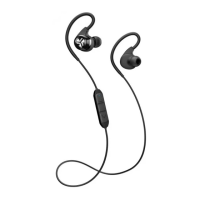
| Headset type | Binaural |
|---|---|
| Product type | Headphones |
| Product color | Black |
| Wearing style | In-ear, Neck-band |
| Control unit type | In-line control unit |
| Recommended usage | Calls/Music |
| International Protection (IP) code | IP54 |
| 3.5 mm connector | Yes |
| USB connectivity | - |
| Bluetooth version | 5.0 |
| Connectivity technology | Wired & Wireless |
| Microphone type | Built-in |
| Charging source | USB |
| Continuous audio playback time | 25 h |
| Cables included | Micro-USB |
| Accessories included in set | 4 sizes silicone eartips |


 To Next Page