Need help?
Do you have a question about the JLab Epic Air and is the answer not in the manual?
Take earbuds out of the charging case and remove stickers. Press and hold for 3+ seconds on each earbud.
Select 'JLab Epic Air ANC' in device settings. Voice prompt indicates connection.
Turn off Bluetooth on old devices. Turn on Bluetooth on new device and take earbuds out of case to pair.
Details single tap, double tap, and press/hold functions for volume, calls, track, and EQ.
Activate by pressing and holding both touch sensors simultaneously for 3+ seconds.
Describes JLab Signature, Balanced, Bass Boost, and custom Beep EQ settings.
Placing earbuds in the charging case powers them off and starts charging.
Taking earbuds out of the charging case powers them on and connects them.
Connect the earbuds case to a computer or USB 5V 1A (or less) output device.
Place the charging case on a wireless charging platform.
Try all ear tips for best fit and proper seal. Place in ear canal and rotate to adjust.
Download the Tile app and activate to find your earbuds. Learn more at jlab.com/tileapp.
Customize features and update software by downloading the JLab Sound App.
Forget device, reset each earbud by tapping sensor 7x, then re-pair.
Forget device, toggle Bluetooth, take earbuds out of case, then re-select to connect.
Independent earbud use, single device connection, and drying earbuds before charging.
Avoid extreme conditions, dropping, and ensure proper earbud cleaning.
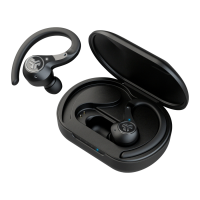
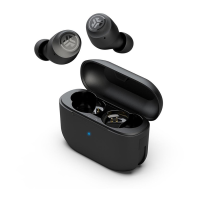
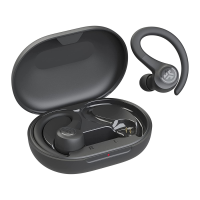
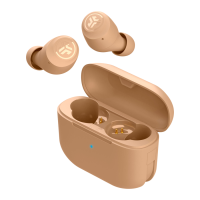
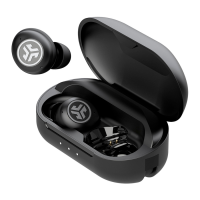
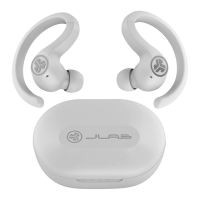
This document describes the JLab Epic Air ANC earbuds, focusing on their functionality, usage, and maintenance.
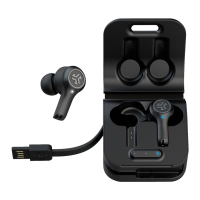
The JLab Epic Air ANC earbuds are designed for a seamless audio experience, offering active noise cancellation (ANC) and various sound modes. They are equipped with touch sensors on both earbuds for easy control of playback, calls, and settings. The earbuds come with a charging case that supports both wired and wireless charging, ensuring they are always ready for use.
To begin using the earbuds, first remove them from the charging case and peel off any protective stickers. Then, press and hold the touch sensor on each earbud for 3+ seconds. A blinking blue and white light on one earbud indicates it's ready for pairing. Next, open your device's Bluetooth settings and select "JLab Epic Air ANC." A voice prompt "Bluetooth connected" and solid white lights on the earbuds will confirm a successful connection.
For connecting to new or additional Bluetooth devices, first turn off Bluetooth on any previously connected device. Then, turn on Bluetooth on the new device. Take the earbuds out of their case, and they will automatically enter Bluetooth Pairing mode. Select "JLab Epic Air ANC" in the new device's settings to connect.
The earbuds feature intuitive touch controls.
Voice prompts provide clear feedback on the earbuds' status:
To power off the earbuds without placing them in the charging case, turn off Bluetooth from your device settings. The earbuds will automatically power off after 3 minutes.
The JLab Epic Air ANC offers multiple equalizer (EQ) settings. Triple tap either earbud to cycle through the different EQ modes. Voice prompts will indicate the current EQ setting. The earbuds cycle through four EQ settings. For further customization of each EQ setting, you can download the JLab Sound App from the Apple App Store or Google Play Store.
The available EQ modes include:
Placing the earbuds in the charging case will automatically power them off and initiate charging. Blue lights on the earbuds indicate they are charging, and these lights will turn off once fully charged. When the earbuds are taken out of the charging case, they will automatically power on and connect to the last paired device.
The charging case supports both wired and wireless charging.
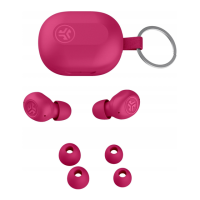
For the best fit and proper seal, try all the included ear tips. Once you've selected the appropriate ear tips, place the earbuds in your ear canal and gently rotate them to adjust for optimal comfort and sound quality.
The JLab Epic Air ANC earbuds are integrated with Tile technology. To locate your earbuds, download the Tile app and activate the feature. More information is available at jlab.com/tileapp. Be aware that activating Tile will reduce earbud playtime.
To customize Epic Air ANC features and update the latest software, download the JLab Sound App from the Apple App Store or Google Play Store. The app allows for personalized EQ settings and other enhancements.
If you experience no audio in one earbud or if the earbuds are disconnected, a manual reset can often resolve the issue.
If your Bluetooth device is not connecting or reconnecting:
JLab offers product alerts and a "Burn-in Tool" through the JLab Store and app. You can download the JLab Store + Burn-in Tool from the App Store or Google Play.
 General
| Battery Life | 12 hours |
|---|---|
| Bluetooth | Bluetooth 5.0 |
| Water Resistance | IP55 |
| Charging Port | USB-C |
| Driver Size | 8mm |
| Frequency Response | 20Hz-20kHz |
| Type | True Wireless |
| Weight | 5g per earbud |
| Microphone | Built-in microphone |
| Wireless Range | 30+ ft |

 To Next Page