Need help?
Do you have a question about the JLab GO AIR POP and is the answer not in the manual?
Instructions for pairing with new or different Bluetooth devices after initial setup.
Details on volume down, Siri/Google Assistant, and track back functions for the left earbud.
Details on volume up, play/pause, and track forward functions for the right earbud.
Lists of voice prompts for power, pairing, connection status, and battery levels.
Explains the three EQ sound modes: JLab Signature, Balanced, and Bass Boost.
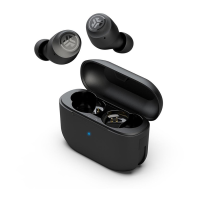
Describes how earbuds power off and begin charging when placed in the case.
Details on the case's blue blinking light for charging and solid blue for fully charged.
Instructions on trying ear tips and placing earbuds in the ear canal for optimal fit.
Advice on independent earbud use, single device connection, and drying earbuds before charging.
Steps for a manual reset to resolve connection failure or earbud disconnection.
Warnings against extreme conditions, dropping, earwax buildup, and user discomfort.
 General
| Control type | Touch |
|---|---|
| Headset type | Binaural |
| Product type | Headphones |
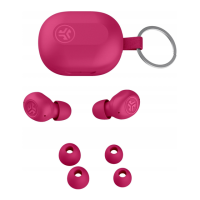
| Product color | Pink |
| Wearing style | In-ear |
| Control unit type | On-ear control unit |
| Recommended usage | Calls/Music |
| International Protection (IP) code | IPX4 |
| Battery type | Built-in battery |
| Standby time | 60 h |
| Charging source | USB |
| Battery capacity | 43 mAh |
| Battery operated | Yes |
| Battery recharge time | 2.2 h |
| Continuous audio playback time | 32 h |
| Battery recharge time (charging case) | 2 h |
| Charging case type | Wired |
| Charging case capacity | 350 mAh |
| Charging case connector type | USB Type-A |
| Wireless range | 30 m |
| Bluetooth version | 5.1 |
| Bluetooth profiles | A2DP, AVRCP, HFP, HSP |
| Connectivity technology | True Wireless Stereo (TWS) |
| Microphone type | Built-in |
| Microphone sensitivity | -42 dB |
 Weight and Dimensions
| Weight | 35.4 g |
|---|---|
| Charging case weight | 27.5 g |
| Left earpiece weight | 3.7 g |

 To Next Page