EasyManua.ls Logo

JLab JBuddies Pro - User Manual

JLab JBuddies Pro
3 pages
Print Icon
To Next Page IconTo Next Page
Loading...
CHARGING
Connect the USB-C cable to computer
or USB 5V 1A (or less) output device.
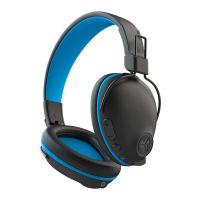
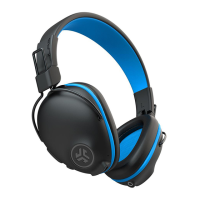
JBUDDIES PRO
WIRELESS HEADPHONES
FIRST TIME SETUP: BLUETOOTH PAIRING
Notes:
Bluetooth is a wireless radio technology, which means it is sensitive to objects between the headphone and the connected device.
The headphone is designed to be used within 33 feet (10 meters) of a connected device, with no major objects in between (walls, etc.).
Once successfully connected, the headphone will memorize your device and automatically pair when turned on in the future.
Only one device may be connected at a time. To pair a different device, first unpair the current one through its Bluetooth settings.
If for any reason Bluetooth connection is lost, manually reconnect your Bluetooth device.
Select “JBuddies Pro” in your device
settings to connect.
Bluetooth
JBuddies Pro
Settings
3
When the JBuddies Pro
Wireless Headphones are
powered off, press and hold
the Power Button for
approximately 10 seconds.
Fast blinking red and blue
light indicates searching
for Bluetooth device.
2
Turn on the Bluetooth
in your device settings.
Bluetooth
Settings
1
When the headphones
are paired, voice prompts
“You are connected”
and blue light will
flash slowly.
L
I
M
I
T
E
D
T
W
O
Y
E
A
R
C
U
S
T
O
M
E
R
S
U
P
P
O
R
T
U
.
S
.
B
A
S
E
D
We love that you are rocking JLab!
We take pride in our products and fully stand behind them.
YOUR WARRANTY
All warranty claims are subject to JLab authorization
and at our sole discretion. Retain your proof of
purchase to ensure warranty coverage.
CONTACT US
Reach out to us at support@jlab.com
or visit jlab.com/contact
REGISTER TODAY
jlab.com/register
Product updates | How-to tips
FAQs & more
CHARGING
FULLY CHARGED
Question and Answer IconNeed help?

Do you have a question about the JLab JBuddies Pro and is the answer not in the manual?

Overview

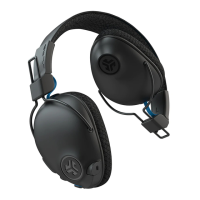
The JBuds Pro Wireless Headphones are designed for a comfortable and versatile audio experience, offering both wireless Bluetooth connectivity and wired options, along with a unique "Share Mode."

Function Description:

The JBuds Pro are over-ear headphones primarily designed for wireless audio streaming via Bluetooth. They feature integrated controls for volume, track navigation, call management, and voice assistant activation. A key feature is the "Share Mode," which allows users to connect multiple JBuds Pro headphones or other wired headphones/earbuds to share audio from a single source. The headphones also support a wired connection via an AUX cable, enabling use even when battery power is depleted or for devices without Bluetooth. A volume limiter switch (85dB/95dB) is included for hearing protection, particularly useful for children.

Important Technical Specifications:

  • Connectivity: Bluetooth wireless technology (up to 33 feet/10 meters range), AUX input/output for wired connections.
  • Charging: USB-C charging port.
  • Controls:
    • Power On/Off: Press and hold for 3 seconds.
    • Bluetooth Pairing: Press and hold for approximately 10 seconds when powered off (fast blinking red and blue light indicates pairing mode).
    • Play/Pause/Answer/Hang Up Calls: 1 Click.
    • Activate Siri (iOS) or "OK Google" (Android): 2 Clicks.
    • Volume Up/Down: 1 Click.
    • Track Forward/Backward: 2-second hold.
  • Volume Limiter: Switchable between 85dB and 95dB.
  • Microphone: Integrated, usable when connected via AUX cable on the input side.
  • Battery Indicator: Indicator light for charging status (red for charging, solid blue for fully charged).

Usage Features:

  • First-Time Setup (Bluetooth Pairing):
    1. Turn on Bluetooth in your device settings.
    2. With the headphones powered off, press and hold the Power Button for approximately 10 seconds until the light blinks fast red and blue.
    3. Select "JBuddies Pro" in your device's Bluetooth settings to connect. A voice prompt "You are connected" and a slow blue light flash will confirm successful pairing.
  • Automatic Reconnection: Once successfully connected, the headphones will memorize the device and automatically pair when turned on in the future.
  • Pairing to a Different Device: To pair with a new device, first unpair the current one through its Bluetooth settings.
  • Wired Mode ("Go Wired"): Connect the included AUX CABLE to the headphone's AUX input and to a device for a wired connection.
  • Share Mode:
    • Option 1: Connect the AUX CABLE from one JBuds Pro headphone's AUX output to another JBuds Pro headphone's AUX input.
    • Option 2: Connect the AUX CABLE from one JBuds Pro headphone's AUX output to any other wired headphone/earbud.
  • Microphone Usage: The microphone is active when the headphones are connected via the AUX input side.
  • Volume Limiter: The 85dB/95dB switch, located inside the fabric, allows users to set a maximum volume level for hearing protection.

Maintenance Features:

  • Charging: Connect the USB-C cable to a computer or a USB 5V 1A (or less) output device. The indicator light will be red while charging and solid blue when fully charged.
  • Cleaning: Regularly remove wax buildup from the headphone cups with a cotton swab or other small tool to maintain sound quality.
  • Storage: Treat the headphones like sunglasses; store them in a safe location when not in use to prevent damage.
  • Warranty: JLab offers a limited two-year warranty. All warranty claims are subject to JLab authorization. Retain proof of purchase for warranty coverage.
  • Customer Support: JLab provides U.S.-based customer support. Contact them at support@jlab.com or visit jlab.com/contact.
  • Product Registration: Register your product at jlab.com/register for product updates, how-to tips, and FAQs.
  • Burn-in Tool: JLab offers a "Burn-in Tool" via their app (available on App Store and Google Play) which can help optimize sound quality over time.

Cautions:

  • Avoid moisture or liquids on headphone cups.
  • Avoid extreme heat, cold, and humidity.
  • Do not drop or crush headphones.
  • Avoid stressing the cable by rapid pulling, extreme force, or bending.
  • If experiencing discomfort or pain, lower the volume or discontinue use temporarily. Consult a physician if discomfort persists.
  • Bluetooth range can be affected by objects between the headphones and the connected device (e.g., walls).

JLab JBuddies Pro Specifications

General IconGeneral
BrandJLab
ModelJBuddies Pro
CategoryWireless Headphones
LanguageEnglish

Related product manuals