Need help?
Do you have a question about the JLab Studio Pro ANC Wireless and is the answer not in the manual?
Guide for initial Bluetooth setup and pairing with your device.
Instructions for connecting new or secondary devices after initial setup.
Details on button presses for volume, track control, calls, voice assistants, and EQ switching.
How to activate and cycle through noise control modes (Be Aware, ANC High, ANC Low, ANC Off).
Guidance on connecting the headphones to a power source for charging.
Instructions for using the AUX input for audio playback and ANC.
Important warnings for handling, cleaning, and protecting the headphones.
This document provides a comprehensive guide for the JLab Studio Pro ANC headphones, covering initial setup, button functions, active noise control, charging, and auxiliary input, along with important cautions and maintenance tips.
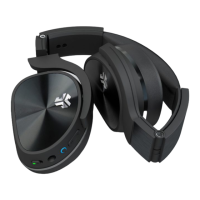
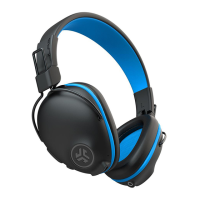
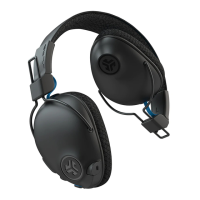
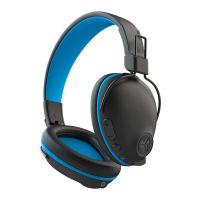
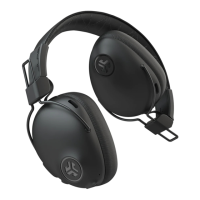
The JLab Studio Pro ANC headphones are designed to deliver a high-quality audio experience with the added benefit of Active Noise Control (ANC). They offer both wireless Bluetooth connectivity and a wired auxiliary input option, making them versatile for various listening scenarios, including in-flight entertainment or use without battery power. The headphones feature a built-in microphone for hands-free calling and voice assistant activation.
To begin using the headphones wirelessly, ensure Bluetooth is enabled in your device's settings. Then, press and hold the power button on the headphones for 8 seconds until the lights flash blue/red, indicating pairing mode. Finally, select "JLab Studio Pro ANC" from the list of available devices in your settings to connect. Once successfully connected, the headphones will memorize your device and automatically pair in the future.
To pair with a new device, first, turn off Bluetooth on any previously paired device. Then, enable Bluetooth on the new device and repeat the first-time setup process. The headphones can only be connected to one device at a time. If the Bluetooth connection is lost for any reason, you may need to manually reconnect through your device's Bluetooth settings.
The headphones are equipped with intuitive button controls for various functions:
The headphones offer three equalizer settings to customize your audio experience:
The ANC feature helps reduce ambient noise for a more immersive listening experience.
The headphones can be used with an auxiliary cable, which is useful for connecting to in-flight media entertainment systems or for listening without battery power.
To charge the headphones, connect the provided charging cable to a computer or a USB 5V 1A (or less) output device. The charging indicator will show when the headphones are charging and when they are fully charged.
To ensure the longevity and optimal performance of your JLab Studio Pro ANC headphones, observe the following cautions:
JLab offers comprehensive support, including product updates, how-to tips, and FAQs, accessible at jlab.com/register. You can also reach out to customer support at support@jlab.com or visit jlab.com/contact. The JLab Store also provides information on products, alerts, and a burn-in tool, with apps available on the App Store and Google Play. The headphones come with a limited two-year warranty, and all warranty claims are subject to JLab authorization. Retain your proof of purchase for warranty coverage.
 General
| Type | Over-ear |
|---|---|
| Active Noise Cancellation | Yes |
| Bluetooth Version | 5.0 |
| Charging Time | 2 hours |
| Driver Size | 40 mm |
| Frequency Response | 20 Hz - 20 kHz |
| Microphone | Built-in |
| Water Resistance | No |
| Foldable | Yes |
| Included | USB charging cable |
| Wireless Range | 30 feet |
| Quick Charge | 10 min charging = 4+ hour playtime |

 To Next Page