EasyManua.ls Logo

JLab JBUDS - User Manual

JLab JBUDS
4 pages
Print Icon
To Next Page IconTo Next Page
Loading...
CONNECTING TO BLUETOOTH
Select “JLab JBuds Air Sport” in your device settings.
Voice prompt “Bluetooth connected” followed by
solid white lights will indicate you are connected.
2
IN THE BOX
Bluetooth
Settings
JLab JBuds Air Sport
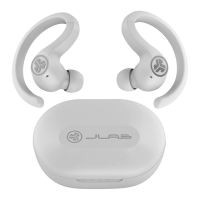
EARBUDS CHARGING CASE
EARTIPS
Cloud Foam
S M L
LEFT
TOUCH
SENSOR
RIGHT
TOUCH
SENSOR
INDICATOR
LIGHTS
CHARGE INDICATOR LIGHTS
USB CHARGE INPUT
AUTO-CONNECTING EARBUDS
A. Take earbuds out of the charging case and remove stickers.
B. Press and hold both touch sensors 3+ seconds to turn ON.
One earbud turns solid white and the other earbud blinks blue/white
indicating ready to pair to your device.
FIRST TIME SETUP
1
A.
B.
Press and
hold 3+
seconds
Remove
stickers
ADDING NEW / ADDITIONAL BLUETOOTH DEVICES:
Turn OFF Bluetooth from any previously connected device. Turn ON Bluetooth from new device. Take earbuds out of the case.
Earbuds will automatically enter Bluetooth Pairing. Select “JLab JBuds Air Sport” in device settings to connect.
JBUDS AIR SPORT
EARBUDS
We love that you are rocking JLab!
We take pride in our products and fully stand behind them.
YOUR WARRANTY
All warranty claims are subject to JLab authorization
and at our sole discretion. Retain your proof of
purchase to ensure warranty coverage.
CONTACT US
Reach out to us at support@jlab.com
or visit jlab.com/contact
REGISTER TODAY
jlab.com/register
Product updates | How-to tips
FAQs & more
L
I
M
I
T
E
D
T
W
O
Y
E
A
R
W
A
R
R
A
N
T
Y
S
U
P
P
O
R
T
T
E
A
M
#
T
E
A
M
J
L
A
B

Other manuals for JLab JBUDS

Question and Answer IconNeed help?

Do you have a question about the JLab JBUDS and is the answer not in the manual?

Overview

The JLab JBuds Air Sport are true wireless earbuds designed for active lifestyles, offering a secure fit, robust sound, and convenient features.

Function Description:

The JBuds Air Sport are in-ear headphones that connect wirelessly via Bluetooth to various devices such as smartphones, tablets, and computers. They are designed for both music listening and hands-free calling. The earbuds feature touch sensors for controlling playback, volume, calls, and activating voice assistants. They also offer multiple equalizer modes (JLab Signature, Balanced, Bass Boost) to customize the audio experience. A key feature is Multipoint connectivity, allowing the earbuds to connect to two Bluetooth devices simultaneously, making it easy to switch between, for example, a phone and a laptop. The included charging case not only protects the earbuds but also recharges them, extending their battery life. The earbuds are equipped with Tile technology, enabling users to locate them if misplaced via the Tile app.

Important Technical Specifications:

  • Connectivity: Bluetooth
  • Controls: Touch sensors on each earbud for various functions.
  • Equalizer Modes: JLab Signature (amplified bass and vocals), Balanced (even sound), Bass Boost (amplified bass and sub-bass). These modes are cycled by triple-tapping the left earbud.
  • Multipoint: Connects to two Bluetooth devices simultaneously.
  • Charging: Earbuds charge in the case; case charges via integrated USB cable (connects to computer or USB 5V 1A output).
  • Battery Life: Voice prompts indicate battery levels ("Battery Full": 100-80%, "Battery Medium": 80-20%, "Low Battery": Less than 20%).
  • Fit: Comes with multiple ear tip sizes (S, M, L, Cloud Foam) for optimal fit and sound quality.
  • Location Tracking: Integrated Tile technology.

Usage Features:

  • First-Time Setup:
    1. Remove earbuds from the charging case and peel off stickers.
    2. Press and hold both touch sensors for 3+ seconds to power ON.
    3. One earbud will show a solid white light, and the other will blink blue/white, indicating pairing mode.
    4. Select "JLab JBuds Air Sport" in your device's Bluetooth settings. A "Bluetooth connected" voice prompt and solid white lights confirm connection.
  • Adding New Devices: Turn off Bluetooth on previously connected devices, turn on Bluetooth on the new device, take earbuds out of the case (they will enter pairing mode), and select "JLab JBuds Air Sport" in the new device's Bluetooth settings.
  • Button Functions (Left Earbud):
    • Single tap: Volume Down
    • Double tap: Siri (iOS) or "OK Google" (Android)
    • Press & hold 1+ sec: Switch Music/Movie Mode
    • Triple tap: EQ Change (cycles through 3 settings)
    • Press & hold 3+ sec: Power ON
  • Button Functions (Right Earbud):
    • Single tap: Volume Up / Answer Call
    • Double tap: Play / Pause / Hang Up Call
    • Press & hold 1+ sec: Track Forward / Reject Incoming Calls
    • Triple tap: Be Aware ON / OFF
    • Press & hold 3+ sec: Power ON
  • Voice Prompts: "JLab ON," "Ready to Pair," "Bluetooth Connected," "Battery Full," "Battery Medium," "Low Battery," "Goodbye."
  • Turning Off Earbuds Without Case: Disconnect from Bluetooth device settings; earbuds will power off after 3 minutes.
  • Charging Earbuds: Place earbuds in the charging case; blue lights indicate charging and turn off when fully charged. Earbuds auto power on and reconnect when removed from the case.
  • Charging Case: Connect the integrated USB cable to a computer or USB 5V 1A output. Lights pulse white while charging and turn solid white when fully charged.
  • Multipoint Connectivity:
    1. Connect to the FIRST device.
    2. Turn off Bluetooth on the FIRST device (earbuds enter pairing mode).
    3. Connect to the SECOND device.
    4. Turn on Bluetooth on the FIRST device and reconnect.
  • Finding Earbuds: Use the Tile app (download from jlab.com/tileapp) to locate misplaced earbuds. Note: Activating Tile may reduce earbud playtime.
  • JLab Sound App: Customize features and update software via the JLab Sound App (available on Apple/Google Play Store).

Maintenance Features:

  • Troubleshooting (No Audio/Disconnects - Manual Reset):
    1. Forget "JLab JBuds Air Sport" in device Bluetooth settings.
    2. Leave earbuds in the charging case. Quickly tap the touch sensor on ONE earbud 7 times (light blinks blue 4 times). Leave in case.
    3. Repeat step 2 for the OTHER earbud.
    4. Take both earbuds out of the case and keep them within 2 inches. Wait for one to turn solid white and the other to blink blue/white. They are now ready to pair.
  • Troubleshooting (Device Not Connecting/Reconnecting):
    1. Forget "JLab JBuds Air Sport" in device Bluetooth settings.
    2. Turn Bluetooth OFF, then ON.
    3. Take earbuds out of the case. Wait for one to turn solid white and the other to blink blue/white.
    4. Select "JLab JBuds Air Sport" in device settings to reconnect.
  • Quick Tips:
    • Either earbud can be used independently for music and calls.
    • Choosing the correct ear tip significantly improves audio quality. Test all ear tips.
    • Only one Bluetooth device can be connected at a time (unless using Multipoint). Turn off Bluetooth on unwanted devices.
  • Warning: Fully dry earbuds before placing them in the charging case. Moisture can cause damage to the charging case and void the warranty.
  • Cautions:
    • Avoid extreme heat, cold, and humidity.
    • Avoid dropping or crushing earbuds.
    • Remove wax buildup from earbud tips with a cotton swab or small tool to maintain sound quality.
    • Lower volume or discontinue use if experiencing discomfort or pain. Consult a physician if discomfort persists.
    • Treat earbuds like sunglasses; keep them in a safe location.

JLab JBUDS Specifications

General IconGeneral
BrandJLab
ModelJBUDS
CategoryMouse
LanguageEnglish

Videos

How to Pair / Connect JLab JBuds Air Sport Earbuds to iPhones

How to Enter Paring Mode & Factory Reset: JLab JBuds Air Sport Earbuds

How To Replace Jlab Jbuds Lux Ear Pads, Jbuds Lux ANC

How to Check the Battery Percentage of JLAB JBUDS LUX Headphones in Android

How to Pair JLab JBuds Mini With Android

How to Pair JLab JBuds Mini With PC

Related product manuals