8
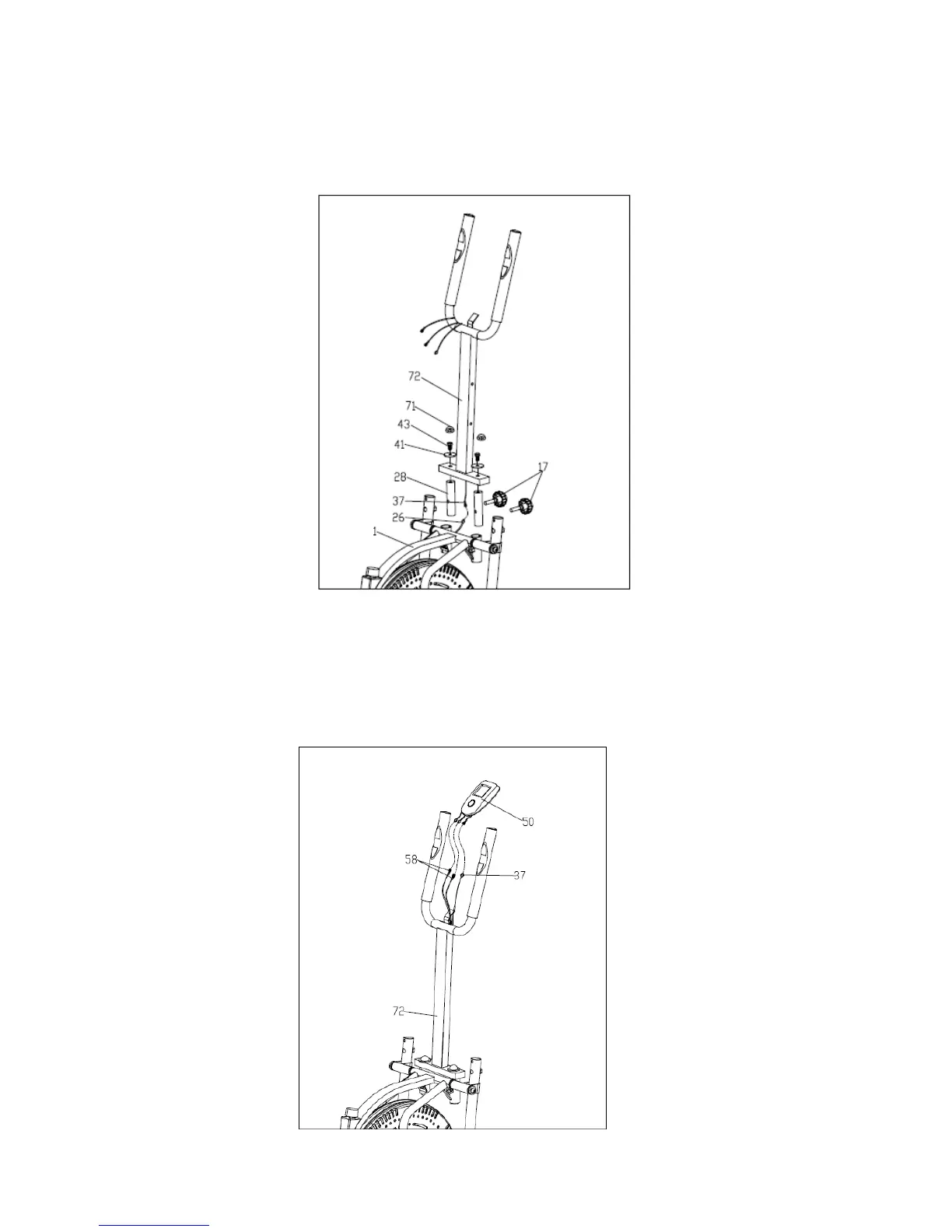
STEP 7:
1.Connect the Sensor wire (26) to the Sensor connecting wire (37);
2.Lock the Tube (28) to the Main frame (1) with Knob (17).
3.Tighten the Front support (72) to the Tube (28) with Bolt (43) and Flat washer (41), then put
the Cap (71).
STEP 8:
.Connect the Heart rate sensor wire (58), Sensor wire (37) to the wires coming out of
Computer (50), then insert the Computer (50) to the bracket of Front support (72).



 To Next Page