HEATER OPERATION
•
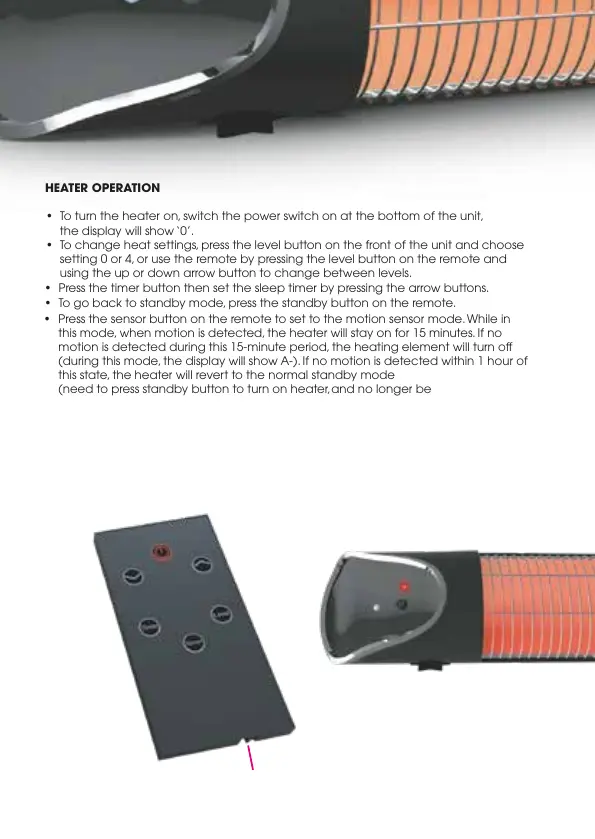
To turn the heater on, switch the power switch on at the bottom of the unit,
the display will show ‘0’.
•
To change heat settings, press the level button on the front of the unit and choose
setting 0 or 4, or use the remote by pressing the level button on the remote and
using the up or down arrow button to change between levels.
•
Press the timer button then set the sleep timer by pressing the arrow buttons.
•
To go back to standby mode, press the standby button on the remote.
•
Press the sensor button on the remote to set to the motion sensor mode. While in
this mode, when motion is detected, the heater will stay on for 15 minutes. If no
motion is detected during this 15-minute period, the heating element will turn o
(during this mode, the display will show A-). If no motion is detected within 1 hour of
this state, the heater will revert to the normal standby mode
(need to press standby button to turn on heater, and no longer be
in motion-sensor mode).
•
To activate motion sensor-mode again, press the sensor button on the remote.
•
To turn o unit, switch the power button o at the bottom of the unit.
Power Level Button
LED Display
Standby Button
Battery Compartment
Power Button


 To Next Page