EasyManua.ls Logo

Jocel JDE011121 - User Manual

Jocel JDE011121
46 pages
Go to English
Print Icon
To Next Page IconTo Next Page
Loading...
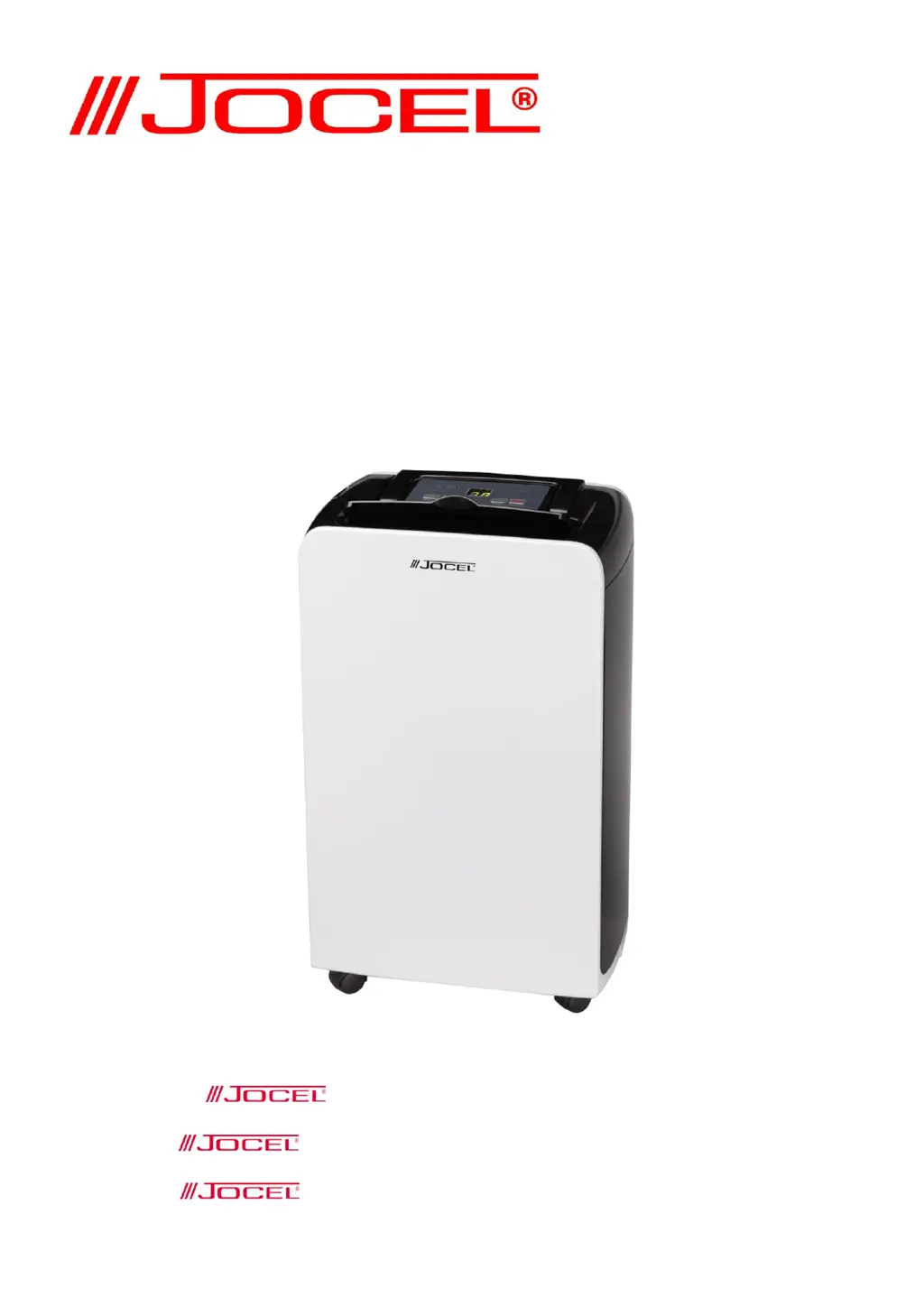
DESUMIFICADOR
DESHUMIDIFICADOR
DEHUMIDIFIER
JDE011121
A felicita-o (a) pela escolha deste Desumidificador.
Por favor, leia atentamente as instruções deste manual.
lo(a) felicita por la elección de este Deshumificador.
Lea el manual de instrucciones antes de utilizar el aparato.
congratulates you the selection of this dehumidifier.
Please read this manual before using.

Questions and Answers

  • R
    Roger McdonaldAug 5, 2025
    What to do if my Jocel JDE011121 doesn't turn on?
    • K
      Kimberly WilliamsAug 5, 2025
      If your Jocel Dehumidifier isn't turning on, there could be several reasons: * **No power:** Ensure the dehumidifier is connected to a working outlet and switched on. * **Water tank full:** Empty the water tank and reset the settings, or ensure the water tank is correctly placed. * **Temperature issues:** The unit has self-protection and cannot operate if the room temperature is below 5 degrees Celsius or above 35 degrees Celsius. * **Timer active:** Deactivate the timer function.
  • D
    Dawn JamesAug 15, 2025
    Why does my Jocel Dehumidifier turn on and off frequently?
    • E
      Elizabeth CookAug 15, 2025
      If your Jocel Dehumidifier's dehumidifying function isn't working properly or it turns on and off frequently, consider these possibilities: * **Dirty air filter:** Clean the air filter according to the instructions. * **Open windows/doors:** Ensure all doors and windows are closed. * **Heat source nearby:** Move the unit away from any heat sources to a cooler location. * **Blocked ducts:** Remove any obstructions from the intake or discharge ducts.
  • K
    Kristen Thompson MDAug 25, 2025
    How to reduce noise from my Jocel JDE011121 Dehumidifier?
    • S
      Selena CortezAug 26, 2025
      If your Jocel Dehumidifier is operating noisily: * **Unstable surface:** Place the unit on an even, solid surface to reduce vibration. * **Clogged filter:** Clean the air filter as instructed.

Summary

Cautions

Installation

Connect Water Pipe

Connects the water pipe to a bathroom, outdoor area, or container for drainage.

Drainage Port Setup

Attaches the rubber adaptor of the water pipe to the drainage port on the rear panel.

Parts Identification

Operations and Controls

Indicator Lights Overview

Explains the meaning of indicator lights such as power, water full, and timer status.

Display Functionality

Details how the display shows indoor humidity, selected humidity, and timer data.

Control Panel Buttons

Describes the function of each button: power, timer, humidity setting, and fan speed.

Water Drainage

Water Tank Full Warning

Alerts users about the red indicator light and unit stoppage when the water tank is full.

Emptying the Water Tank

Provides step-by-step instructions for removing and emptying the water collection tank.

Water Tank Cautions

Highlights essential warnings, such as not removing the float, to ensure proper operation.

Continuous Drainage Setup

Details the procedure for setting up continuous drainage using a PVC pipe.

Maintenance and Storage

Unit Cleaning

Instructions for cleaning the unit housing using a soft, damp cloth, avoiding solvents.

Air Filter Maintenance

Guidance on cleaning the washable air filter every two weeks for optimal efficiency.

Dehumidifier Storage

Recommendations for storing the unit during extended periods of non-use to prevent damage.

Troubleshooting Guide

Unit Not Operating

Addresses issues like no power, full water tank, or temperature constraints affecting operation.

Dehumidifying Function Issues

Solutions for when the dehumidifying function is not working or the unit cycles frequently.

Noisy Operation

Troubleshooting tips for a noisy unit, including checking the air filter and unit stability.

Low Temperature Operation

Auto Defrost Feature

Explains automatic defrosting cycles based on ambient temperature ranges.

Abnormal Operation Cautions

Advises to switch off and unplug the unit if any abnormal events occur and contact an electrician.

General Warranty Terms

Warranty Validity and Scope

Defines warranty conditions, including proof of purchase and limitations on repairs and replacements.

Warranty Exclusions

Lists damages not covered by warranty, such as transportation, misuse, or unauthorized repairs.

Warranty Expiration

Specifies conditions for warranty expiration, including nameplate modification and time limits.

Technical Assistance Contacts

Provides contact information for technical assistance requests via phone, fax, and email.

Declaration of Conformity

Product Compliance

Declares the product's compliance with European directives and relevant standards.

Jocel JDE011121 Specifications

General IconGeneral
BrandJocel
ModelJDE011121
CategoryDehumidifier
LanguageEnglish