OPERATIONS
Indication
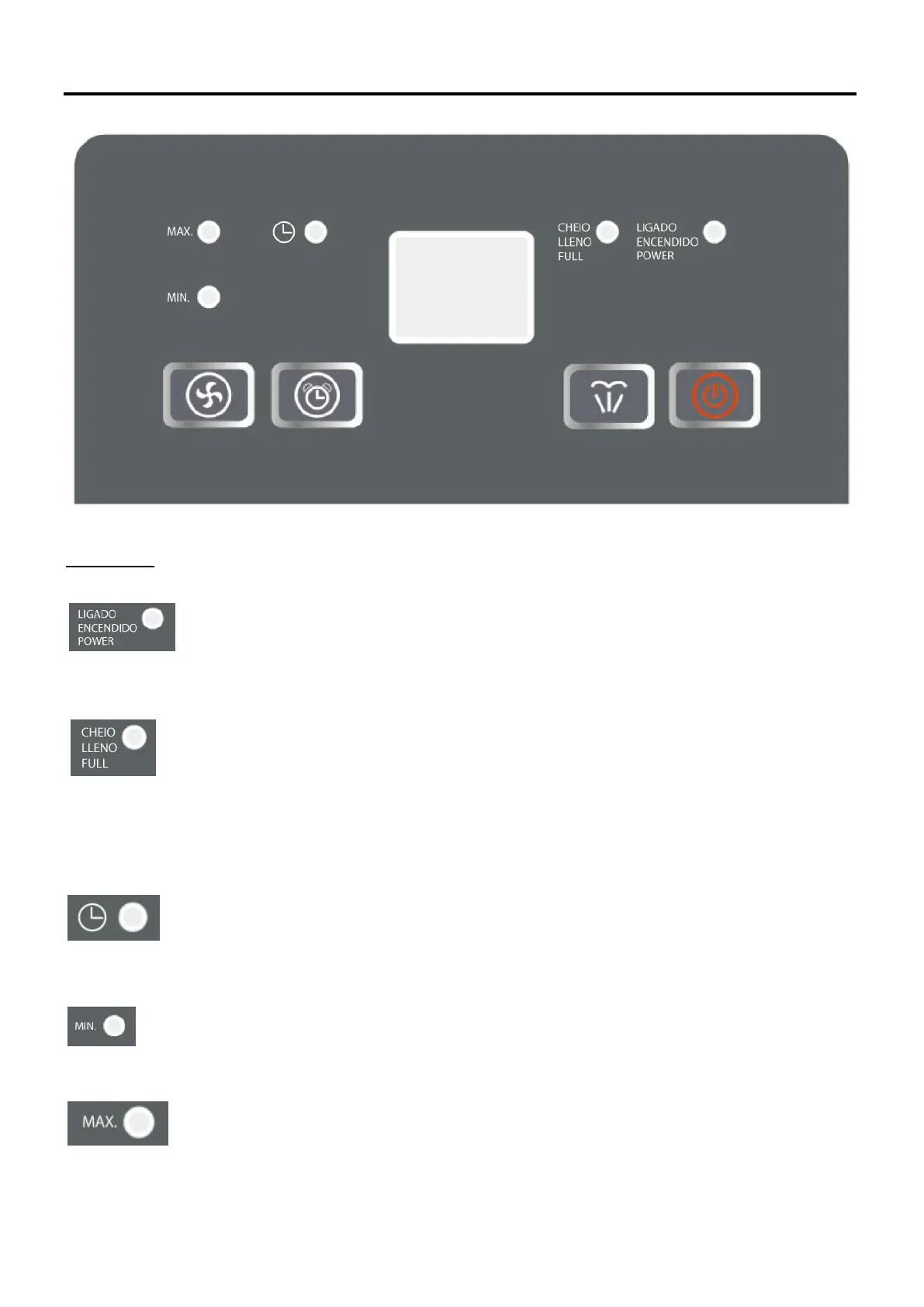
1. Power Indication
When power is on, whenever it is running or not, the power indicator shows green.
2. Water full indication
When water tank is full, indicator light shows red and the unit will bizz for 15 times and then stop.
You must empty the water tank and put it back to correct position.
3. Timer indication
When time on or timer off, the indicator light shows green.
4. Low fan speed indication
When running in low (MIN.) fan speed, the low fan speed indicator shows green.
5. High fan speed indication
When running in high (MAX.) fan speed, the high fan speed indicator shows green.
-35-


 To Next Page