10
Using your Ceramic Hob
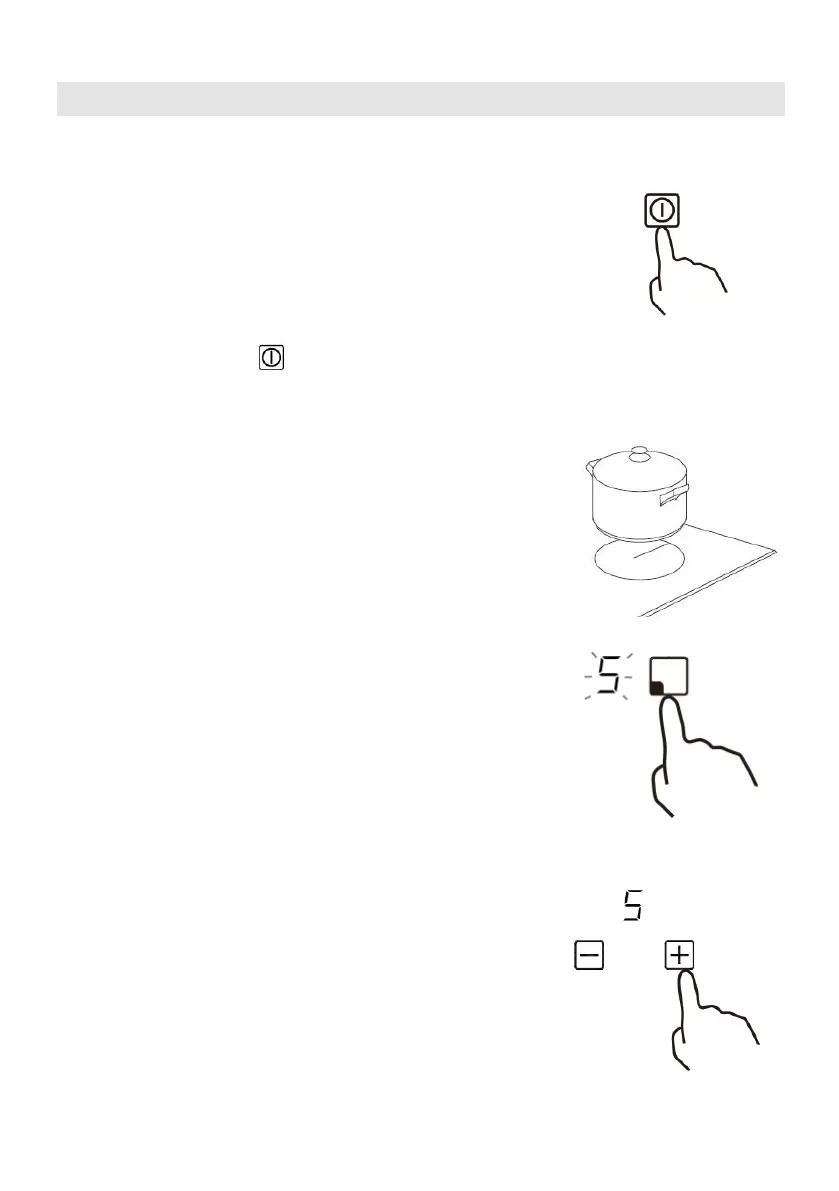
To start cooking
• After turning on the hob, the buzzer beeps once and
all the indictors illuminate up for 1 second then go out,
indicating that the ceramic hob has entered standby mode.
1. Touch the ON/OFF control. all the indicators
show “-“
2. Place a suitable pan on the cooking zone that
you wish to use.
• Make sure the bottom of the pan and the surface
Of the cooking zone are clean and dry.
3. Touching the heating zone selection control,
and a indicator next to the key will flash.
4. Ajust heat setting by touching the“ — ”or
“+ ”control.
• If you don’t choose a heat setting within 1
minute, the ceramic hob will automatically
switch off. You will need to start again at
step 1.
• You can modify the heat setting at any time
during cooking.
• You can modify the power level from 0 to 9 .


 To Next Page